
Du verwendest einen veralteten Browser. Es ist möglich, dass diese oder andere Websites nicht korrekt angezeigt werden.
Du solltest ein Upgrade durchführen oder einen alternativen Browser verwenden.
Du solltest ein Upgrade durchführen oder einen alternativen Browser verwenden.
[Review] Hat der uralt Sockel 1366 eine Chance gegen Skylake? Westmere als CPU Geheimtipp..
- Ersteller Knogle
- Erstellt am
Denke zu wenig Vcore.
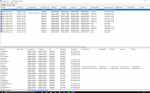
Lad dir mal Bluescreen View runter, dann kannst du anhand des Fehlercodes das Problem eingrenzen.
Cool danke!
Um den markierten Fehler gehts.
Anhänge

Chris-W201-Fan
PCGH-Community-Veteran(in)
Jupp, VCore unter 1,2v wäre schon verdammt gut.
Jupp, VCore unter 1,2v wäre schon verdammt gut.
Ist unter 1,2V...
Prime läuft gerade mit 1,160-1,168V.
Chris-W201-Fan
PCGH-Community-Veteran(in)
Da du schon Probleme hattest, Kabel hast du schon getestet? Netzteil i.O.?Neue Grafikkarte, neues Problem. ����
Mein Bildschirm flackert die ganze Zeit. Allerdings erst nach der Installation des Grafikkartentreibers.
Habt ihr Ideen?
Hey,
betreibt von euch jemand eine gtx 1060 auf x58 oder vielleicht auch zufaellig auf x79?
Die Karte zeigt leider auf beiden Systemen kein Bild, wird aber in Windwos erkannt und die Treiber koennen installiert werden etc.
Hatte im overclock.net Forum mitbekommen, dass manche mit ner gtx1080ti das gleiche Problem auf x58 haben.
Da das Problem auf beiden Systemen auftritt und x79 ja UEFI ist, denke ich mal eher die Grafikkarte hat ne Macke? Jemand eine Idee? Habe leider nichts aktuelleres an Plattformen hier im Moment stehen.
betreibt von euch jemand eine gtx 1060 auf x58 oder vielleicht auch zufaellig auf x79?
Die Karte zeigt leider auf beiden Systemen kein Bild, wird aber in Windwos erkannt und die Treiber koennen installiert werden etc.
Hatte im overclock.net Forum mitbekommen, dass manche mit ner gtx1080ti das gleiche Problem auf x58 haben.
Da das Problem auf beiden Systemen auftritt und x79 ja UEFI ist, denke ich mal eher die Grafikkarte hat ne Macke? Jemand eine Idee? Habe leider nichts aktuelleres an Plattformen hier im Moment stehen.
Alles mehrfach getestet und ok.
Mit der vorherigen Grafikkarte war das Bild nach der Treiberinstallation generell weg.
Mit dieser hab ich das Bild. Übrigens hab ich als Monitor derzeit mein TV-Gerät und ich denke das ich den Fehler gefunden habe.
Wenn ich mit der Auflösung auf 1920x1080 gehe passt alles, wenn ich jedoch auf 3840x2160 gehe dann flackert es.
Und ja es ist ein 4k TV.
Mit der vorherigen Grafikkarte war das Bild nach der Treiberinstallation generell weg.
Mit dieser hab ich das Bild. Übrigens hab ich als Monitor derzeit mein TV-Gerät und ich denke das ich den Fehler gefunden habe.
Wenn ich mit der Auflösung auf 1920x1080 gehe passt alles, wenn ich jedoch auf 3840x2160 gehe dann flackert es.
Und ja es ist ein 4k TV.
Cool danke!
Um den markierten Fehler gehts.
Zu wenig Vcore (0x124 ist zu 99 Prozent immer vcore, sonst qpi). Versuch auch mal deine QPI-Spannung zu senken, da manchmal auch eine zu Hohe qpi-Spannung (als die fuer das OC tatsaechlich benoetigte ) Probleme macht. Es sei denn du hast schon ausgelotet und brauchst die 1,35 auf jeden Fall.
Und Chris meinte, dass du einen guten Chip haettest, wenn es denn mit unter 1,2 klappen wuerde.
Gtx 1060 Problem geloest. Anscheinend haben manche Karten Probleme mit der Virtualisierungsunterstuetzung. Habe die jetzt mal aufm x79 ausgemacht und siehe da Bild beim booten. X58 probiere ich gleich auch aus. Ist nur fuer meine Zwecke ein bisschen doof, da ich VT gerne haette / brauche.
Wenn du sicher gehen willst, dass dir nichts reinfuscht, folgendes deaktivieren :
c-states ,c1e, eist, spread spectrum, overspeed protection, turbo, cpu tm funktion/monitor, intel vt, vt-d support, prochot. (was davon vorhanden ist)
sonst alle Spannungen auf Standard.
und ansonsten vll OS neu aufsetzen nur fuers OCen, da kannst du dann auch sicher sein, dass ein zugemuelltes System nicht das Problem ist und du riskierst dein Haupt-OS nicht (bei nem bluescreen kann immer mal gehoerig was schief gehen, auch wenns mir selbst noch nicht passiert ist).
Folgende Liste im Kopf haben
0x101 = increase vcore
0x124 = increase/decrease vcore or QPI/VTT...have to test to see which one it is
0x0A = unstable RAM/IMC, increase QPI first, if that doesn't work increase vcore
0x1A = Memory management error. It usually means a bad stick of Ram. Test with Memtest or whatever you prefer. Try raising your Ram voltage. Can also mean more juice for the south bridge ICH volts
0x1E = increase vcore, or lower RAM frequency/ increase RAM voltage
0x3B = increase vcore, or lower RAM frequency/ increase RAM voltage
0x3D = increase vcore
0xD1 = QPI/VTT, increase/decrease as necessary
0x9C = QPI/VTT most likely, but increasing vcore has helped in some instances
0x50 = RAM timings/Frequency or uncore multi unstable, increase RAM voltage or adjust QPI/VTT, or lower uncore if you're higher than 2x
0x116 = Low IOH (NB) voltage, GPU issue (most common when running multi-GPU/overclocking GPU)
0x00000109 = Not enough or too Much memory voltage
0x7E = Corrupted OS file, possibly from overclocking. Run sfc /scannow and chkdsk /r
0x24 = Disk corruption (Did you OC the PCI-E bus?)
0x19: memory voltage
Stimmt (fast) immer.
Morgen werde ich dann einen neuen OC Versuch wagen.
Gibt es beim MSI X58 Pro-E mit Xeon E5649 CPU irgendwelche Punkte die man im BIOS mal generell auf "Disabled" oder "Enabled" stellen sollte bevor man übertaktet?
Wenn du sicher gehen willst, dass dir nichts reinfuscht, folgendes deaktivieren :
c-states ,c1e, eist, spread spectrum, overspeed protection, turbo, cpu tm funktion/monitor, intel vt, vt-d support, prochot. (was davon vorhanden ist)
sonst alle Spannungen auf Standard.
und ansonsten vll OS neu aufsetzen nur fuers OCen, da kannst du dann auch sicher sein, dass ein zugemuelltes System nicht das Problem ist und du riskierst dein Haupt-OS nicht (bei nem bluescreen kann immer mal gehoerig was schief gehen, auch wenns mir selbst noch nicht passiert ist).
Folgende Liste im Kopf haben
0x101 = increase vcore
0x124 = increase/decrease vcore or QPI/VTT...have to test to see which one it is
0x0A = unstable RAM/IMC, increase QPI first, if that doesn't work increase vcore
0x1A = Memory management error. It usually means a bad stick of Ram. Test with Memtest or whatever you prefer. Try raising your Ram voltage. Can also mean more juice for the south bridge ICH volts
0x1E = increase vcore, or lower RAM frequency/ increase RAM voltage
0x3B = increase vcore, or lower RAM frequency/ increase RAM voltage
0x3D = increase vcore
0xD1 = QPI/VTT, increase/decrease as necessary
0x9C = QPI/VTT most likely, but increasing vcore has helped in some instances
0x50 = RAM timings/Frequency or uncore multi unstable, increase RAM voltage or adjust QPI/VTT, or lower uncore if you're higher than 2x
0x116 = Low IOH (NB) voltage, GPU issue (most common when running multi-GPU/overclocking GPU)
0x00000109 = Not enough or too Much memory voltage
0x7E = Corrupted OS file, possibly from overclocking. Run sfc /scannow and chkdsk /r
0x24 = Disk corruption (Did you OC the PCI-E bus?)
0x19: memory voltage
Stimmt (fast) immer.
Zuletzt bearbeitet:
0x124 = increase/decrease vcore or QPI/VTT...have to test to see which one it is.
Hm und mit welchem Wert soll ich anfangen? kann ja nicht beide gleichzeitig testen...Fast unmöglich mit 2 Variablen.
Chris-W201-Fan
PCGH-Community-Veteran(in)
Hast du n System mit 115* zum gegen-testen?
Hm und mit welchem Wert soll ich anfangen? kann ja nicht beide gleichzeitig testen...Fast unmöglich mit 2 Variablen.
vcore
Hast du n System mit 115* zum gegen-testen?
ne hier vor ort leider nicht grad
Chris-W201-Fan
PCGH-Community-Veteran(in)
Kommste zu mir, testen wir alles durch, von 1156 bis 1150 und 1366 

Chris-W201-Fan
PCGH-Community-Veteran(in)
Ich? Nee, nähe Wob.
Ähnliche Themen

- Antworten
- 80
- Aufrufe
- 11K
- Antworten
- 3
- Aufrufe
- 3K
- Antworten
- 0
- Aufrufe
- 1K
- Antworten
- 402
- Aufrufe
- 71K


