
Du verwendest einen veralteten Browser. Es ist möglich, dass diese oder andere Websites nicht korrekt angezeigt werden.
Du solltest ein Upgrade durchführen oder einen alternativen Browser verwenden.
Du solltest ein Upgrade durchführen oder einen alternativen Browser verwenden.
Mechanische Tastaturen: Übersicht, Diskussionen
- Ersteller evilass
- Erstellt am


moparcrazy
Software-Overclocker(in)
AW: Übersicht mechanische Tastaturen
Mit AutoHotkey geht's das auch. AutoHotkey Download
Bei mir läuft immer folgendes Script ab Systemstart im Hintergrund:
#NoEnv ; Recommended for performance and compatibility with future AutoHotkey releases.
SendMode Input ; Recommended for new scripts due to its superior speed and reliability.
SetWorkingDir %A_ScriptDir% ; Ensures a consistent starting directory.
#SingleInstance force
SetBatchLines -1
SetCapsLockState, off
SetNumLockState, on
SetScrollLockState, off
Capslock::Ctrl
LWin::return
^PgUp::Send {Volume_Up 2}
^PgDn::Send {Volume_Down 2}
Es bewirkt: SetCapsLockState, off = CapsLock/Feststelltaste Aus, SetNumLockState, on = NumLock An, SetScrollLockState, off = ScrollLock/Rollen Aus, Capslock::Ctrl = Macht aus der CapsLock Taste eine weitere Ctrl/STRG Taste, LWin::return = Deaktiviert die linke Windows Taste, ^PgUp::Send {Volume_Up 2} = Ctrl/STRG + PageUp/Bild ↑ = Lauter, ^PgDn::Send {Volume_Down 2} = Ctrl/STRG + PageDown/Bild ↓ = Leiser.
Mit AutoHotkey geht's das auch. AutoHotkey Download
Bei mir läuft immer folgendes Script ab Systemstart im Hintergrund:
#NoEnv ; Recommended for performance and compatibility with future AutoHotkey releases.
SendMode Input ; Recommended for new scripts due to its superior speed and reliability.
SetWorkingDir %A_ScriptDir% ; Ensures a consistent starting directory.
#SingleInstance force
SetBatchLines -1
SetCapsLockState, off
SetNumLockState, on
SetScrollLockState, off
Capslock::Ctrl
LWin::return
^PgUp::Send {Volume_Up 2}
^PgDn::Send {Volume_Down 2}
Es bewirkt: SetCapsLockState, off = CapsLock/Feststelltaste Aus, SetNumLockState, on = NumLock An, SetScrollLockState, off = ScrollLock/Rollen Aus, Capslock::Ctrl = Macht aus der CapsLock Taste eine weitere Ctrl/STRG Taste, LWin::return = Deaktiviert die linke Windows Taste, ^PgUp::Send {Volume_Up 2} = Ctrl/STRG + PageUp/Bild ↑ = Lauter, ^PgDn::Send {Volume_Down 2} = Ctrl/STRG + PageDown/Bild ↓ = Leiser.

hobbit_mit_streitaxt
Komplett-PC-Käufer(in)
AW: Übersicht mechanische Tastaturen
Achja, haben sicherlich schon die interessierten gefunden: http://extreme.pcgameshardware.de/e...5837-sammelthread-mechanische-tastaturen.html
Ich habe mal die Drohung wahrgemacht und ein paar wichtige Links hier zusammengetragen. Ggf. kann das jemand festpinnen ? Ergänzungen kann ich natürlich auch noch aufnehmen.gif "sm_B-) :-)")
Achja, haben sicherlich schon die interessierten gefunden: http://extreme.pcgameshardware.de/e...5837-sammelthread-mechanische-tastaturen.html
Ich habe mal die Drohung wahrgemacht und ein paar wichtige Links hier zusammengetragen. Ggf. kann das jemand festpinnen ? Ergänzungen kann ich natürlich auch noch aufnehmen
TE
TE

evilass
Komplett-PC-Aufrüster(in)
AW: Übersicht mechanische Tastaturen
@all, danke für die Tipps. Ich werde erstmal die Software nutzen und vielleicht noch AutoHotKey testen.
@Hobbit: Ich werde mal die Links anschauen und an unsere erste Seite heften
Update@Hobbit, so der Thread ist gut! Lob und Anerkennung! Habe es auf der ersten Seite hinterlegt.
@all, danke für die Tipps. Ich werde erstmal die Software nutzen und vielleicht noch AutoHotKey testen.
@Hobbit: Ich werde mal die Links anschauen und an unsere erste Seite heften
Update@Hobbit, so der Thread ist gut! Lob und Anerkennung! Habe es auf der ersten Seite hinterlegt.
Zuletzt bearbeitet:
moparcrazy
Software-Overclocker(in)
AW: Übersicht mechanische Tastaturen
Hier mal ein Tipp für alle Wahnsinnigen!
Momentan läuft auf elitekeyboards.com der March "Gladness" sale, da sind fast alle Topre Tenkeyless Board's um bis zu 46$ reduziert.
elitekeyboards.com - Products
Hier mal ein Tipp für alle Wahnsinnigen!
Momentan läuft auf elitekeyboards.com der March "Gladness" sale, da sind fast alle Topre Tenkeyless Board's um bis zu 46$ reduziert.
elitekeyboards.com - Products


turbosnake
Kokü-Junkie (m/w)
AW: Übersicht mechanische Tastaturen
Mal noch was zu den Corsair Brettern, im Luxx gibt/gab es diese Diskusion über die Bretter:[User-Review] Corsair Vengeance M60 Maus und K60 Tastatur
Ich weiß nicht wer das noch nicht kennt und wolllte es mal erwähnen.
Mal noch was zu den Corsair Brettern, im Luxx gibt/gab es diese Diskusion über die Bretter:[User-Review] Corsair Vengeance M60 Maus und K60 Tastatur
Ich weiß nicht wer das noch nicht kennt und wolllte es mal erwähnen.
TE
TE
evilass
Komplett-PC-Aufrüster(in)
AW: Übersicht mechanische Tastaturen
Hab mal die Corsair Dinger mit auf die erste Seite gepackt und den Link dahinter. Danke @TurboSnake
Mal noch was zu den Corsair Brettern, im Luxx gibt/gab es diese Diskusion über die Bretter:[User-Review] Corsair Vengeance M60 Maus und K60 Tastatur
Ich weiß nicht wer das noch nicht kennt und wolllte es mal erwähnen.
Hab mal die Corsair Dinger mit auf die erste Seite gepackt und den Link dahinter. Danke @TurboSnake

Manitou_2nrw
PC-Selbstbauer(in)
AW: Übersicht mechanische Tastaturen
Hey Leute,
ich habe jetzt seit ca 1Monat die Filco Majestouch 2 mit den Brown Switches... Eigentlcih ne geile Tastatur...
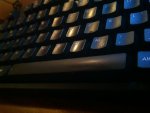
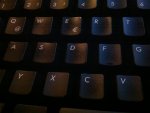
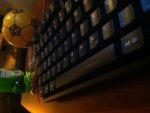
Ich bin gerade sehr schockiert das die Tastaturen schon anfangen zu glänzen.. Dachte erst das es vllt Fett ist bin dann mal mit leichten Fettlöser dran aber keine chanze.. gut kann man es sehen und fühlen an der Leertaste wo ich meinen daumen immer beim betättigen habe.. ist es bei euch genau so?
Hey Leute,
ich habe jetzt seit ca 1Monat die Filco Majestouch 2 mit den Brown Switches... Eigentlcih ne geile Tastatur...
Ich bin gerade sehr schockiert das die Tastaturen schon anfangen zu glänzen.. Dachte erst das es vllt Fett ist bin dann mal mit leichten Fettlöser dran aber keine chanze.. gut kann man es sehen und fühlen an der Leertaste wo ich meinen daumen immer beim betättigen habe.. ist es bei euch genau so?
Manitou_2nrw
PC-Selbstbauer(in)
AW: Übersicht mechanische Tastaturen
Ein toller Spruch.. gibt es nen gutes Mittel um die Tastatur wieder sauber zu bekommen?
Ich denke das sie schon glatt ist.. merke ich auch schon nen wenig.. und ich min nichtmal nen vielschreiber.

Ein toller Spruch.. gibt es nen gutes Mittel um die Tastatur wieder sauber zu bekommen?
Ich denke das sie schon glatt ist..
merke ich auch schon nen wenig.. und ich min nichtmal nen vielschreiber.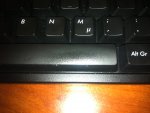
Zuletzt bearbeitet:
moparcrazy
Software-Overclocker(in)
AW: Übersicht mechanische Tastaturen
Wenn Du das mit Spülmittel oder Glasreiniger nicht abkriegst ist das kein Schmutz. Die Oberfläche ist quasi poliert und glänzt dadurch. Versuch ja nicht das ganze mit schärferen mitteln (Alkohol, Lösemittel, etc) zu entfernen sonnst geht die Schutzbeschichtung flöten und dann wird es erst richtig Hässlich! Die Beschichteten Filco Cap's glänzen schneller als Unbeschichtete aber 1 Monat ist schon sehr schnell. Ist aber auch eine Körperchemie Sache, bei einem geht's schneller als bei einem anderen bei gleichem Gebrauch. Handcreme und dergleichen beschleunigen das ganze auch noch.
Wenn Du das mit Spülmittel oder Glasreiniger nicht abkriegst ist das kein Schmutz. Die Oberfläche ist quasi poliert und glänzt dadurch. Versuch ja nicht das ganze mit schärferen mitteln (Alkohol, Lösemittel, etc) zu entfernen sonnst geht die Schutzbeschichtung flöten und dann wird es erst richtig Hässlich! Die Beschichteten Filco Cap's glänzen schneller als Unbeschichtete aber 1 Monat ist schon sehr schnell. Ist aber auch eine Körperchemie Sache, bei einem geht's schneller als bei einem anderen bei gleichem Gebrauch. Handcreme und dergleichen beschleunigen das ganze auch noch.

Skeksis
PC-Selbstbauer(in)
AW: Übersicht mechanische Tastaturen
Das es sich aber bei Fett auch glatt anfühlt ist normal.
Möglichkeit eins: Glasreiniger, ich nutze Spiritusreiniger von Frosch.
Möglichkeit zwei: In nen Kopfkissenbezug packen und im Schongang in die Waschmaschine. Also die Keycaps.
Das es sich aber bei Fett auch glatt anfühlt ist normal.
Möglichkeit eins: Glasreiniger, ich nutze Spiritusreiniger von Frosch.
Möglichkeit zwei: In nen Kopfkissenbezug packen und im Schongang in die Waschmaschine. Also die Keycaps.

TE
TE
evilass
Komplett-PC-Aufrüster(in)
AW: Übersicht mechanische Tastaturen
1 Woche ist schon arg schnell, finde ich auch. Ich habe das Problem weder auf meiner alten Filco noch auf meiner neuen, die allerdings noch nicht so alt ist. Ich denke auch, dass das mit der natürlichen Säureschicht der Haut zutun hat. Aber Glück im Unglück: Es gibt ja viele neue feine Keycaps
1 Woche ist schon arg schnell, finde ich auch. Ich habe das Problem weder auf meiner alten Filco noch auf meiner neuen, die allerdings noch nicht so alt ist. Ich denke auch, dass das mit der natürlichen Säureschicht der Haut zutun hat. Aber Glück im Unglück: Es gibt ja viele neue feine Keycaps
moparcrazy
Software-Overclocker(in)
AW: Übersicht mechanische Tastaturen
Bitte keine Kochwäsche, obwohl das bestimmt zu lustigen Ergebnissen führt, ABS Kunststoff ist Hitze empfindlich.Und dann auf Kochwäsche 95°.
Nein - 30° tun's auch.
TE
TE
evilass
Komplett-PC-Aufrüster(in)
AW: Übersicht mechanische Tastaturen
Vor allem wenn man sich nicht die Mühe macht und die Tasten von der Tastatur löst
Ein Vorschlag: Ihr sammelt einfach 100 Euro, schickt Sie mir und stecke dafür meine Filco Tenkeyless Black-MX in die Waschmaschine und für 10 Euro mehr tu ich Sie dann auch in den Trockner, na?
Bitte keine Kochwäsche, obwohl das bestimmt zu lustigen Ergebnissen führt, ABS Kunststoff ist Hitze empfindlich.
Vor allem wenn man sich nicht die Mühe macht und die Tasten von der Tastatur löst
Ein Vorschlag: Ihr sammelt einfach 100 Euro, schickt Sie mir und stecke dafür meine Filco Tenkeyless Black-MX in die Waschmaschine und für 10 Euro mehr tu ich Sie dann auch in den Trockner, na?

OctoCore
Lötkolbengott/-göttin
AW: Übersicht mechanische Tastaturen
Tastaturen leben länger mit Calgon.
Und es bleiben keine häßlichen Kalkränder auf der schwarzen Tastatur.
(Ja ja - ich weiß das solche Entkalker völlig überflüssig sind, bei zur Wasserhärte passenden Waschmitteldosierung. Eigentlich reicht für eine schwarze Filco das übliche Ariel Black)
Tastaturen leben länger mit Calgon.
Und es bleiben keine häßlichen Kalkränder auf der schwarzen Tastatur.
(Ja ja - ich weiß das solche Entkalker völlig überflüssig sind, bei zur Wasserhärte passenden Waschmitteldosierung. Eigentlich reicht für eine schwarze Filco das übliche Ariel Black)
moparcrazy
Software-Overclocker(in)
AW: Übersicht mechanische Tastaturen
Ich muss das nochmal ein wenig reflektieren:
evilass würde seine Filco Tenkeyless Black-MX (war das nicht sogar 'ne Ninja?) die 150-160 euroten kostet für von uns gesammelte 110€ in eine Waschmaschine und anschließend in einen Trockner stecken.
???
Also ich würde mich mit min 11€ beteiligen, natürlich nur aus streng wissenschaftlichem Interesse an dem Ergebnis!
Ich muss das nochmal ein wenig reflektieren:
evilass würde seine Filco Tenkeyless Black-MX (war das nicht sogar 'ne Ninja?) die 150-160 euroten kostet für von uns gesammelte 110€ in eine Waschmaschine und anschließend in einen Trockner stecken.
???
Also ich würde mich mit min 11€ beteiligen, natürlich nur aus streng wissenschaftlichem Interesse an dem Ergebnis!Ähnliche Themen

- Antworten
- 3
- Aufrufe
- 363

- Antworten
- 1
- Aufrufe
- 921

- Antworten
- 3
- Aufrufe
- 1K
- Antworten
- 10
- Aufrufe
- 2K