BlueScreen wie jetzt weiter

Hallo Simon,

danke für die schnelle Antwort! Ich kenn mich ja nicht gut aus, aber ich versuche mir bei Problemen zunächst selbst zu helfen, aber der hier scheint echt schwer greifbar zu sein... :-/

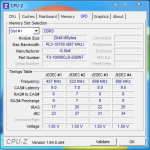
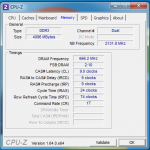
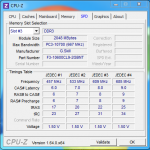
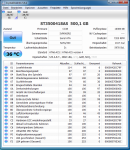
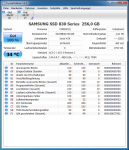
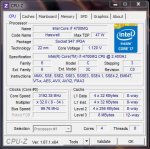
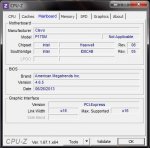
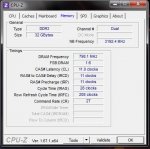
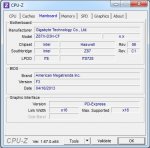
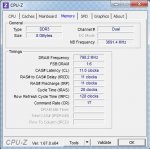
Die Screens sind angehängt, wenn ich sonst noch was bereitstellen kann, lass es mich wissen! Beim RAM habe ich Slot 1 und 3 belegt, die anderen sind leer, bei den Platten habe ich eine kleinere SSD, wo das System drauf läuft und die größere nur für Daten.

Den Memtest86+ habe ich außerhalb von Windows laufen lassen, von einer bootable CD. Was ich nicht getan habe ist die Riegel einzeln zu testen, waren beide eingesteckt, nur wie gesagt auch ohne Fehler.

Besten Dank!
 

Anhänge

  • GPU GC.gif
    GPU GC.gif
    24 KB · Aufrufe: 68
  • GPU S.gif
    GPU S.gif
    16,7 KB · Aufrufe: 67
  • CPU CPU.png
    CPU CPU.png
    64,2 KB · Aufrufe: 79
  • CPU Main.png
    CPU Main.png
    39,9 KB · Aufrufe: 63
  • CPU SPD 1.png
    CPU SPD 1.png
    45,9 KB · Aufrufe: 64
  • CPU Memory.png
    CPU Memory.png
    42,6 KB · Aufrufe: 63
  • CPU SPD 3.png
    CPU SPD 3.png
    50,2 KB · Aufrufe: 60
  • CDI Data.png
    CDI Data.png
    130,1 KB · Aufrufe: 64
  • CDI SSD System.png
    CDI SSD System.png
    106,1 KB · Aufrufe: 65
aber der hier scheint echt schwer greifbar zu sein... :-/

Das sieht leider danach aus. Zumindest ist in den Dumps nichts näheres herauszuholen.

Noch eine Frage vorneweg...treten die Abstürze nur auf, wenn der Rechner ne Weile aus war (z.B. über Nacht)? Und nach einem Neustart läuft das System dann stabil?

Wenn du das schon verneinen kannst, stelle die Command Rate der RAM im Bios testweise auf 2T (2N) und die Einstellung "Performance Enhance" auf Standard.
Die Einstellung findest du im Menü "MB Intelligent Tweaker(M.I.T.)" -> "Advanced Memory Settings" -> "Performance Enhance" -> [Standard]
bzw. im Menü "MB Intelligent Tweaker(M.I.T.)" -> "Advanced Memory Settings" -> "Channel A/B Timing Settings" -> "Command Rate(CMD)" -> [2].

Die Änderungen abschließend speichern. Das geht am schnellsten mit der F10 Taste (F10: Save & Exit Setup).

Neu starten und testen, ob die Probleme bleiben.
 
Hallo Simon,

so wie du es formulierst kann nicht wirklich ausschließen, dass es meistens so ist, definitiv aber nicht nur. Ich habe noch kein Pattern erkennen können, allerdings stimmt schon, dass es des öfteren vorkommt, dass ein BS nach dem ersten Systemstart kommt (gleich beim ersten, zweiten oder dritten (manuell) gestarteten Prozess), und es nach dem Neustart dann läuft. Ist allerdings auch schon vorgekommen, dass ich zweimal starten musste, bevor ich für eine längere Zeit durcharbeiten konnte. Die peripheren Probleme, wie der Installationsfehler beim Adobe Reader und der Absturz von Browser und/oder Flash bzw. Shockwave Player sind allerdings auch durch Neustarts nicht wegzubekommen. Und aktuell habe ich den PC auch seit gut 8 Stunden erst wieder angeworfen, und bisher keine Probleme. Ich werde die nächsten Tage mal verstärkt auf die "Auslöser" achten, auch wenn ich bisher kein Muster erkennen konnte, so kannst du, bzw. könnt ihr das ja vielleicht.

Ich werde die BIOS-Anpassung trotzdem durchführen, nehme ich an?

Gruß, Patrick


PS: Zu meinem großen Ärgernis muss ich das spontane Abstürzen von Excel auf die Liste der "peripheren Störungen" setzen... Hoffentlich hängt das alles irgendwie zusammen, interessanterweise ist das Ding seit dem Format-C labiler als davor...
 
Zuletzt bearbeitet:
Es müsste dann schon alles rund laufen, um meine Vermutung (Cold-Boot-Bug bei den RAM) zu bestärken.

Insofern solltest du die Bios-Einstellungen jetzt vornehmen.

Führe auch noch eine Überprüfung des Dateisystems aus. Hierzu die Eingabeaufforderung als Admin starten und folgenden Befehl eingeben:
chkdsk /f /r
 
Hey! Ich bekomme seit der letzten Zeit immer wieder Bluescreens und hoffe deshalb, dass mir hier geholfen wird.


Arguments:
Arg1: 0000000000041790, The subtype of the bugcheck.
Arg2: fffffa8005511cc0
Arg3: 000000000000ffff
Arg4: 0000000000000000

Debugging Details:
------------------

TRIAGER: Could not open triage file : e:\dump_analysis\program\triage\modclass.ini, error 2

BUGCHECK_STR: 0x1a_41790

CUSTOMER_CRASH_COUNT: 1

DEFAULT_BUCKET_ID: WIN7_DRIVER_FAULT

PROCESS_NAME: CamRecorder.ex

CURRENT_IRQL: 0

LAST_CONTROL_TRANSFER: from fffff80002ef3d50 to fffff80002e82bc0

STACK_TEXT:
fffff880`0a81eef8 fffff800`02ef3d50 : 00000000`0000001a 00000000`00041790 fffffa80`05511cc0 00000000`0000ffff : nt!KeBugCheckEx
fffff880`0a81ef00 fffff800`02eb57d9 : fffff800`00000000 00000000`08918fff fffff900`00000000 00000000`00000000 : nt! ?? ::FNODOBFM::`string'+0x35084
fffff880`0a81f0c0 fffff800`0319b631 : fffffa80`0b06c6c0 00000000`00000000 00000000`00000000 00000000`00000000 : nt!MiRemoveMappedView+0xd9
fffff880`0a81f1e0 fffff960`002851e8 : fffff900`00000000 fffff900`c0108970 00000000`00000001 00000000`00000000 : nt!MiUnmapViewOfSection+0x1b1
fffff880`0a81f2a0 fffff960`0029b48c : 00000000`40cc0020 0000018b`00000020 00000000`40cc0020 00000000`00000000 : win32k!bSpDwmValidateSurface+0xe68
fffff880`0a81f5b0 fffff960`002a955a : fffff900`c00f8010 fffff960`00176595 fffffa80`08a08c50 fffff800`02e8ba8b : win32k!GreStretchBltInternal+0x168
fffff880`0a81f850 fffff880`03f266db : 00000000`450111d6 00000000`40cc0020 00000000`00000438 ffffffff`d1011367 : win32k!NtGdiBitBltInternal+0xa2
fffff880`0a81fa30 00000000`450111d6 : 00000000`40cc0020 00000000`00000438 ffffffff`d1011367 00000000`00000438 : aswSnx+0x2f6db
fffff880`0a81fa38 00000000`40cc0020 : 00000000`00000438 ffffffff`d1011367 00000000`00000438 ffffffff`d1011367 : 0x450111d6
fffff880`0a81fa40 00000000`00000438 : ffffffff`d1011367 00000000`00000438 ffffffff`d1011367 fffff900`00000000 : 0x40cc0020
fffff880`0a81fa48 ffffffff`d1011367 : 00000000`00000438 ffffffff`d1011367 fffff900`00000000 fffff960`00000000 : 0x438
fffff880`0a81fa50 00000000`00000438 : ffffffff`d1011367 fffff900`00000000 fffff960`00000000 fffff900`40cc0020 : 0xffffffff`d1011367
fffff880`0a81fa58 ffffffff`d1011367 : fffff900`00000000 fffff960`00000000 fffff900`40cc0020 fffff800`ffffffff : 0x438
fffff880`0a81fa60 fffff900`00000000 : fffff960`00000000 fffff900`40cc0020 fffff800`ffffffff fffff900`00000000 : 0xffffffff`d1011367
fffff880`0a81fa68 fffff960`00000000 : fffff900`40cc0020 fffff800`ffffffff fffff900`00000000 fffff900`01ff8000 : 0xfffff900`00000000
fffff880`0a81fa70 fffff900`40cc0020 : fffff800`ffffffff fffff900`00000000 fffff900`01ff8000 00000000`749f2450 : 0xfffff960`00000000
fffff880`0a81fa78 fffff800`ffffffff : fffff900`00000000 fffff900`01ff8000 00000000`749f2450 00000000`0382f010 : 0xfffff900`40cc0020
fffff880`0a81fa80 fffff900`00000000 : fffff900`01ff8000 00000000`749f2450 00000000`0382f010 00000000`0382fd20 : 0xfffff800`ffffffff
fffff880`0a81fa88 fffff900`01ff8000 : 00000000`749f2450 00000000`0382f010 00000000`0382fd20 00000000`00000000 : 0xfffff900`00000000
fffff880`0a81fa90 00000000`749f2450 : 00000000`0382f010 00000000`0382fd20 00000000`00000000 fffff880`0a81fbc8 : 0xfffff900`01ff8000
fffff880`0a81fa98 00000000`0382f010 : 00000000`0382fd20 00000000`00000000 fffff880`0a81fbc8 00000000`0382e688 : 0x749f2450
fffff880`0a81faa0 00000000`0382fd20 : 00000000`00000000 fffff880`0a81fbc8 00000000`0382e688 fffff880`0a81fca0 : 0x382f010
fffff880`0a81faa8 00000000`00000000 : fffff880`0a81fbc8 00000000`0382e688 fffff880`0a81fca0 fffff880`03f26598 : 0x382fd20


STACK_COMMAND: kb

FOLLOWUP_IP:
aswSnx+2f6db
fffff880`03f266db ?? ???

SYMBOL_STACK_INDEX: 7

SYMBOL_NAME: aswSnx+2f6db

FOLLOWUP_NAME: MachineOwner

MODULE_NAME: aswSnx

IMAGE_NAME: aswSnx.sys

DEBUG_FLR_IMAGE_TIMESTAMP: 527253d2

FAILURE_BUCKET_ID: X64_0x1a_41790_aswSnx+2f6db

BUCKET_ID: X64_0x1a_41790_aswSnx+2f6db

Followup: MachineOwner
---------


Vielen Dank im Voraus!
 
Hi,
laut der (dieser einen) Auswertung liegt das Problem AVAST (aswSnx.sys).
Poste noch eine Auswertung einer anderen Dump, ob dies bestätigt werden kann. Wenn ja, deinstalliere AVAST und nutze z.B. Microsoft Essentials.
Grüße
 
Hallo, hab neuerdings immer wieder Bluescreens, kann jemand irgendetwas dazu sagen? Danke!


*******************************************************************************
* *
* Bugcheck Analysis *
* *
*******************************************************************************

WHEA_UNCORRECTABLE_ERROR (124)
A fatal hardware error has occurred. Parameter 1 identifies the type of error
source that reported the error. Parameter 2 holds the address of the
WHEA_ERROR_RECORD structure that describes the error conditon.
Arguments:
Arg1: 00000000, Machine Check Exception
Arg2: c350f8fc, Address of the WHEA_ERROR_RECORD structure.
Arg3: 00000000, High order 32-bits of the MCi_STATUS value.
Arg4: 00000000, Low order 32-bits of the MCi_STATUS value.

Debugging Details:
------------------


BUGCHECK_STR: 0x124_AuthenticAMD

CUSTOMER_CRASH_COUNT: 1

DEFAULT_BUCKET_ID: VISTA_DRIVER_FAULT

PROCESS_NAME: System

CURRENT_IRQL: 0

STACK_TEXT:
bdd4fcc4 e351b86d c350f8e0 e35b28a8 e35b28a0 nt!WheapCreateTriageDumpFromPreviousSession+0x32
bdd4fce4 e351c689 e35b28a0 c350f8e0 e35b28d0 nt!WheapProcessWorkQueueItem+0x56
bdd4fd00 e34c714b e35b28a0 00000000 c25dc798 nt!WheapWorkQueueWorkerRoutine+0x1f
bdd4fd50 e365313d 00000001 8d54100f 00000000 nt!ExpWorkerThread+0x10d
bdd4fd90 e34fa559 e34c703e 00000001 00000000 nt!PspSystemThreadStartup+0x9e
00000000 00000000 00000000 00000000 00000000 nt!KiThreadStartup+0x19


STACK_COMMAND: kb

FOLLOWUP_NAME: MachineOwner

MODULE_NAME: hardware

IMAGE_NAME: hardware

DEBUG_FLR_IMAGE_TIMESTAMP: 0

FAILURE_BUCKET_ID: 0x124_AuthenticAMD_PROCESSOR_BUS_PRV

BUCKET_ID: 0x124_AuthenticAMD_PROCESSOR_BUS_PRV

Followup: MachineOwner
 
Nichts genaues, ohne die genauen Hardwaredaten deines Rechners zu wissen.
Dieser Stopfehlercode tritt regelmäßig bei Übertaktung, Spannungs- oder Temperaturproblemen, oder defekter Hardware (CPU, Grafikkarte oder Mainboard) auf. Kann aber auch ein fehlerhaftes Bios bzw. nur Einstellungssache sein.

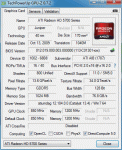
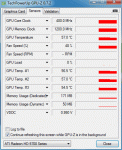
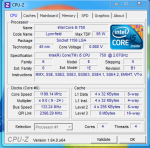
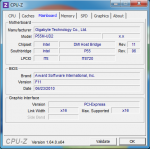
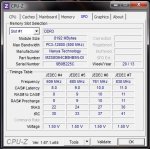
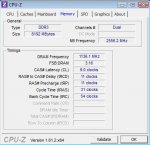
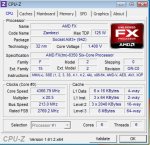
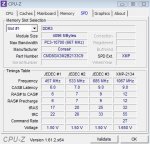
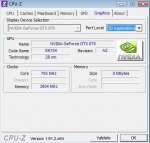
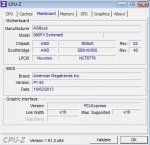
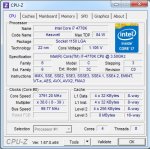
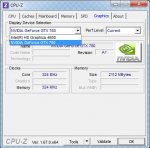
Schreibe alles auf, was in deinem Rechner steckt und poste noch ein paar Screenshots von CPU-Z (Reiter Mainboard, CPU, Memory und SPD).
 
ok, also der PC wurde vor ein paar Jahren mit beschränken finanziellen Mitteln selbst zusammengebastelt, nur die Grafikkarte wurde durch ein glückliches ebaygeschäft später aufgestockt:

MSI 870A-G45
AMD Athlon II X3 450
be quiet! Pure Power L7 430 Watt (dachte schon öfter das ist etwas wenig, vielleicht)
GTX 560 TI
3x DDR3 Kingston Valueram PC1066 CL7
Western Digital Caviar SE16 500GB
noch eine 1 TB Festplatte
blu-ray laufwerk
dvd laufwerk (sind die spezifika hier wichtig, weiss gerade nicht, wo ich die rausfinde)
fehlt was wichtiges?

übertaktet hatte ich eine Zeit die Graphikkarte, aber da ich derzeit nicht zum Spielen komme läuft sie seit einiger Zeit wieder in Standardeinstellung.

screenshots:


qhOxnIN.jpg

AhEFInj.jpg

r7Pu5Ev.jpg

m8ib1OO.jpg
 
danke für die superschnelle und nette Hilfe!

Ich bin mir zu 90% sicher, dass es tatsächlich dieses Problem ist/war. Als ich die diversen Fehlerbeschreibungen las, ist mir erst aufgefallen dass ich tatsächlich in letzer Zeit auch ungewöhnliche Maus-hakler drin hatte und auch das verpixeln des Mauszeigers trat einmal auf. Hab jetzt wie beschrieben (fast, so einfach wollte sich nvidia nicht löschen lassen) alles runter und den 314.22 Treiber installiert, werde dann in den nächsten Tagen sehen, ob es wirklich der Fehler war und mich gegebenfalls nochmal hier melden.
 
Hallöchen zusammen,

ich habe seit einiger Zeit immermal wieder das Problem, dass sich mein Windows aufhängt bzw. nach einiger Zeit dann auch mit Bluescreen verabschiedet.
In der letzten Nacht sogar zwei Mal. Hab von beiden mal die Dumps analysieren lassen und hoffe, dass ihr mir weiterhelfen könnt. :-)

*******************************************************************************
* *
* Bugcheck Analysis *
* *
*******************************************************************************

SYSTEM_THREAD_EXCEPTION_NOT_HANDLED_M (1000007e)
This is a very common bugcheck. Usually the exception address pinpoints
the driver/function that caused the problem. Always note this address
as well as the link date of the driver/image that contains this address.
Some common problems are exception code 0x80000003. This means a hard
coded breakpoint or assertion was hit, but this system was booted
/NODEBUG. This is not supposed to happen as developers should never have
hardcoded breakpoints in retail code, but ...
If this happens, make sure a debugger gets connected, and the
system is booted /DEBUG. This will let us see why this breakpoint is
happening.
Arguments:
Arg1: ffffffffc0000005, The exception code that was not handled
Arg2: fffff800023c6df2, The address that the exception occurred at
Arg3: fffff880025556e8, Exception Record Address
Arg4: fffff88002554f40, Context Record Address

Debugging Details:
------------------


EXCEPTION_CODE: (NTSTATUS) 0xc0000005 - Die Anweisung in 0x%08lx verweist auf Speicher 0x%08lx. Der Vorgang %s konnte nicht im Speicher durchgef hrt werden.

FAULTING_IP:
nt!ExAllocatePoolWithTag+1e2
fffff800`023c6df2 1048c7 adc byte ptr [rax-39h],cl

EXCEPTION_RECORD: fffff880025556e8 -- (.exr 0xfffff880025556e8)
ExceptionAddress: fffff800023c6df2 (nt!ExAllocatePoolWithTag+0x00000000000001e2)
ExceptionCode: c0000005 (Access violation)
ExceptionFlags: 00000000
NumberParameters: 2
Parameter[0]: 0000000000000001
Parameter[1]: 0000000065576d14
Attempt to write to address 0000000065576d14

CONTEXT: fffff88002554f40 -- (.cxr 0xfffff88002554f40)
rax=0000000065576d4d rbx=fffffa801c6ee7c0 rcx=00000000000007ff
rdx=0000000000000322 rsi=fffffa80189bd000 rdi=0000000000000000
rip=fffff800023c6df2 rsp=fffff88002555920 rbp=0000000000007d50
r8=0000000000000801 r9=fffff80002422ef0 r10=fffff80002422588
r11=000000000000004b r12=fffffffffffee330 r13=0000000000000322
r14=0000000000000000 r15=0000000065576d4d
iopl=0 nv up ei pl zr na po nc
cs=0010 ss=0018 ds=002b es=002b fs=0053 gs=002b efl=00010246
nt!ExAllocatePoolWithTag+0x1e2:
fffff800`023c6df2 1048c7 adc byte ptr [rax-39h],cl ds:002b:00000000`65576d14=??
Resetting default scope

CUSTOMER_CRASH_COUNT: 1

DEFAULT_BUCKET_ID: CODE_CORRUPTION

PROCESS_NAME: System

CURRENT_IRQL: 0

ERROR_CODE: (NTSTATUS) 0xc0000005 - Die Anweisung in 0x%08lx verweist auf Speicher 0x%08lx. Der Vorgang %s konnte nicht im Speicher durchgef hrt werden.

EXCEPTION_PARAMETER1: 0000000000000001

EXCEPTION_PARAMETER2: 0000000065576d14

WRITE_ADDRESS: GetPointerFromAddress: unable to read from fffff800024ca100
GetUlongFromAddress: unable to read from fffff800024ca1c0
0000000065576d14 Nonpaged pool

FOLLOWUP_IP:
nt!ExAllocatePoolWithTag+1e2
fffff800`023c6df2 1048c7 adc byte ptr [rax-39h],cl

BUGCHECK_STR: 0x7E

LAST_CONTROL_TRANSFER: from fffff800022cb2da to fffff800023c6df2

STACK_TEXT:
fffff880`02555920 fffff800`022cb2da : 00000005`00000000 00000005`f78eb8c0 00000000`0069bbfc 00000000`000007ff : nt!ExAllocatePoolWithTag+0x1e2
fffff880`02555a10 fffff800`022cb9c0 : 00000000`00000000 fffffa80`1919a1b0 fffffa80`00000000 fffff8a0`0f1c5018 : nt!MiGatherMappedPages+0x4ca
fffff880`02555b10 fffff800`0252f2ea : fffffa80`18b5b1a0 00000000`00000080 fffffa80`18b359e0 c1393bdc`61a7cd0e : nt!MiMappedPageWriter+0x198
fffff880`02555c00 fffff800`022838e6 : fffff800`0240de80 fffffa80`18b5b1a0 fffff800`0241bcc0 5a28c03d`bbb090ec : nt!PspSystemThreadStartup+0x5a
fffff880`02555c40 00000000`00000000 : fffff880`02556000 fffff880`02550000 fffff880`02555790 00000000`00000000 : nt!KxStartSystemThread+0x16


CHKIMG_EXTENSION: !chkimg -lo 50 -d !nt
fffff800023c6df0 - nt!ExAllocatePoolWithTag+1e0
[ 8d:cd ]
1 error : !nt (fffff800023c6df0)

MODULE_NAME: memory_corruption

IMAGE_NAME: memory_corruption

FOLLOWUP_NAME: memory_corruption

DEBUG_FLR_IMAGE_TIMESTAMP: 0

MEMORY_CORRUPTOR: ONE_BIT

STACK_COMMAND: .cxr 0xfffff88002554f40 ; kb

FAILURE_BUCKET_ID: X64_MEMORY_CORRUPTION_ONE_BIT

BUCKET_ID: X64_MEMORY_CORRUPTION_ONE_BIT

Followup: memory_corruption
---------

*******************************************************************************
* *
* Bugcheck Analysis *
* *
*******************************************************************************

SYSTEM_SERVICE_EXCEPTION (3b)
An exception happened while executing a system service routine.
Arguments:
Arg1: 00000000c0000005, Exception code that caused the bugcheck
Arg2: fffff800025b6c12, Address of the instruction which caused the bugcheck
Arg3: fffff8801b8c3090, Address of the context record for the exception that caused the bugcheck
Arg4: 0000000000000000, zero.

Debugging Details:
------------------


EXCEPTION_CODE: (NTSTATUS) 0xc0000005 - Die Anweisung in 0x%08lx verweist auf Speicher 0x%08lx. Der Vorgang %s konnte nicht im Speicher durchgef hrt werden.

FAULTING_IP:
nt!NtWaitForSingleObject+b2
fffff800`025b6c12 488b4820 mov rcx,qword ptr [rax+20h]

CONTEXT: fffff8801b8c3090 -- (.cxr 0xfffff8801b8c3090)
rax=0000000000000000 rbx=fffffa801daaaa60 rcx=fffff80002472b80
rdx=0000000000000000 rsi=fffff8801b8c3ab8 rdi=0000000000000000
rip=fffff800025b6c12 rsp=fffff8801b8c3a70 rbp=fffff8801b8c3b60
r8=fffff8a00b7af000 r9=0000000000000008 r10=0000000000000000
r11=00000000001f0003 r12=0000000000000001 r13=0000000000000000
r14=000000000008ec80 r15=0000000071a92450
iopl=0 nv up ei pl zr na po nc
cs=0010 ss=0018 ds=002b es=002b fs=0053 gs=002b efl=00210246
nt!NtWaitForSingleObject+0xb2:
fffff800`025b6c12 488b4820 mov rcx,qword ptr [rax+20h] ds:002b:00000000`00000020=????????????????
Resetting default scope

CUSTOMER_CRASH_COUNT: 1

DEFAULT_BUCKET_ID: WIN7_DRIVER_FAULT

BUGCHECK_STR: 0x3B

PROCESS_NAME: qip.exe

CURRENT_IRQL: 0

LAST_CONTROL_TRANSFER: from fffff800022bfe53 to fffff800025b6c12

STACK_TEXT:
fffff880`1b8c3a70 fffff800`022bfe53 : fffffa80`1dae5060 00000000`000005f4 fffff880`1b8c3ab8 fffffa80`1daaaa60 : nt!NtWaitForSingleObject+0xb2
fffff880`1b8c3ae0 00000000`71a92e09 : 00000000`00000000 00000000`00000000 00000000`00000000 00000000`00000000 : nt!KiSystemServiceCopyEnd+0x13
00000000`0008ec08 00000000`00000000 : 00000000`00000000 00000000`00000000 00000000`00000000 00000000`00000000 : 0x71a92e09


FOLLOWUP_IP:
nt!NtWaitForSingleObject+b2
fffff800`025b6c12 488b4820 mov rcx,qword ptr [rax+20h]

SYMBOL_STACK_INDEX: 0

SYMBOL_NAME: nt!NtWaitForSingleObject+b2

FOLLOWUP_NAME: MachineOwner

MODULE_NAME: nt

IMAGE_NAME: ntkrnlmp.exe

DEBUG_FLR_IMAGE_TIMESTAMP: 521ea035

STACK_COMMAND: .cxr 0xfffff8801b8c3090 ; kb

FAILURE_BUCKET_ID: X64_0x3B_nt!NtWaitForSingleObject+b2

BUCKET_ID: X64_0x3B_nt!NtWaitForSingleObject+b2

Followup: MachineOwner
---------


Memtest lief 12 Stunden durch und hatte nichts gefunden.. Die "qip.exe" .. QIP ist ein Multi-Messenger Programm. :-)
Falls weitere Infos benötigt werden, einfach bescheid sagen. ^^

Danke schon mal im Voraus für die Hilfe. :D

Edit: Gerade eben einen weiteren Bluescreen gehabt... Hier die Auswertung:

*******************************************************************************
* *
* Bugcheck Analysis *
* *
*******************************************************************************

IRQL_NOT_LESS_OR_EQUAL (a)
An attempt was made to access a pageable (or completely invalid) address at an
interrupt request level (IRQL) that is too high. This is usually
caused by drivers using improper addresses.
If a kernel debugger is available get the stack backtrace.
Arguments:
Arg1: 000000001961e9c0, memory referenced
Arg2: 0000000000000002, IRQL
Arg3: 0000000000000001, bitfield :
bit 0 : value 0 = read operation, 1 = write operation
bit 3 : value 0 = not an execute operation, 1 = execute operation (only on chips which support this level of status)
Arg4: fffff8000229b93c, address which referenced memory

Debugging Details:
------------------


WRITE_ADDRESS: GetPointerFromAddress: unable to read from fffff800024cc100
GetUlongFromAddress: unable to read from fffff800024cc1c0
000000001961e9c0 Nonpaged pool

CURRENT_IRQL: 2

FAULTING_IP:
nt!KeWaitForSingleObject+13c
fffff800`0229b93c f00fba2e07 lock bts dword ptr [rsi],7

CUSTOMER_CRASH_COUNT: 1

DEFAULT_BUCKET_ID: CODE_CORRUPTION

BUGCHECK_STR: 0xA

PROCESS_NAME: Skype.exe

TRAP_FRAME: fffff8801b8bd6a0 -- (.trap 0xfffff8801b8bd6a0)
NOTE: The trap frame does not contain all registers.
Some register values may be zeroed or incorrect.
rax=92c54ffde8f2d5c0 rbx=0000000000000000 rcx=0000000000000011
rdx=0000000000000033 rsi=0000000000000000 rdi=0000000000000000
rip=fffff8000229b93c rsp=fffff8801b8bd830 rbp=0000000000000000
r8=fffff78000000008 r9=0000000000000000 r10=48d0b60f45034c77
r11=fffff88002149180 r12=0000000000000000 r13=0000000000000000
r14=0000000000000000 r15=0000000000000000
iopl=0 nv up ei pl nz na po cy
nt!KeWaitForSingleObject+0x13c:
fffff800`0229b93c f00fba2e07 lock bts dword ptr [rsi],7 ds:00000000`00000000=????????
Resetting default scope

LAST_CONTROL_TRANSFER: from fffff80002294169 to fffff80002294bc0

STACK_TEXT:
fffff880`1b8bd558 fffff800`02294169 : 00000000`0000000a 00000000`1961e9c0 00000000`00000002 00000000`00000001 : nt!KeBugCheckEx
fffff880`1b8bd560 fffff800`02292de0 : 00000000`00000000 00000000`00000000 00000000`00000000 0000000a`d8030860 : nt!KiBugCheckDispatch+0x69
fffff880`1b8bd6a0 fffff800`0229b93c : fffff900`00000004 fffff960`00000000 fffff900`c0619010 fffff880`1b8bdb60 : nt!KiPageFault+0x260
fffff880`1b8bd830 fffff800`02274b4e : fffffa80`1b928300 00000000`0000001b 00000000`00000000 fffff880`02149100 : nt!KeWaitForSingleObject+0x13c
fffff880`1b8bd8d0 fffff800`02299dbc : ffffffff`ffb3b4c0 fffffa80`1961e9c0 fffffa80`1b928320 fffff800`0240fe80 : nt!ExpWaitForResource+0xae
fffff880`1b8bd940 fffff800`0229da53 : 00000000`0ba7fd20 fffffa80`1e552060 fffff880`1b8bdb60 00000000`00000006 : nt!ExAcquireResourceExclusiveLite+0x14f
fffff880`1b8bd9b0 fffff960`000c4af1 : 00000000`00000000 00000000`00000000 00000000`00000000 fffff780`00000008 : nt!ExEnterPriorityRegionAndAcquireResourceExclusive+0x23
fffff880`1b8bd9e0 fffff800`02293e53 : fffffa80`1e552060 00000000`0ba7e098 fffff880`1b8bda88 00000000`7ef1a000 : win32k!NtUserPeekMessage+0x31
fffff880`1b8bda70 00000000`71fdfdea : 00000000`00000000 00000000`00000000 00000000`00000000 00000000`00000000 : nt!KiSystemServiceCopyEnd+0x13
00000000`0ba7e078 00000000`00000000 : 00000000`00000000 00000000`00000000 00000000`00000000 00000000`00000000 : 0x71fdfdea


STACK_COMMAND: kb

CHKIMG_EXTENSION: !chkimg -lo 50 -d !nt
fffff8000229b831 - nt!KeWaitForSingleObject+31
[ 0f:4f ]
1 error : !nt (fffff8000229b831)

MODULE_NAME: memory_corruption

IMAGE_NAME: memory_corruption

FOLLOWUP_NAME: memory_corruption

DEBUG_FLR_IMAGE_TIMESTAMP: 0

MEMORY_CORRUPTOR: ONE_BIT

FAILURE_BUCKET_ID: X64_MEMORY_CORRUPTION_ONE_BIT

BUCKET_ID: X64_MEMORY_CORRUPTION_ONE_BIT

Followup: memory_corruption
---------

 

Anhänge

  • 1.JPG
    1.JPG
    60 KB · Aufrufe: 55
  • 2.JPG
    2.JPG
    43,6 KB · Aufrufe: 55
  • 3.JPG
    3.JPG
    45,2 KB · Aufrufe: 61
  • 4.JPG
    4.JPG
    54,7 KB · Aufrufe: 54
Zuletzt bearbeitet:
Memory.jpg cpu.jpg SPD.jpg Graphics.jpg Mainboard.jpg

Hi ich habe auch letzte zeit Bluescreens und habe dies ausgewertet aber komme jetzt auch nicht weiter kann mir jemand helfen??
Danke schon mal im voraus!!!!

:::::::
YSTEM_SERVICE_EXCEPTION (3b)
An exception happened while executing a system service routine.
Arguments:
Arg1: 00000000c0000005, Exception code that caused the bugcheck
Arg2: fffff800033de0cc, Address of the instruction which caused the bugcheck
Arg3: fffff8800a55ffc0, Address of the context record for the exception that caused the bugcheck
Arg4: 0000000000000000, zero.

Debugging Details:
------------------


EXCEPTION_CODE: (NTSTATUS) 0xc0000005 - Die Anweisung in 0x%08lx verweist auf Speicher 0x%08lx. Der Vorgang %s konnte nicht im Speicher durchgef hrt werden.

FAULTING_IP:
nt!NtMapViewOfSection+2cb
fffff800`033de0cc 488b5328 mov rdx,qword ptr [rbx+28h]

CONTEXT: fffff8800a55ffc0 -- (.cxr 0xfffff8800a55ffc0)
rax=0000000000000000 rbx=fff8a00ab80cf060 rcx=000000002ee60000
rdx=fffffa8006c33b30 rsi=0000000000000000 rdi=000000002852fdff
rip=fffff800033de0cc rsp=fffff8800a5609a0 rbp=fffff8800a560b60
r8=0000000000002ee7 r9=00000000ffffffff r10=fffff8800a560a18
r11=fffffa8006c33f78 r12=0000000000000000 r13=0000000000000020
r14=00000000277ee230 r15=00000000277ee1e0
iopl=0 nv up ei pl zr na po nc
cs=0010 ss=0018 ds=002b es=002b fs=0053 gs=002b efl=00010246
nt!NtMapViewOfSection+0x2cb:
fffff800`033de0cc 488b5328 mov rdx,qword ptr [rbx+28h] ds:002b:fff8a00a`b80cf088=????????????????
Resetting default scope

DEFAULT_BUCKET_ID: WIN7_DRIVER_FAULT

BUGCHECK_STR: 0x3B

PROCESS_NAME: Borderlands2.e

CURRENT_IRQL: 0

LAST_CONTROL_TRANSFER: from fffff800030c1e53 to fffff800033de0cc

STACK_TEXT:
fffff880`0a5609a0 fffff800`030c1e53 : 00000000`00000598 fffffa80`0a89ab50 00000000`277ee138 00000000`00000000 : nt!NtMapViewOfSection+0x2cb
fffff880`0a560a70 00000000`76f4153a : 00000000`00000000 00000000`00000000 00000000`00000000 00000000`00000000 : nt!KiSystemServiceCopyEnd+0x13
00000000`277ee118 00000000`00000000 : 00000000`00000000 00000000`00000000 00000000`00000000 00000000`00000000 : 0x76f4153a


FOLLOWUP_IP:
nt!NtMapViewOfSection+2cb
fffff800`033de0cc 488b5328 mov rdx,qword ptr [rbx+28h]

SYMBOL_STACK_INDEX: 0

SYMBOL_NAME: nt!NtMapViewOfSection+2cb

FOLLOWUP_NAME: MachineOwner

MODULE_NAME: nt

IMAGE_NAME: ntkrnlmp.exe

DEBUG_FLR_IMAGE_TIMESTAMP: 521ea035

STACK_COMMAND: .cxr 0xfffff8800a55ffc0 ; kb

FAILURE_BUCKET_ID: X64_0x3B_nt!NtMapViewOfSection+2cb

BUCKET_ID: X64_0x3B_nt!NtMapViewOfSection+2cb

Followup: MachineOwner
---------
 
Zuletzt bearbeitet:
Kann mir jemand helfen ?

************************************************** *****************************
* *
* Bugcheck Analysis *
* *
************************************************** *****************************

DRIVER_POWER_STATE_FAILURE (9f)
A driver is causing an inconsistent power state.
Arguments:
Arg1: 0000000000000003, A device object has been blocking an Irp for too long a time
Arg2: fffffa8006d5f060, Physical Device Object of the stack
Arg3: fffff800040073d8, Functional Device Object of the stack
Arg4: fffffa800f355e10, The blocked IRP

Debugging Details:
------------------


DRVPOWERSTATE_SUBCODE: 3

IMAGE_NAME: ntkrnlmp

DEBUG_FLR_IMAGE_TIMESTAMP: 0

FAULTING_MODULE: fffff8800639b000 hamachi

IRP_ADDRESS: fffffa800f355e10

DEVICE_OBJECT: fffffa8009527050

DRIVER_OBJECT: fffffa80094abe70

CUSTOMER_CRASH_COUNT: 1

DEFAULT_BUCKET_ID: VISTA_DRIVER_FAULT

BUGCHECK_STR: 0x9F

PROCESS_NAME: System

CURRENT_IRQL: 2

STACK_TEXT:
fffff800`04007388 fffff800`039018d2 : 00000000`0000009f 00000000`00000003 fffffa80`06d5f060 fffff800`040073d8 : nt!KeBugCheckEx
fffff800`04007390 fffff800`0389c85c : fffff800`040074d8 fffff800`040074d8 00000000`00000000 00000000`00000003 : nt! ?? ::FNODOBFM::`string'+0x33af0
fffff800`04007430 fffff800`0389c6f6 : fffff880`0ece1990 fffff880`0ece1990 00000000`00000000 00000000`00000000 : nt!KiProcessTimerDpcTable+0x6c
fffff800`040074a0 fffff800`0389c5de : 0000004e`33c6da5a fffff800`04007b18 00000000`0020da4e fffff800`03a0fc48 : nt!KiProcessExpiredTimerList+0xc6
fffff800`04007af0 fffff800`0389c3c7 : 0000001a`aaf3bfc5 0000001a`0020da4e 0000001a`aaf3bfb1 00000000`0000004e : nt!KiTimerExpiration+0x1be
fffff800`04007b90 fffff800`038898ca : fffff800`03a0ce80 fffff800`03a1acc0 00000000`00000001 fffff880`00000000 : nt!KiRetireDpcList+0x277
fffff800`04007c40 00000000`00000000 : fffff800`04008000 fffff800`04002000 fffff800`04007c00 00000000`00000000 : nt!KiIdleLoop+0x5a


STACK_COMMAND: kb

FOLLOWUP_NAME: MachineOwner

MODULE_NAME: ntkrnlmp

FAILURE_BUCKET_ID: X64_0x9F_3_IMAGE_ntkrnlmp

BUCKET_ID: X64_0x9F_3_IMAGE_ntkrnlmp

Followup: MachineOwner
---------


weiter
OriginalFilename: ntkrnlmp.exe
ProductVersion: 6.1.7601.18247
FileVersion: 6.1.7601.18247 (win7sp1_gdr.130828-1532)
FileDescription: NT Kernel & System
LegalCopyright: © Microsoft Corporation. All rights reserved.
fffff800`03e01000 fffff800`03e4a000 hal (deferred)
Mapped memory image file: C:\Windows\System32\hal.dll
Image path: hal.dll
Image name: hal.dll
Timestamp: Sat Nov 20 14:00:25 2010 (4CE7C669)
CheckSum: 000404C3
ImageSize: 00049000
File version: 6.1.7601.17514
Product version: 6.1.7601.17514
File flags: 0 (Mask 3F)
File OS: 40004 NT Win32
File type: 2.0 Dll
File date: 00000000.00000000
Translations: 0409.04b0
CompanyName: Microsoft Corporation
ProductName: Microsoft® Windows® Operating System
InternalName: hal.dll
OriginalFilename: hal.dll
ProductVersion: 6.1.7601.17514
FileVersion: 6.1.7601.17514 (win7sp1_rtm.101119-1850)
FileDescription: Hardware Abstraction Layer DLL

Bluescreen tritt manchmal beim Herunterfahren auf. (Nur beim Herunterfahren)

OS: Windows 7 SP1, kein Upgrade von Vista sondern OEM
 

Anhänge

  • CPU.jpg
    CPU.jpg
    89,4 KB · Aufrufe: 58
  • GPU.jpg
    GPU.jpg
    56,9 KB · Aufrufe: 49
  • MB.jpg
    MB.jpg
    61,3 KB · Aufrufe: 44
  • RAM.jpg
    RAM.jpg
    59,3 KB · Aufrufe: 47
Hier die Dumps. Sind Mini-Dumps. Die erste ist glaub ich mal passiert, als der PC in den Ruhezustand gegangen ist... Hab leider die Bluescreens nie gesehen. Hab nur gemerkt, das z.B. der PC aus dem Ruhezustand erwacht war als ich wiederkam und Windows sich wegen unerwarteten Herunterfahren meldete. So ähnlich war das auch einmal beim Herunterfahren, dass er auf einmal wieder an war und Windows wieder einen Bluescreen meldete.

Sollte vielleicht noch hinzufügen, das ich die WLAN Karte von meinem alten Discounter PC mit übernommen hatte, aber nie einen Treiber dafür gefunden hatte, geschweige denn eine Bezeichung der Karte...
Könnte ja die Ursache für den Bluescreen mit pci sein...
 

Anhänge

Zuletzt bearbeitet:
@WaggelDaggel88

Nimm als erstes das OC raus. Ref.-Takt auf 200 / Speicherteiler für 933 MHz (1866) / Stockteiler für CPU-NB und HT.
 
@JustJojo: Die alte WLAN Karte kann damit zu tun haben. Zumindest hängt der Treiber der WLAN Karte da mit drin:

1. Minidump:

fffff80003a42010: Unable to get value of ObpRootDirectoryObject
Device object (fffffa8009527050) is for:
InfoMask field not found for _OBJECT_HEADER at fffffa8009527020
\Driver\hamachi DriverObject fffffa80094abe70
Current Irp 00000000 RefCount 0 Type 00000017 Flags 00002050
DevExt fffffa80095271a0 DevObjExt fffffa80095288e0
ExtensionFlags (0x00000800) DOE_DEFAULT_SD_PRESENT
Characteristics (0x00000100) FILE_DEVICE_SECURE_OPEN
AttachedTo (Lower) fffffa8006d5f060 \Driver\PnpManager
Device queue is not busy.
fffff80003a42010: Unable to get value of ObpRootDirectoryObject
Driver object (fffffa80094abe70) is for:
\Driver\hamachi
Driver Extension List: (id , addr)
Device Object list:
fffffa8006febc20: Could not read device object
DriverEntry: fffff880063a4010 hamachi
DriverStartIo: 00000000
DriverUnload: fffff880020d24a0 ndis!ndisMUnload
AddDevice: 00000000
Dispatch routines:
[00] IRP_MJ_CREATE fffff88002028920 ndis!ndisCreateIrpHandler
[01] IRP_MJ_CREATE_NAMED_PIPE fffff880020be490 ndis!ndisDummyIrpHandler
[02] IRP_MJ_CLOSE fffff88002028160 ndis!ndisCloseIrpHandler
[03] IRP_MJ_READ fffff880020be490 ndis!ndisDummyIrpHandler
[04] IRP_MJ_WRITE fffff880020be490 ndis!ndisDummyIrpHandler
[05] IRP_MJ_QUERY_INFORMATION fffff880020be490 ndis!ndisDummyIrpHandler
[06] IRP_MJ_SET_INFORMATION fffff880020be490 ndis!ndisDummyIrpHandler
[07] IRP_MJ_QUERY_EA fffff880020be490 ndis!ndisDummyIrpHandler
[08] IRP_MJ_SET_EA fffff880020be490 ndis!ndisDummyIrpHandler
[09] IRP_MJ_FLUSH_BUFFERS fffff880020be490 ndis!ndisDummyIrpHandler
[0a] IRP_MJ_QUERY_VOLUME_INFORMATION fffff880020be490 ndis!ndisDummyIrpHandler
[0b] IRP_MJ_SET_VOLUME_INFORMATION fffff880020be490 ndis!ndisDummyIrpHandler
[0c] IRP_MJ_DIRECTORY_CONTROL fffff880020be490 ndis!ndisDummyIrpHandler
[0d] IRP_MJ_FILE_SYSTEM_CONTROL fffff880020be490 ndis!ndisDummyIrpHandler
[0e] IRP_MJ_DEVICE_CONTROL fffff880020be020 ndis!ndisDeviceControlIrpHandler
[0f] IRP_MJ_INTERNAL_DEVICE_CONTROL fffff880020be490 ndis!ndisDummyIrpHandler
[10] IRP_MJ_SHUTDOWN fffff880020be490 ndis!ndisDummyIrpHandler
[11] IRP_MJ_LOCK_CONTROL fffff880020be490 ndis!ndisDummyIrpHandler
[12] IRP_MJ_CLEANUP fffff880020be490 ndis!ndisDummyIrpHandler
[13] IRP_MJ_CREATE_MAILSLOT fffff880020be490 ndis!ndisDummyIrpHandler
[14] IRP_MJ_QUERY_SECURITY fffff880020be490 ndis!ndisDummyIrpHandler
[15] IRP_MJ_SET_SECURITY fffff880020be490 ndis!ndisDummyIrpHandler
[16] IRP_MJ_POWER fffff88002072c60 ndis!ndisPowerDispatch
[17] IRP_MJ_SYSTEM_CONTROL fffff88002092ee0 ndis!ndisWMIDispatch
[18] IRP_MJ_DEVICE_CHANGE fffff880020be490 ndis!ndisDummyIrpHandler
[19] IRP_MJ_QUERY_QUOTA fffff880020be490 ndis!ndisDummyIrpHandler
[1a] IRP_MJ_SET_QUOTA fffff880020be490 ndis!ndisDummyIrpHandler
[1b] IRP_MJ_PNP fffff880020dc560 ndis!ndisPnPDispatch

---------------------------------------------------------------------------------------------------------------------------

2. Minidump:
Irp is active with 5 stacks 3 is current (= 0xfffffa800d498dc0)
No Mdl: No System Buffer: Thread 00000000: Irp stack trace.
cmd flg cl Device File Completion-Context
[ 0, 0] 0 0 00000000 00000000 00000000-00000000
Args: 00000000 00000000 00000000 00000000
[ 0, 0] 0 0 00000000 00000000 00000000-00000000
Args: 00000000 00000000 00000000 00000000
>[ 16, 2] 0 0 fffffa800948f050 00000000 00000000-00000000
Unable to load image \SystemRoot\system32\DRIVERS\netr28x.sys, Win32 error 0n2
*** WARNING: Unable to verify timestamp for netr28x.sys
*** ERROR: Module load completed but symbols could not be loaded for netr28x.sys
\Driver\netr28x
Args: 00015400 00000000 00000005 00000003
[ 16, 2] 0 e1 fffffa800928dbd0 00000000 fffff80003b1c200-fffffa800b1ac010 Success Error Cancel pending
\Driver\vwifibus nt!PopSystemIrpCompletion
Args: 00015400 00000000 00000005 00000003
[ 0, 0] 0 0 00000000 00000000 00000000-fffffa800b1ac010
Args: 00000000 00000000 00000000 00000000
!DevObj !DrvObj !DevExt ObjectName
fffffa800928dbd0 \Driver\vwifibus fffffa8009490c80 InfoMask field not found for _OBJECT_HEADER at fffffa800928dba0
fffffa800948f050 \Driver\netr28x fffffa800948f1a0 InfoMask field not found for _OBJECT_HEADER at fffffa800948f020
fffffa8006ee7310 \Driver\ACPI fffffa8006ecb010 InfoMask field not found for _OBJECT_HEADER at fffffa8006ee72e0
> fffffa8006ee9a10 \Driver\pci fffffa8006ee9b60 Cannot read info offset from nt!ObpInfoMaskToOffset
!DevNode fffffa8006ee9740 :
DeviceInst is "PCI\VEN_1814&DEV_0781&SUBSYS_760011AD&REV_00\4&1f9ad8de&0&00E0"
ServiceName is "netr28x"

Treiberdetails:
fffff880`063e8000 fffff880`063f3000 hamachi hamachi.sys Thu Feb 19 11:36:41 2009 (499D3639)
fffff880`06077000 fffff880`062ce000 netr28x netr28x.sys Fri Feb 22 10:10:29 2013 (51273605)

Laut Auswertung ist zum einen der hamachi Treiber am Absturz, als auch der Treiber der WLAN Karte für die Abstürze verantwortlich.
Ich würde daher zunächst den Hamachi-Treiber aktualisieren und nach einer neueren Treiberversion für die WLAN Karte suchen.
 
Zurück