Duvar
Kokü-Junkie (m/w)
Falls ihr Probleme mit dem RGB RAM habt, könnt ihr mal folgendes versuchen:
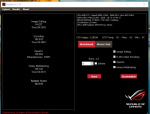
" (Windows 10) Open Task Manager and go to the "Services" tab. Find "AsLedService", right click on the service, and choose to "Restart". Double click on the "Trident Z RGB beta" desktop shortcut (or open the software from the Start Menu) and wait. The software will run in the background for about 1-2 minutes. Be patient. An error will pop up. This is normal. After the error, open the software again via the desktop shortcut or start menu, and the software should open properly with all LED lighting restored.
> (Windows 7) Open "Run..." dialog and type in "services.msc". In the services list, find "AsLedService", right click on the service, and choose to "Restart". Double click on the "Trident Z RGB beta" desktop shortcut (or open the software from the Start Menu) and wait. The software will run in the background for about 1-2 minutes. Be patient. An error will pop up. This is normal. After the error, open the software again via the desktop shortcut or start menu, and the software should open properly with all LED lighting restored."
" (Windows 10) Open Task Manager and go to the "Services" tab. Find "AsLedService", right click on the service, and choose to "Restart". Double click on the "Trident Z RGB beta" desktop shortcut (or open the software from the Start Menu) and wait. The software will run in the background for about 1-2 minutes. Be patient. An error will pop up. This is normal. After the error, open the software again via the desktop shortcut or start menu, and the software should open properly with all LED lighting restored.
> (Windows 7) Open "Run..." dialog and type in "services.msc". In the services list, find "AsLedService", right click on the service, and choose to "Restart". Double click on the "Trident Z RGB beta" desktop shortcut (or open the software from the Start Menu) and wait. The software will run in the background for about 1-2 minutes. Be patient. An error will pop up. This is normal. After the error, open the software again via the desktop shortcut or start menu, and the software should open properly with all LED lighting restored."