Sammelthread PlayStation 5

Sammelthread
Alle immer mit ihren Laden...

Ne NVMe ist nun mal schnell egal ob in einer Konsole oder PC.

Find es super das seit dieser gen ladezeiten quasi nicht mehr vorhanden sind, aber mal ehrlich. SSDs sind nichts neues nur weil sie jetzt in Konsolen einzig gehalten haben.
Eine SSD ist was besonderes, wenn man nicht am PC spielt.
Die PS4-Ära war ein Grauß. Bist bei einem Spiel wie TW3 (oder gibt auch andere Beispiele) gestorben, durftest erst mal 60-90 sek laden.
Jetzt übertrumpft man sogar den PC mit quasi fast Null Ladezeiten. Das sind schon Welten im Vergleich zu vorher und ist definitiv ein Gewinn. Daher käme mir auch nicht mehr der Sinn weiterhin auf der PS4 zu sitzen wenn ich die Möglichkeit auf eine PS5 hätte.


Zu den Pro Konsolen, sobald Games erscheinen die intern in 1080p und gerade so stabile 30FPS kommen sehe ich den Bedarf einer Pro Konsole.
Ist bei mir ähnlich. Sobald die Einschnitte zu groß werden, sollte eine Pro her.
 
Eine SSD ist was besonderes, wenn man nicht am PC spielt.
Die PS4-Ära war ein Grauß. Bist bei einem Spiel wie TW3 (oder gibt auch andere Beispiele) gestorben, durftest erst mal 60-90 sek laden.
Jetzt übertrumpft man sogar den PC mit quasi fast Null Ladezeiten. Das sind schon Welten im Vergleich zu vorher und ist definitiv ein Gewinn. Daher käme mir auch nicht mehr der Sinn weiterhin auf der PS4 zu sitzen wenn ich die Möglichkeit auf eine PS5 hätte.

Ist mir bewusst. Deswegen war in meiner PS4 Pro und One X eine SSD drin ... ;)

Ich will das ja gar nicht schmälern, es ist für alle gut das SSD´s jetzt mit der neuen Gen quasi als Standard erhoben worden sind und Direct Storage, richtig angewendet ist eh noch mal eine andere Hausnummer mit anderen Möglichkeiten.

Aber wenn ich anfange eine Konsole Hardwaretechnisch mit irgendeiner CPU im PC Systemen zu vergleichen im Bezug auf Ladezeiten und dann zu sagen ... schon beeindruckend das die Konsole so schnell lädt wie CPU XY... kratz ich mich am Kopf. Und genau darum ging es ja in dem Beitrag auf den ich geantwortet habe.

Schon heftig wenn der 500€ kasten mit 12900k mithält beim laden

Das ist noch nicht mal wie Äpfeln mit Birnen zu vergleichen. Das ist einfach Nonsense.
 
Ist mir bewusst. Deswegen war in meiner PS4 Pro und One X eine SSD drin ... ;)

Ich will das ja gar nicht schmälern, es ist für alle gut das SSD´s jetzt mit der neuen Gen quasi als Standard erhoben worden sind und Direct Storage, richtig angewendet ist eh noch mal eine andere Hausnummer mit anderen Möglichkeiten.

Aber wenn ich anfange eine Konsole Hardwaretechnisch mit irgendeiner CPU im PC Systemen zu vergleichen im Bezug auf Ladezeiten und dann zu sagen ... schon beeindruckend das die Konsole so schnell lädt wie CPU XY... kratz ich mich am Kopf. Und genau darum ging es ja in dem Beitrag auf den ich geantwortet habe.


Das ist noch nicht mal wie Äpfeln mit Birnen zu vergleichen. Das ist einfach Nonsense.
Das Video gesehen? Cpu die alleine soviel kostet wie die Konsole?

Früher war der pc in allem besser heute stottert er nur noch auf Augenhöhe dahin?
 
Wiedermal Fake-News von Bloomberg:

Wann brennt endlich mein PS5 RAM ab, dann kann ich mit meinem nicht vorhandenen HDMI2.1 Kabel ja gar nicht mehr spielen, ach wenn ich sie Senkrecht aufstelle tropft ja sowieso das Metall raus... verdammt, und vor der Gen hieß es ständig das die Konsole 20% schlechter bei Multiplatformern performt... wie konnte ich nur so diese Fehlerhafte Konsole kaufen? :D
 
Gerade ne Mail von Sony gelesen :

Die PlayStation Plus Collection wird eingestellt​
Ab dem 9. Mai ist die PlayStation®Plus Collection nicht mehr als PlayStation Plus- Vorteil verfügbar. Du kannst jeden beliebigen Titel aus der PlayStation Plus Collection bis zum 9. Mai zu deiner Spielebibliothek hinzufügen und mit einer aktiven PlayStation Plus-Mitgliedschaft jederzeit spielen.

Der PlayStation Plus-Spielekatalog, monatliche Spiele und andere bestehende Vorteile sind von dieser Änderung nicht betroffen.

Vielen Dank für deine anhaltende Unterstützung von PlayStation Plus.​
 
Ich besitze DragonBall Fighter Z auf Disk und habe es mir nochmal für 15€ im Sale digital geholt. Doch leider lässt sich das Spiel nicht instalieren. Da steht schließen Sie díe externe Festplatte an und man kann es nicht downloaden.

Wenn ich die externet Platte anschließe steht da ich soll die Disk einlegen obwohl ich es digital gekauft habe.
 
Wenn ich die externet Platte anschließe steht da ich soll die Disk einlegen obwohl ich es digital gekauft habe.

Sony hat es nicht so mit Lizenzübertragung. Man muss die Daten der Retail löschen und dann Digital neu laden.

Auch etwas was mich etwas auf der Playstation stört. Gerade wenn es eh im PS Plus dann drin ist und man sich die Disc samt Laufwerksabnutzung/lautstärke sparen könnte.

Geht bei der Konkurrenz besser da Spieldaten für Retail, Digital oder Abonutzungslizenz gleich bleiben.

Hoffe Sony ändert es mal.
 
Here’s a look at some of the new features:

New Social Features

  • Join a Discord Voice Chat on Your PS5 Console. You can now join Discord voice chats on your PS5 console and easily chat with friends on most other gaming platforms. To start, link your Discord and PlayStation Network accounts from your PS5 console following these steps*. Then, use the Discord app on your mobile device or computer to get a Discord voice chat going on your PS5 console (make sure your Discord app is updated to the latest version). You can also let your Discord friends see when you’re online and what you’re playing.
  • Note: if you’ve linked your PlayStation Network and Discord accounts in the past to display what game you’re playing, you’ll need to link your accounts again on your PS5 console to grant the new permissions needed for Discord voice chat.
  • Start or Request a Share Screen from Your Friend’s Profile. You can now send a Share Screen request or start sharing your screen with a friend, directly from their profile. Simply select the Share Screen icon on your friend’s profile to start a new session.
  • New “Join Game” Icon in Party Chats. On the voice chat card, a joinable icon will be displayed for party members playing a game you can join. You can join the game directly by selecting the player, and then selecting [Join Game] from the menu.
  • New “Friends Who Play” Tile. In game hubs, you can now see which of your friends have the game, who is currently online, and who is currently playing the game. By selecting the tile, you can see what your friends are doing now, and you can also access your friends’ profiles, where you’ll be given more interaction options.
  • Manually Upload Game Captures to PlayStation App. You can now manually select and upload individual screenshots or game clips to PS App from your PS5 console, then easily share them on social media or with your friends.** This feature complements the auto-upload functionality that currently exists on PS App.
New Gameplay and Personalization Options

  • Variable Refresh Rate support for 1440p. You can now enjoy smoother visual performance when using a VRR-compatible HDMI 2.1 display at 1440p resolution, when playing a game that supports VRR.***
  • We’ve also made some updates to the parameters of the PS5 console’s 1440p output test, enabling 1440p support for a wider range of HDMI displays.
    • To check if your HDMI device is compatible, go to [Settings] > [Screen and Video] > [Video Output] > [Test 1440p Output].


  • Game Library Enhancements.
    • You can now also sort and filter games when adding games to a gamelist.
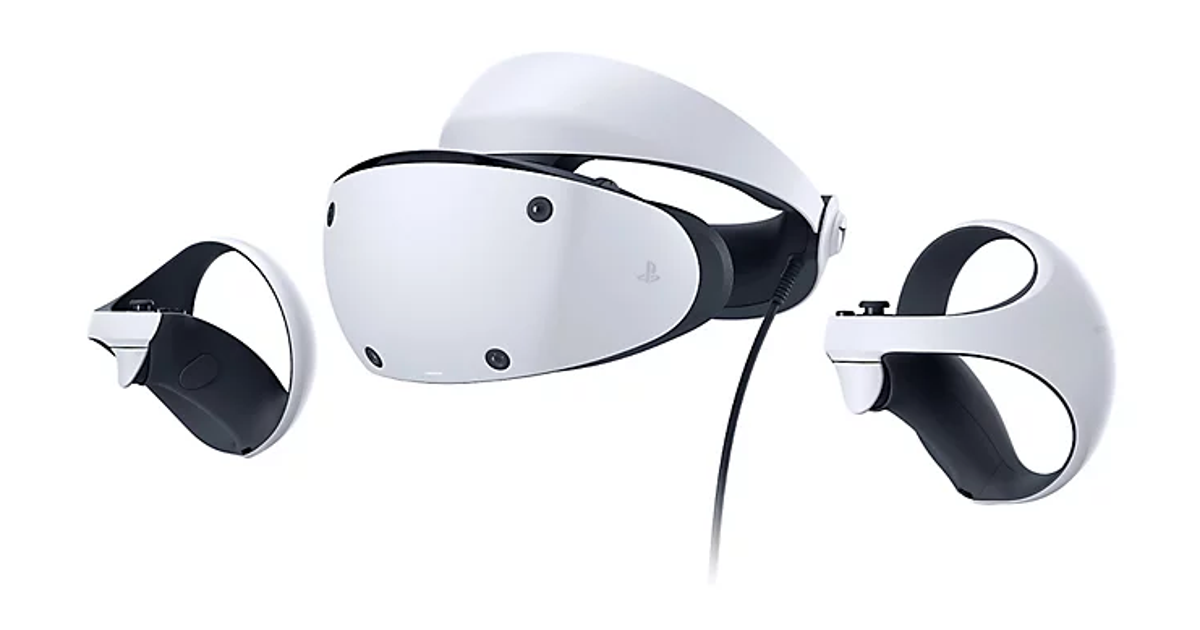
    • You can use filters in your library to easily find PS VR games, as well as PS VR2 titles when PS VR2 launches later this month.


  • Game Presets for Multiplayer Session Preferences. You can set your preferences to manage who can join and who can invite other players to multiplayer sessions you’ve created for supported games.
    • Go to [Settings] > [Saved Data and Game/App Settings] > [Game Presets] > [Online Multiplayer Sessions], and select your preferences in [Who Can Join] and [Who Can Invite].
New Accessibility and Ease-of-use Features

  • PS4 to PS5 Saved Data Migration. We’re making it easier for you to access your PS4 saved data on your PS5 console through two ways:
    • When you download or install a PS4 game on your PS5 console, a notification that PS4 saved data is available in your PlayStation Network cloud storage will appear (if your PS5 console doesn’t already have saved data for the game). Simply select the notification to download your saved data.
    • When you download or install a PS5 game that can load PS4 saved data, such as the PS5 version of a game that was also released on PS4, the same notification will appear (if the game supports this feature).
    • (Note: online storage for saved data requires a PlayStation Plus subscription)


  • PS5 to PS5 Data Transfer. You can now easily transfer the data on your PS5 console, including games, saved data, user profiles, settings, screenshots, and videos, to another PS5 console using a local Wi-Fi network or a LAN cable. You can either transfer the data during the initial PS5 console setup or later from the settings menu. This process doesn’t remove or modify the data on your original PS5 console.


  • Screen Reader Improvements. The screen reader now gives more detailed guidance when navigating the console. It will now tell you which direction you can move from the currently selected component, as well as your current position in a component with multiple items. Additionally, when using the screen reader to view web pages, you’ll now see borders around the section that’s being read aloud.
  • Wireless Device Update for DualSense Wireless Controller. You can now update the DualSense wireless controller device software with a wireless connection. If you have trouble updating the device software wirelessly, connect your controller to your PS5 console using the USB cable to update it. You’ll be able to update wirelessly for the next update.
Game Capture Using Voice Command (Preview): U.S. and U.K. limited release

  • Voice Command now supports using your voice to save video clips of your gameplay.
    • Say “Hey PlayStation, capture that!” to save a video clip of your recent gameplay. The default duration saved is based on your settings.
    • You can also save a specific duration of your gameplay, from 15 seconds to 60 minutes. For example, to save 5 minutes, say “Hey PlayStation, capture the last 5 minutes”.
    • Say “Hey PlayStation, start recording” to manually start a new gameplay recording. You can then say “Hey PlayStation, stop recording” to end the recording and save the video clip.
    • Voice Command (Preview) is currently available in English for beta participants with accounts registered to the U.S. and U.K.
 
Wieso geht das dann an meinem Hisense Fernseher mit 2.0. Steht dann jedenfalls auf automatisch. An meinem Monitor steht wird nicht unterstützt. Fernseher ist 4K und Moni Wqhd.
 
Zurück