

simpel1970
Lötkolbengott/-göttin
Dann kann die Grafikkarte schon mal als Fehlerursache ausgeschlossen werden.
Führe als nächstes einen CMOS Reset durch:
Überprüfe noch die Controllereinstellung vor dem Reset (ob AHCI oder IDE eingestellt) ist. Diese Einstellung musst du nach dem Reset wieder so einstellen, wie es vorher war. Alle anderen Einstellungen so lassen wie sie sind.
Führe als nächstes einen CMOS Reset durch:
If your motherboard has a clearing CMOS jumper, refer to the instructions on the CLR_CMOS jumper6. Saves changes and exit BIOS Setup (select "Save & Exit Setup") to restart your computer.
in Chapter 1 to short the jumper to clear the CMOS values. If your board doesn't have this jumper,
refer to the instructions on the motherboard battery in Chapter 1. You can temporarily remove the
battery from the battery holder to stop supplying power to the CMOS, which will clear the CMOS
values after about one minute. Refer to the steps below:
Steps:
1. Turn off your computer and unplug the power cord.
2. Gently remove the battery from the battery holder and wait for one minute.
(Or use a metal object like a screwdriver to touch the positive and negative terminals of the battery
holder, making them short for 5 seconds.)
3. Replace the battery.
4. Plug in the power cord and restart your computer.
5. Press <Delete> to enter BIOS Setup. Select "Load Fail-Safe Defaults" (or "Load Optimized Defaults")
to load BIOS default settings.
Überprüfe noch die Controllereinstellung vor dem Reset (ob AHCI oder IDE eingestellt) ist. Diese Einstellung musst du nach dem Reset wieder so einstellen, wie es vorher war. Alle anderen Einstellungen so lassen wie sie sind.

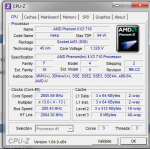
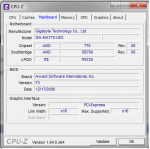
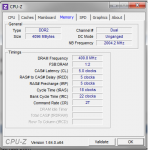
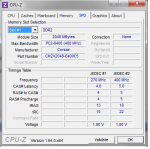
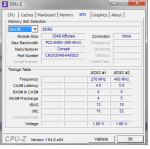
 werd das auf jeden Fall weiter testen


