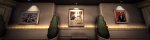
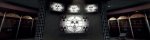
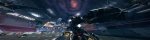
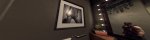
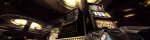
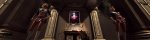
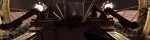
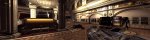
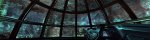
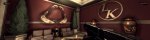
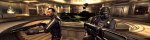
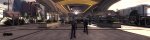
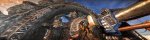
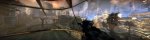
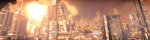
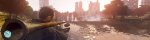
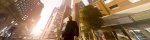
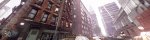
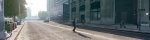
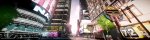
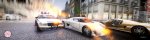
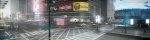
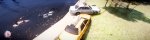
Bilderthread Games Screenshot Thread (Von Ultrawide bis Multimonitoring)

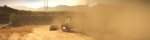
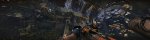
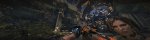
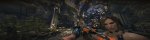
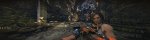
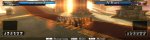
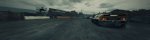
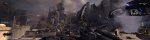
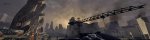
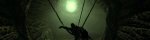
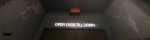
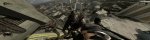
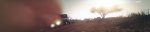
Multimonitor - Screenshots (Triplehead) Nvidia Surround - Resident Evil 5

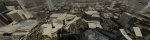
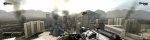
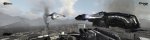
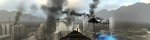
RESIDENT EVIL 5
(Nvidia Surround; DX10; 4xingameAA; FOV mittels Trainer +73 v5.1.3; 80% JPEG-Kompression)

Safari-Skin für ihn und Tribal Tatoo im Gesicht für sie.
Ingame - Vert- Cutscenes - Pics

RE5DX10 2011-06-02 19-11-13-33.jpg RE5DX10 2011-06-02 19-12-23-31.jpg RE5DX10 2011-06-02 19-49-53-87.jpg RE5DX10 2011-06-02 19-49-55-21.jpg RE5DX10 2011-06-02 19-50-05-11.jpg

Nochmal Gruss Lucky
 
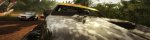
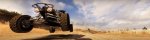
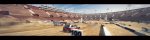
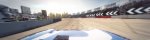
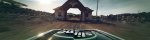
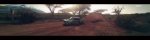
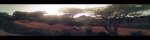
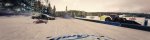
Multimonitor - Screenshots (Triplehead) Nvidia Surround - Dirt 2

Hi!
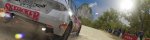
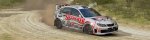
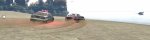
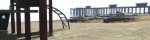
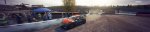
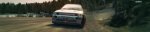
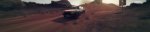
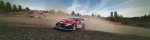
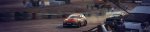
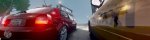
DiRT 2

(Nvidia Surround; DX9; 2x ingameMSAA; max. Details - durch Mod höhere Grafikoptions ... siehe erstes Bild; 77% JPEG-Kompression)

dirt2_game 2011-06-02 23-11-19-60.jpg


Musste von 8x ingameMSAA auf 2x ingameMSAA runter.
Bei 4x ingameMSAA gehen die Frames (/s) nahe 20 und das macht keinen Spass.

Ein bisschen Fraps:
Frames, Time (ms), Min, Max, Avg
4777, 120000, 28, 61, 39.808


dirt2_game 2011-06-02 23-06-29-92.jpg dirt2_game 2011-06-02 23-22-45-00.jpg

dirt2_game 2011-06-02 23-26-07-71.jpg


dirt2_game 2011-06-02 23-40-32-18.jpg dirt2_game 2011-06-02 23-52-01-77.jpg dirt2_game 2011-06-05 17-15-37-14.jpg


Mit EnHanced Effects Mod v0.3
-Expanded effects highest volume, particles, dust, smoke, water, dirt, mud etc, for the experience more extreme in this fantastic game.

-New options settings, enhanced reflex and shadows, (note: this options with ultra, or veryultrahihg options, produces a strong impact on performance, recommended for extreme equipment).
und
Lighting & Effect Mod v1.0

This Mod adjusts the lighting & effect of Malaysia, Morocco and China rally tracks, removes yellow tinting and improves more realistic and brighting.
dirt2_game 2011-06-05 15-32-42-21.jpg dirt2_game 2011-06-05 15-48-27-78.jpg dirt2_game 2011-06-05 16-38-21-21.jpg
dirt2_game 2011-06-05 16-38-28-90.jpg dirt2_game 2011-06-05 16-40-23-73.jpg dirt2_game 2011-06-05 16-41-42-98.jpg

Gruss Lucky
 
Multimonitor - Screenshots (Triplehead) Nvidia Surround - Battle Chess 2011

Hi!

BattlE vs. ChesS
(Nvidia Surround; 8x ingameCSAA; DX9; max. Details; 82% JPEG-Kompression)

battlevschess 2011-06-12 21-16-22-93.jpg battlevschess 2011-06-12 21-16-55-52.jpg battlevschess 2011-06-12 21-20-11-37.jpg
battlevschess 2011-06-12 21-22-34-26.jpg battlevschess 2011-06-12 21-22-50-68.jpg battlevschess 2011-06-12 21-23-13-44.jpg

Ein "Battle Chess" Nachfolger mit "Archon"-Style
(Figuren können gegeneinander kämpfen ... verschiedene Modi)
Musste ich einfach kaufen!


Jetzt wird noch Dirt 3 und Duke installiert und dann erst 'ne Runde "Battle Chess 2011". :ugly:

Gruss, frohe Pfingstfeiertage
Lucky
 
Zuletzt bearbeitet:
Multimonitor - Screenshots (Triplehead) Nvidia Surround - DNF, Dirt 3 und Battle Chess 2011

Hi!
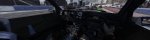
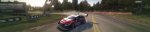
DiRT 3
(Nvidia Surround; DX9; 4x ingameMSAA; max. Details; 80% JPEG-Kompression)

Mit TrackIR 5 (siehe die ersten zwei Bilder) und G25.
Muss noch an den Einstellungen vom Lenkrad rumstellen.
Irgendwie ganz leicht schwammig. War bei Dirt 2 nicht so.


dirt3_game 2011-06-12 23-53-28-50.jpg dirt3_game 2011-06-13 00-03-22-60.jpg
dirt3_game 2011-06-12 23-59-19-97.jpg dirt3_game 2011-06-13 00-10-33-47.jpg dirt3_game 2011-06-13 00-16-40-12.jpg dirt3_game 2011-06-13 00-14-56-65.jpg


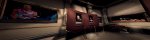
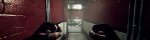
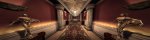
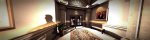
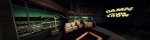
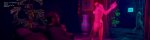
DUKE NUKEM
F o r e v e r
(Nvidia Surround; DX9; ingameFXAA; max. Details; FOV mittels Flawless Widescreen - Tool; DOF per FW-Tool deaktiviert; 80% JPEG-Kompression)

Nach Bulletstorm genau das Richtige!
Das LCD vom G15 spuckt sogar was aus.
Hatte ich letztes Mal bei Prey. Cooles Feature!


DukeForever 2011-06-13 01-02-57-11.jpg DukeForever 2011-06-13 00-36-56-28.jpg DukeForever 2011-06-13 00-44-44-70.jpg DukeForever 2011-06-13 00-46-51-80.jpg
DukeForever 2011-06-13 00-57-06-52.jpg DukeForever 2011-06-13 00-33-07-45.jpg


BattlE vs. ChesS
(Nvidia Surround; 8x ingameCSAA; DX9; max. Details; 80% JPEG-Kompression)

Die Kämpfe waren damals bei "Archon" cooler!
Macht aber trotzdem fun.


battlevschess 2011-06-12 22-53-28-63.jpg battlevschess 2011-06-12 23-25-50-60.jpg


Gruss Lucky!

 
Zuletzt bearbeitet:
Multimonitor - Screenshots (Triplehead) Nvidia Surround - DNF

DUKE NUKEM
F o r e v e r
(Nvidia Surround; DX9; ingameFXAA; max. Details; FOV mittels Flawless Widescreen - Tool; DOF per FW-Tool und "Film Grain" in den Grafikoptions deaktiviert; 75% JPEG-Kompression)

Die Mischung aus Prey und Alien
(Wiki-Link) ist abgefahren.
Gleich mal weiterzocken.
:)

DukeForever 2011-06-14 00-38-45-86.jpg DukeForever 2011-06-14 01-19-18-35.jpg DukeForever 2011-06-14 01-22-45-21.jpg DukeForever 2011-06-14 01-36-05-05.jpg DukeForever 2011-06-14 01-41-33-97.jpg
DukeForever 2011-06-14 01-45-31-80.jpg DukeForever 2011-06-14 01-54-32-93.jpg DukeForever 2011-06-14 02-03-47-06.jpg DukeForever 2011-06-14 21-18-38-18.jpg
DukeForever 2011-06-14 21-33-04-86.jpg DukeForever 2011-06-14 21-39-13-16.jpg DukeForever 2011-06-14 21-46-22-24.jpg
DukeForever 2011-06-14 22-59-55-58.jpg DukeForever 2011-06-14 23-48-00-48.jpg

Gruss Lucky
 
Multimonitor - Screenshots (Triplehead) Nvidia Surround - DNF

DUKE NUKEM
F o r e v e r
(Nvidia Surround; DX9; ingameFXAA; max. Details; FOV mittels Flawless Widescreen - Tool; 72% JPEG-Kompression)
(DOF per FW-Tool, "Film Grain" und Motion Blur in den Grafikoptions deaktiviert)

Was gehört zum Duke ... der Stripclub natürlich!
In der ersten Sekunde dachte ich aber an den GTA 4 Stripclub!
:ugly:

DukeForever 2011-06-16 00-28-15-34.jpg

DukeForever 2011-06-16 00-29-46-17.jpg DukeForever 2011-06-16 00-31-33-84.jpg

DukeForever 2011-06-16 01-07-31-77.jpg DukeForever 2011-06-16 01-16-21-78.jpg DukeForever 2011-06-16 01-18-52-66.jpg

DukeForever 2011-06-16 01-21-44-00.jpg

DukeForever 2011-06-16 01-20-39-82.jpg DukeForever 2011-06-16 01-20-59-09.jpg DukeForever 2011-06-16 00-32-22-51.jpg DukeForever 2011-06-16 01-25-11-89.jpg

N8 Lucky

 
Multimonitor - Screenshots (Triplehead) Nvidia Surround - Portal 2

Hi!
P
ortal 2


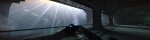
(Nvidia Surround; ingame 4xMSAA; DX9; max. Details mit Portal 2 Graphic Mod V3 incl. SSAO; 72% JPEG-Kompression)

Muss leider zugeben, dass die Mod bis jetzt nicht aktiv war!

Die Portal 2 Graphic V3 Mod wird mit Shift+F12 aktiviert. Ich hatte diese immer deaktiviert.
Die Mod basiert auf ENB 0.075 für HL2.
Mit der Mod dazu gibt es aber noch ein Profil für den Nvidia Inspector, mit dem man Ambient Occlusion aktivieren kann.


So sieht es nun bei mir aus:
(i7-920 notOC; 8GiB G.Skill 1600; 2x Palit GTX 260 Sonic 216SP (896 MB); X-Fi)
Ohne Mod und SSAO habe ich ca. 75 FPS.
Ohne Mod und
Ambient Occlusion auf "Qualtity" im NI habe ich ca. 50 FPS. (So waren alle vorigen Bilder eingestellt ... hab's korrigiert)
Ohne Mod und Ambient Occlusion auf "High Quality" im NI habe ich ca. 40 FPS. (So sind ab jetzt meine Einstellungen)
Mit Mod und Ambient Occlusion auf "Qualtity" im NI habe ich ca. 13-15 FPS.
Mit Mod und Ambient Occlusion auf "High Qualtity" im NI habe ich ca. 7-10 FPS.


Bildvergleiche ohne Mod und mit Mod, aber AO auf "High Quality".

Ohne (ENB) Mod
--------------------------------------------------------- Mit (ENB) Mod
gefrapst:
Frames, Time (ms), Min, Max, Avg ------------------------------------------------------ Frames, Time (ms), Min, Max, Avg
5064, 120000, 15, 76, 42.200 ------------------------------------------------------------- 1020, 120000, 6, 11, 08.500


Beim ersten Bild fällt der Schatten ganz hinten schräg links vom Durchgang auf.

portal2 2011-06-06 22-47-36-24.jpg portal2 2011-06-06 22-47-30-62_mitENB.jpg
portal2 2011-06-12 19-24-56-02.jpg portal2 2011-06-12 19-25-01-57_mitENB.jpg
portal2 2011-06-12 18-49-22-70.jpg portal2 2011-06-12 18-49-26-21_mitENB.jpg
portal2 2011-06-06 23-02-42-19.jpg portal2 2011-06-06 23-02-32-02_mitENB.jpg
portal2 2011-06-12 19-34-32-92.jpg portal2 2011-06-12 19-34-37-00_mitENB.jpg
portal2 2011-06-12 19-56-03-41.jpg portal2 2011-06-12 19-56-07-51_mitENB.jpg
portal2 2011-06-12 20-43-15-37.jpg portal2 2011-06-12 20-43-11-43_mitENB.jpg

Gruss und sorry Lucky
 
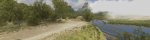
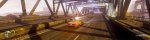
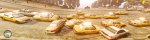
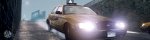
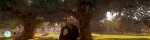
Multimonitor - Screenshots (Triplehead) Nvidia Surround - Bulletstorm und GTA4

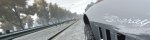
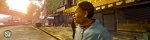
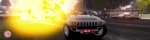
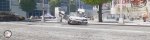
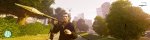
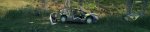
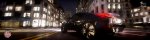
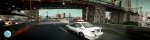
GrandTheft Auto 4
(Nvidia Surround; kein AA; DX9; 80% JPEG-Kompression)
ENB - Mod -Settings und eingefügte Mods siehe Spoiler unten

GTAIV 2011-04-13 21-44-32-09.jpg GTAIV 2011-03-27 23-25-14-50.jpg GTAIV 2011-03-27 17-18-26-75.jpg GTAIV 2011-03-27 17-21-49-72.jpg

Einstellungen, hinzugefügte Mods, ENB-Settings

Einstellungen bei GTA 4:
Bis Patch #4 (1.0.4.0) upgedated, Auto-Update deaktiviert.
Videoauflösung: 3840x1024 (7680x2048 wäre cool, also Downsampling, aber da habe ich 0,2 FPS - 1 FPS (gefühlt).)
Texturenquali: Hoch (hier erstes Bild "Mittel" und restlichen Bilder "Hoch")
Reflexionsauflösung: Sehr Hoch
Qualität Wasser: Sehr Hoch
Qualität Schatten: Sehr Hoch
Texturenfilter-Quali: Sehr hoch
Sichtdistanz: 1
Detaildistanz: 80
Fahrzeugdichte: 88

Per Commandline.txt das MemLimit ausgehebelt.

Inhalt der Commandline.txt:
-width 3840 -height 1024 -norestrictions -nomemrestrict -noprecache -availablevidmem 1.3
("...Grafikeinstellungen überschreiten das empfohlene Ressourcenlimit...". Laut GTA 4 werden 1227 MB GPU-RAM benötigt. Habe 896 MB(GTX260))

Hinzugefügte MODs:

Exaggerated Blood v1.16
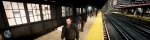
View in the Train (Man fährt jetzt als Fahrgast im Zug und kann sich umgucken)
Xenon HID Headkights V2 (Auto-Scheinwerfer)
NYC Taxi Ford Crown Victoria (Original New York Taxi ... geil im Spiel)
More Pedestrians Mod, Ped-Mod (3x mehr Fussgänger ... alles lebhafter)
DoubleViewDistance Pedestrians Mod (doppelte Sichtweite der Fussgänger. Sieht in Verbindung mit dem "mehr Fussgänger"-Mod genial aus)
EFLC Weapon Pack
ENBseries 0.081 SORA (Einstellungen weiter unten)
More-Stars-Mod (Ein bisschen zu viele Sterne, aber dafür sieht's im Spiel nicht so langweilig aus. Passt!)
ModCars Pack (Mods_cars_for_GTA_IV_PC_by_seba84_v6 ... teilweise viel zu "kuriose" Autos dabei, aber für eine Zeit lang macht's fun! Relativ wenig "CarSpawnBugs")
Ultimate Textures 2.0 (hat über 4 GB. Einfach bei youtube danach suchen und da ist auch ein DL-Link)
TreesModIV 1.1 (Bei diesen vier Bildern ist dieser Mod noch nicht installiert!!!))

VOLLSTÄNDIGE Einstellungen ENBseries Mod:
[PROXY]
EnableProxyLibrary=false
InitProxyFunctions=true
ProxyLibrary=

[GLOBAL]
AdditionalConfigFile=enbseries2.ini
UseEffect=true
CyclicConfigReading=true
ForceNVidiaCard=true
ForceNVidiaCaps=false

[ENGINE]
ForceDisplaySize=true
ForceAntialiasing=true
ForceDisplayRefreshRate=false
ForceAnisotropicFiltering=true
MaxAnisotropy=8
AntialiasingQuality=1
AntialiasingUpScale=1.0
DisplayRefreshRateHz=60
DisplayWidth=3840
DisplayHeight=1024
ReflectionsForceHighPrecision=true
ReflectionsExtremePrecision=true

[EFFECT]
EnableBloom=true
EnableAmbientOcclusion=false
EnableSkyLighting=false
UseOriginalPostProcessing=false

[INPUT]
KeyUseEffect=123
KeyCombination=16
KeyScreenshot=45
KeyAmbientOcclusion=121

[BLOOD]
ReflectionAmount=1.0
SpecularPower=0.8

[TREE]
LeavesReflectionAmount=0.15
LeavesSpecularPower=0.2
LeavesAmbientAmount=0.3
LeavesColorMultiplier=1.2
LeavesColorPow=1.2

[BUILDING]
WindowLightIntensity=1.5

[LIGHT1]
LightIntensity=4.0
LightAOAmount=1.4
LightILAmount=0.0
EdgeLighteningAmount=0.0
ColorPow=1.5
LightCurve=1.0

[LIGHT2]
LightIntensity=3.0
LightAOAmount=0.0
LightILAmount=1.5
EdgeLighteningAmount=0.3
ColorPow=1.5
LightCurve=0.7

[LIGHT3]
LightIntensity=3.0
LightAOAmount=0.0
LightILAmount=6.0
EdgeLighteningAmount=0.4
ColorPow=1.5
LightCurve=1.0

[LIGHT4]
LightIntensity=1.0
LightAOAmount=0.0
LightILAmount=4.0
EdgeLighteningAmount=1.0
ColorPow=0.5
LightCurve=1.0

[LIGHT5]
LightIntensity=3.0
LightAOAmount=1.0
LightILAmount=0.0
EdgeLighteningAmount=0.0
ColorPow=1.0
LightCurve=0.7

[LIGHT6]
LightIntensity=3.0
LightAOAmount=1.0
LightILAmount=0.0
EdgeLighteningAmount=0.0
ColorPow=1.0
LightCurve=0.7

[CARHEADLIGHT]
EmissiveMuliplier=5
LightIntensity=2

[LIGHTSPRITE]
UseExternalTexture=true
Intensity=1.0
IntensityInReflection=1.0
UseRays=true
RaysNumber=2
RaysIntensity=0.6
RaysRateOfChange=10.0
RaysLength=2.0

[CARWINDOWGLASS]
ReflectionAmount=1
SpecularPower=100.0
SpecularAmount=1.0

[CHROME]
ReflectionFront=1.0
ReflectionSide=1.0
SpecularPower=10.7
SideFade=1.0
MetallicAmount=0.05

[WHEELS]
ReflectionFront=4.0
ReflectionSide=0.2
SpecularPower=0.08
SideFade=1.0
MetallicAmount=0.1

[REFLECTION1]
ReflectionFront=1.4
ReflectionSide=1.4
SpecularPower=100.0
SideFade=0.5
MetallicAmount=0.05

[REFLECTION2]
ReflectionFront=1.0
ReflectionSide=3.0
SpecularPower=1.0
SideFade=0.5

[REFLECTION3]
ReflectionFront=0.6
ReflectionSide=1.0
SpecularPower=10.0
SideFade=0.3

[BLOOM]
BloomQuality=0
BlueShiftAmount=0.5
Radius1=2.0
Radius2=4.5
Contrast=0.9

[SSAO_SSIL]
ApplyAntialiasing=true
SamplingQuality=0
SamplingRange=1.0
SizeScale=0.8
SourceTexturesScale=1
FilterQuality=1
AOAmount=1.4
ILAmount=1.0
EdgeLighteningAmount=1.0

[SHADOW]
FilterQuality=2

[ADAPTATION]
ForceMinMaxValues=true
AdaptationTime=0.4
AdaptationMin=0.5
AdaptationMax=1.0
AdaptationMinMultiplier=1.0
AdaptationMaxMultiplier=1.0

[ENVIRONMENT]
DirectLightingIntensity=2.0
NightLightingIntensity=1.5
DirectLightingCurve=1.0
ReflectionAmountMultiplier=1.0
SpecularAmountMultiplier=1.0
SpecularPowerMultiplier=1.0
ColorPow=1.5
AmbientSunMultiplier=1.0
AmbientSkyMultiplier=1.0
AmbientSunSaturation=1.0
AmbientSkySaturation=1.0

[SKYLIGHTING]
FilterQuality=1
AmbientSunMix=4.0
AmbientSkyMix=4.0
AmbientContrast=1.3
AmbientMinLevel=0.3

[SKY]
AzimuthHeight=0.15
AzimuthMultiplier=3.5
AzimuthSunAffectPower=2.0
AzimuthSunAffectAmount=0.7
AzimuthMultiplier=3.5
TopColorMultiplier=0.7
ColorSaturation=0.0
ColorPower=1.5
SunIntensity=1.0
SunMaxBrightness=50.0
SunColorFilterR=1.0
SunColorFilterG=0.8
SunColorFilterB=0.6
SunColorFilterCurve=3.0
SunCoronaCurve=1.0
SunCoronaIntensity=1.4
SunDesaturation=0.8
OverallPower=1.0
OverallIntensity=1.0
BrightnessUpperLimitMultiplier=4.0
CloudsUseCustomTexture=true
CloudsCurve=1.5
CloudsIntensity=1.3
CloudsDesaturation=0.7
CloudsEdgeClamp=0.95
CloudsEdgeIntensity=3.0
CloudsEdgeRange=8.0
StarsUseCustomTexture=true
StarsAmount=1.3
StarsIntensity=2.0
StarsBrightness=15.0
MoonIntensity=60.0
MoonGamma=1.5
MoonSize=0.1
MoonLightingCurve=0.7
NightCloudsEdgeClamp=3.5
NightCloudsEdgeIntensity=12.0
NightCloudsEdgeRange=14.0

BULLETSTORM
(Nvidia Surround; 4x ingameAA; DX9; max. Details mit FOV-Fix ("calculated for 48:9"); 80% JPEG-Kompression)

ShippingPC-StormGame 2011-05-25 23-35-25-83.jpg ShippingPC-StormGame 2011-05-26 00-06-33-52.jpg ShippingPC-StormGame 2011-05-27 00-00-04-71.jpg

ShippingPC-StormGame 2011-05-27 23-08-17-61.jpg


ShippingPC-StormGame 2011-05-27 23-51-32-14.jpg ShippingPC-StormGame 2011-05-28 23-19-54-87.jpg ShippingPC-StormGame 2011-05-29 00-01-19-90.jpg
ShippingPC-StormGame 2011-05-29 00-06-56-70.jpg ShippingPC-StormGame 2011-05-30 01-00-00-06.jpg

ShippingPC-StormGame 2011-05-30 01-06-26-70.jpg ShippingPC-StormGame 2011-05-30 01-07-06-94.jpg

Gruss Lucky
 
Zuletzt bearbeitet:
Multimonitor - Screenshots (Triplehead) Nvidia Surround - DNF

DUKE NUKEM
F o r e v e r
(Nvidia Surround; DX9; ingameFXAA; max. Details; FOV mittels Flawless Widescreen - Tool; 75% JPEG-Kompression)
(DOF per FW-Tool, "Film Grain" und Motion Blur in den Grafikoptions deaktiviert)

DNF mit Bulletstorm-Grafik (-Texturen) wäre schön.
Und gleich noch die Peitsche mit rein. Vielleicht kommt's ja noch.

Vorerst mal nur die Mod von BeetleatWar1977 aus'm 3DCenter.
DOF auf die Hälfte reduziert - ist aber immer noch zu stark oder? (Ist bei mir ja ganz deaktiviert)
FXAA Settings überarbeitet.
HDR überarbeitet
Samplezahl für Ambient Occlusion auf den max. Wert fixiert

noch ein paar Sachen, bin jetzt aber zu müde.


DukeForever 2011-06-16 22-32-17-04.jpg DukeForever 2011-06-16 22-37-46-10.jpg DukeForever 2011-06-17 23-53-50-16.jpg DukeForever 2011-06-16 22-47-04-85.jpg DukeForever 2011-06-16 22-54-24-70.jpg

Gruss Lucky
 
Zuletzt bearbeitet:
Multimonitor - Screenshots (Triplehead) Nvidia Surround - Dirt 3

Hi!
DiRT 3
(Nvidia Surround; DX9; 8x ingameMSAA; max. Details; 80% JPEG-Kompression)

Eingefügte Mods:
Realism Lighting V2
New FFB settings V2

This is version 2 of the FFB setting i was working on previously.
I`ve taken into account that the offroad materials were way too harsh last time.

Also made steering abit heavier.

Settings were made using a G25 and in-game settings as the picture attached.

Files included;

effectsetup.xml = Modified FFB file.
effectsetup_ORIGINAL.xml = Original file for back-up.
Enhanced Car Sounds V2
Enhanced stock car sounds in-game/replay for Player and Ai to replicate real-life rally atmosphere.
Features:
  • Enhanced Player Car volume of engine And exhaust
  • Balanced volume of Player Car engine and exhaust
  • Better Directional Volume of Player Car and Ai (ie. when camera is facing front of car, engine sound is more pronouced rather than exhaust, vice versa)
  • Louder Exhaust Detonations
  • Louder Dump Valves/Wastegate
  • Slightly Louder Turbo Hissing
  • Balanced Ai Cars volume to Match with Player Car.
  • All Ai cars in RallyCross mode now can be heard simultaneously in replay and in-game (but not all the time when all the cars are too close to each other due to memory limitations)
  • Ai cars have longer listening distance (ie. when Ai is further away from Player, Ai cars Fade-in and Fade-out can be heard at a longer distance and smoother when compared to stock)
  • Realistic Sound Reflections
Cockpit and 'look back' view mod
Modifications made
==================
Head camera:
- Field of View (FOV) changed to 50 degrees
- Look left/right angle increased to 45 degrees
- Moved closer to windscreen
- 'Strange' movements on head camera reduced

'Look Back' camera:
- Moved to inside the car to give a view through the rear window
Logitech G25-G27 Clutch Fix
Enjoy the H pattern with clutch setting without missing gears
and getting stuck in neutral.

The G25 and G27 clutch saturation has been changed from .08 to .06

Alles hier zu finden. (RaceDepartment.com)

Ich hoffe, die modden noch die "Kinobalken" im Replay weg.
Sieht ja komisch aus!

dirt3_game 2011-06-22 21-14-44-77.jpg dirt3_game 2011-06-22 21-22-23-88.jpg dirt3_game 2011-06-22 21-22-54-80.jpg

dirt3_game 2011-06-22 21-37-33-34.jpg dirt3_game 2011-06-22 21-52-47-52.jpg dirt3_game 2011-06-22 21-57-24-74.jpg

dirt3_game 2011-06-22 22-26-50-69.jpg dirt3_game 2011-06-22 22-23-59-45.jpg

dirt3_game 2011-06-22 22-01-03-59.jpg dirt3_game 2011-06-22 22-45-53-05.jpg

dirt3_game 2011-06-22 23-12-21-71.jpg dirt3_game 2011-06-22 22-55-19-17.jpg dirt3_game 2011-06-22 23-13-16-72.jpg

Gruss Lucky
 
Multimonitor - Screenshots (Triplehead) Nvidia Surround - Dirt 3

Nochmal
DiRT 3
(Nvidia Surround; DX9; 8x ingameMSAA; max. Details; 80% JPEG-Kompression; schwarze Balken beim Replay entfernt)

Sind noch ein paar Mods dazu gekommen.
Besonders der
Enhanced Smoke/Dust/Snow Effects ist kultig!
Einfgefügte Mods:
Realism Lighting V2
Keine genaue Beschreibungvorhanden, aber Beleuchtung sollte verbessert sein
New FFB settings V2
This is version 2 of the FFB setting i was working on previously.
I`ve taken into account that the offroad materials were way too harsh last time.

Also made steering abit heavier.

Settings were made using a G25 and in-game settings as the picture attached.

Files included;

effectsetup.xml = Modified FFB file.
effectsetup_ORIGINAL.xml = Original file for back-up.
Enhanced Car Sounds V2
Enhanced stock car sounds in-game/replay for Player and Ai to replicate real-life rally atmosphere.
Features:

Enhanced Player Car volume of engine And exhaust
Balanced volume of Player Car engine and exhaust
Better Directional Volume of Player Car and Ai (ie. when camera is facing front of car, engine sound is more pronouced rather than exhaust, vice versa)
Louder Exhaust Detonations
Louder Dump Valves/Wastegate
Slightly Louder Turbo Hissing
Balanced Ai Cars volume to Match with Player Car.
All Ai cars in RallyCross mode now can be heard simultaneously in replay and in-game (but not all the time when all the cars are too close to each other due to memory limitations)
Ai cars have longer listening distance (ie. when Ai is further away from Player, Ai cars Fade-in and Fade-out can be heard at a longer distance and smoother when compared to stock)
Realistic Sound Reflections
Cockpit and 'look back' view mod
Modifications made
==================
Head camera:
- Field of View (FOV) changed to 50 degrees
- Look left/right angle increased to 45 degrees
- Moved closer to windscreen
- 'Strange' movements on head camera reduced

'Look Back' camera:
- Moved to inside the car to give a view through the rear window
Logitech G25-G27 Clutch Fix
Enjoy the H pattern with clutch setting without missing gears
and getting stuck in neutral.

The G25 and G27 clutch saturation has been changed from .08 to .06
NEU:
Enhanced Smoke/Dust/Snow Effects
Files included;

pfx_snow_textures.pssg - Modified texture set for better snow effects.
pfx_snow_textures_ORIGINAL.pssg - Original file for back-up purposes.

pfx_textures.pssg - Modified texture set for better smoke and dust effects.
pfx_textures_ORIGINAL.pssg - Original file for back-up purposes.

====Installation====

1. Extract to "Dirt3/effects/textures" folder
2. Enjoy
Super Fast Menus
Removed the Delay time when whe navigate throw the menus and the timing for the menus to change or appear

Removed some the Intros from menus (like the sliding car cutscenes when you navigate throw the menus)

at the start & end of the races the selection menu comes faster now

some Loading Intro movies roll faster too
No Splash Screens
Here are two files that get rid of the AMD and Codies splash screen when you start the game.

Instructions included.

Unlike previous mods, i havn`t included backup files, as they are quite large, so please make sure your save a copy of the originals before using these.

You have been warned :P

Enjoy.

EDIT - Version 2 now up which has fixed the little sound issue. Thank to `xpertvision` for pointing it out ;)
Alles hier zu finden. (RaceDepartment.com)

 
AW: Games Dual-/Triple- und sonstige Multimonitor - Screenshots

Nice! :)

GrandTheft Auto 4
(Nvidia Surround; FXAA; DX9; 73% JPEG-Kompression)
ENB - Mod -Settings und eingefügte Mods siehe Spoiler unten

Mit neuem ENBseries Mod Settings (siehe Video) und FXAA (sieht zwar nicht sooo gut aus wie DS, aber besser als nichts!)

Eingebundener Inhalt
An dieser Stelle findest du externe Inhalte von Youtube. Zum Schutz deiner persönlichen Daten werden externe Einbindungen erst angezeigt, wenn du dies durch Klick auf "Alle externen Inhalte laden" bestätigst: Ich bin damit einverstanden, dass mir externe Inhalte angezeigt werden. Damit werden personenbezogene Daten an Drittplattformen übermittelt.
Für mehr Informationen besuche die Datenschutz-Seite.

Dank des SLI-Profils für NI habe ich nun mehr FPS. Mit diesen (imo "sehr hohen") (ENB-) Einstellungen und FXAA habe ich zwischen 25 und 35 FPS.
(Ruckler und manche sehr kurze Einbrüche auf 10-15 FPS nehm ich da gerne in Kauf)
Das Game lässt sich grafisch so krass verändern und sieht dazu an manchen Stellen fast real aus. Hammer!
Jetzt sieht es nahezu durchspielbar aus!
:daumen::ugly:

GTAIV 2011-06-25 00-19-50-25.jpg GTAIV 2011-06-25 00-21-19-57.jpg GTAIV 2011-06-25 00-54-08-58.jpg GTAIV 2011-06-25 01-07-44-52.jpg

GTAIV 2011-06-25 01-19-34-74.jpg GTAIV 2011-06-25 01-21-25-32.jpg GTAIV 2011-06-25 01-54-17-24.jpg
GTAIV 2011-06-25 01-51-49-78.jpg GTAIV 2011-06-25 00-45-13-73.jpg
GTAIV 2011-06-25 01-17-53-97.jpg GTAIV 2011-06-25 01-00-17-25.jpg
Einstellungen, hinzugefügte Mods, ENB-Settings
Einstellungen bei GTA 4:

Bis Patch #4 (1.0.4.0) upgedated, Auto-Update deaktiviert.
Videoauflösung: 3840x1024
Texturenquali: Hoch
Reflexionsauflösung: Sehr Hoch
Qualität Wasser: Mittel (sieht imo besser aus)
Qualität Schatten: Sehr Hoch
Texturenfilter-Quali: Sehr hoch
Sichtdistanz: 1
Detaildistanz: 100
Fahrzeugdichte: 77

Per Commandline.txt das MemLimit ausgehebelt.

Inhalt der Commandline.txt:
-notimefix
-noprecache
-framelimit 30
-novblank
-noprecache
-norestrictions
-nomemrestrict
-noswapdelay
-renderquality 4
-shadowdensity 0
-viewdistance 0
-detailquality 100
-shadowquality 3
-reflectionquality 4
-reflectionresolution 2048
-shadowresolution 2048
-waterquality 0
-waterreflectionquality 5
-fullspecaudio
-dx10
-width 3840
-height 1024
-availablevidmem 1.3
/high
("...Grafikeinstellungen überschreiten das empfohlene Ressourcenlimit...". Laut GTA 4 werden 1227 MB GPU-RAM benötigt. Habe 896 MB(GTX260))

Hinzugefügte MODs:

Exaggerated Blood v1.16
View in the Train (Man fährt jetzt als Fahrgast im Zug und kann sich umgucken)
Xenon HID Headkights V2 (Auto-Scheinwerfer)
NYC Taxi Ford Crown Victoria (Original New York Taxi ... geil im Spiel)
More Pedestrians Mod, Ped-Mod (3x mehr Fussgänger ... alles lebhafter)
DoubleViewDistance Pedestrians Mod (doppelte Sichtweite der Fussgänger. Sieht in Verbindung mit dem "mehr Fussgänger"-Mod genial aus)
EFLC Weapon Pack
ENBseries 0.079 SORA by Fiona5 (Einstellungen weiter unten)
More-Stars-Mod (Ein bisschen zu viele Sterne, aber dafür sieht's im Spiel nicht so langweilig aus. Passt!)
ModCars Pack (Mods_cars_for_GTA_IV_PC_by_seba84_v6 ... teilweise viel zu "kuriose" Autos dabei, aber für eine Zeit lang macht's fun! Relativ wenig "CarSpawnBugs")
Ultimate Textures 2.0 (hat über 4 GB. Einfach bei youtube danach suchen und da ist auch ein DL-Link)
TreesModIV 1.1

VOLLSTÄNDIGE Einstellungen ENBseries Mod:
Made by Boris V. Settings By Fonia5

[PROXY]
EnableProxyLibrary=false
InitProxyFunctions=true
ProxyLibrary=

[GLOBAL]
AdditionalConfigFile=enbseries2.ini
UseEffect=true
CyclicConfigReading=false
ForceNVidiaCard=true
ForceNVidiaCaps=false

[ENGINE]
ForceDisplaySize=false
ForceAntialiasing=false
AntialiasingQuality=1
DisplayRefreshRateHz=60
DisplayWidth=3840
DisplayHeight=1024
ReflectionsForceHighPrecision=true
ReflectionsExtremePrecision=false
ForceDisplayRefreshRate=false
ForceAnisotropicFiltering=false
MaxAnisotropy=8

[EFFECT]
EnableBloom=true
EnableAmbientOcclusion=false
EnableSkyLighting=true
UseOriginalPostProcessing=false

[INPUT]
KeyUseEffect=123
KeyCombination=16
KeyScreenshot=44
KeyAmbientOcclusion=121

[BLOOD]
ReflectionAmount=0.3
SpecularPower=0.8

[TREE]
LeavesReflectionAmount=0.009
LeavesSpecularPower=0.5
LeavesAmbientAmount=1.0
LeavesColorMultiplier=0.80
LeavesColorPow=1.3

[BUILDING]
WindowLightIntensity=1.3


[LIGHT1]
LightIntensity=3
LightAOAmount=2
LightILAmount=0.7
EdgeLighteningAmount=0.7
ColorPow=1.5
LightCurve=1.4

[LIGHT2]
LightIntensity=1
LightAOAmount=1.7
LightILAmount=1
EdgeLighteningAmount=10
ColorPow=2
LightCurve=1.4

[LIGHT3]
LightIntensity=4
LightAOAmount=1.7
LightILAmount=1.5
EdgeLighteningAmount=1
ColorPow=1.5
LightCurve=1.5

[LIGHT4]
LightIntensity=0.4
LightAOAmount=1.7
LightILAmount=2
EdgeLighteningAmount=1.1
ColorPow=0.5
LightCurve=0.8

[LIGHT5]
LightIntensity=1.5
LightAOAmount=1.7
LightILAmount=0.8
EdgeLighteningAmount=1.0
ColorPow=1.5
LightCurve=1.3

[LIGHT6]
LightIntensity=1.5
LightAOAmount=1.8
LightILAmount=0.8
EdgeLighteningAmount=1.0
ColorPow=1.4
LightCurve=1.2

[CARHEADLIGHT]
EmissiveMuliplier=4
LightIntensity=2

[LIGHTSPRITE]
UseExternalTexture=true
Intensity=2
IntensityInReflection=2.3
UseRays=true
RaysNumber=3
RaysIntensity=0.6
RaysRateOfChange=10.0
RaysLength=2.0

[CARWINDOWGLASS]
ReflectionAmount=1
SpecularPower=100.0
SpecularAmount=7

[CHROME]
ReflectionFront=1.0
ReflectionSide=1.0
SpecularPower=10.7
SideFade=1.0
MetallicAmount=0.05

[WHEELS]
ReflectionFront=1.5
ReflectionSide=1
SpecularPower=0.08
SideFade=1.0
MetallicAmount=0.1

[REFLECTION1]
ReflectionFront=0.7
ReflectionSide=0.7
SpecularPower=100.0
SideFade=10
MetallicAmount=0.05

[REFLECTION2]
ReflectionFront=0.7
ReflectionSide=0.7
SpecularPower=70.0
SideFade=11
MetallicAmount=0.05

[REFLECTION3]
ReflectionFront=0.8
ReflectionSide=0.7
SpecularPower=35.0
SideFade=11
MetallicAmount=0.05

[BLOOM]
BloomQuality=0
BlueShiftAmount=0.0
Radius1=20
Radius2=48
Contrast=0.6

[SSAO_SSIL]
ApplyAntialiasing=false
SamplingQuality=1
SamplingRange=1.0
SizeScale=0.5
SourceTexturesScale=0.5
FilterQuality=1
AOAmount=1.4
ILAmount=0.0
EdgeLighteningAmount=5.0w

[SHADOW]
FilterQuality=1

[ADAPTATION]
ForceMinMaxValues=true
AdaptationTime=0.1
AdaptationMin=0.5
AdaptationMax=0.9
AdaptationMinMultiplier=1.0
AdaptationMaxMultiplier=1.0

[ENVIRONMENT]
DirectLightingIntensity=0.8
NightLightingIntensity=0.9
DirectLightingCurve=0.5
ReflectionAmountMultiplier=1.0
SpecularAmountMultiplier=1.0
SpecularPowerMultiplier=1.0
ColorPow=1.5
AmbientSunMultiplier=1.0
AmbientSkyMultiplier=1.0
AmbientSunSaturation=1.0
AmbientSkySaturation=1.0

[SKYLIGHTING]
FilterQuality=1
AmbientSunMix=1
AmbientSkyMix=2
AmbientContrast=5
AmbientMinLevel=0.3

[SKY]
AzimuthHeight=2
AzimuthMultiplier=2.0
AzimuthSunAffectPower=2
AzimuthSunAffectAmount=0.7
TopColorMultiplier=0.4
ColorSaturation=0.2
ColorPower=1.2
SunIntensity=1.1
SunMaxBrightness=60.0
SunColorFilterR=1.0
SunColorFilterG=0.8
SunColorFilterB=0.6
SunColorFilterCurve=3.0
SunCoronaCurve=3.0
SunCoronaIntensity=0.9
SunDesaturation=0.5
OverallPower=1.0
OverallIntensity=1.0
BrightnessUpperLimitMultiplier=4.0
CloudsUseCustomTexture=true
CloudsCurve=1
CloudsIntensity=0.90
CloudsDesaturation=0.1
CloudsEdgeClamp=0.95
CloudsEdgeIntensity=3.0
CloudsEdgeRange=8.0
StarsUseCustomTexture=true
StarsAmount=1
StarsIntensity=5
StarsBrightness=30.0
MoonIntensity=15.0
MoonGamma=1.5
MoonSize=0.10
MoonLightingCurve=1
NightCloudsEdgeClamp=3.5
NightCloudsEdgeIntensity=12.0
NightCloudsEdgeRange=14.0
n8 Lucky
 
Multimonitor - Screenshots (Triplehead) Nvidia Surround - Dirt 3

Servus!
DiRT
3

(Nvidia Surround; DX9; 8x ingameMSAA; max. Details; 75% JPEG-Kompression)

dirt3_game 2011-06-23 22-49-27-20.jpg

Schwarze Balken beim Replay entfernt:

dirt3_game 2011-06-23 22-53-31-56.jpg dirt3_game 2011-06-23 23-12-27-91.jpg dirt3_game 2011-06-23 19-17-42-18.jpg

Einfgefügte Mods:
Enhanced Smoke/Dust/Snow Effects
Files included;

pfx_snow_textures.pssg - Modified texture set for better snow effects.
pfx_snow_textures_ORIGINAL.pssg - Original file for back-up purposes.

pfx_textures.pssg - Modified texture set for better smoke and dust effects.
pfx_textures_ORIGINAL.pssg - Original file for back-up purposes.

====Installation====

1. Extract to "Dirt3/effects/textures" folder
2. Enjoy
Realism Lighting V2
Leider keine Beschreibung, aber durch den Mod-Namen kann man es sich ja denken.
New FFB settings V2
This is version 2 of the FFB setting i was working on previously.
I`ve taken into account that the offroad materials were way too harsh last time.

Also made steering abit heavier.


Settings were made using a G25 and in-game settings as the picture attached.


Files included;


effectsetup.xml = Modified FFB file.

effectsetup_ORIGINAL.xml = Original file for back-up.
Enhanced Car Sounds V2

Enhanced stock car sounds in-game/replay for Player and Ai to replicate real-life rally atmosphere.
Features:

  • Enhanced Player Car volume of engine And exhaust
  • Balanced volume of Player Car engine and exhaust
  • Better Directional Volume of Player Car and Ai (ie. when camera is facing front of car, engine sound is more pronouced rather than exhaust, vice versa)
  • Louder Exhaust Detonations
  • Louder Dump Valves/Wastegate
  • Slightly Louder Turbo Hissing
  • Balanced Ai Cars volume to Match with Player Car.
  • All Ai cars in RallyCross mode now can be heard simultaneously in replay and in-game (but not all the time when all the cars are too close to each other due to memory limitations)
  • Ai cars have longer listening distance (ie. when Ai is further away from Player, Ai cars Fade-in and Fade-out can be heard at a longer distance and smoother when compared to stock)
  • Realistic Sound Reflections

Cockpit and 'look back' view mod

Modifications made
==================
Head camera:
- Field of View (FOV) changed to 50 degrees
- Look left/right angle increased to 45 degrees
- Moved closer to windscreen
- 'Strange' movements on head camera reduced

'Look Back' camera:

- Moved to inside the car to give a view through the rear window
Logitech G25-G27 Clutch Fix
Enjoy the H pattern with clutch setting without missing gears
and getting stuck in neutral.

The G25 and G27 clutch saturation has been changed from .08 to .06

Super Fast Menus
Removed the Delay time when whe navigate throw the menus and the timing for the menus to change or appear

Removed some the Intros from menus (like the sliding car cutscenes when you navigate throw the menus)

at the start & end of the races the selection menu comes faster now

some Loading Intro movies roll faster too
No Splash Screens
Here are two files that get rid of the AMD and Codies splash screen when you start the game.

Instructions included.

Unlike previous mods, i havn`t included backup files, as they are quite large, so please make sure your save a copy of the originals before using these.

You have been warned

Enjoy.

EDIT - Version 2 now up which has fixed the little sound issue. Thank to `xpertvision` for pointing it out


Alles hier zu finden. (RaceDepartment.com)


GrandTheft Auto 4
(Nvidia Surround; FXAA; DX9; 75% JPEG-Kompression)
ENB - Mod -Settings und eingefügte Mods siehe vorherige Post

GTAIV 2011-06-25 00-41-27-96.jpg GTAIV 2011-06-25 01-20-11-40.jpg GTAIV 2011-06-25 01-07-34-82.jpg


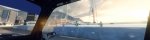
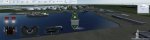
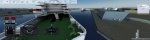
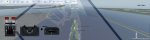
Schiff Simulator 2008
(Nvidia Surround; DX9; 4x MSAA; alles max. Details; 75% JPEG-Kompression)

QuestViewer 2011-06-25 16-52-40-66.jpg QuestViewer 2011-06-25 16-56-13-32.jpg QuestViewer 2011-06-25 17-45-44-20.jpg


Portal 2
(Nvidia Surround; ingame 8xCSAA; DX9; max. Details mit SSAO; 75% JPEG-Kompression)

portal2 2011-05-31 23-07-36-60.jpg portal2 2011-05-31 23-07-31-83.jpg portal2 2011-05-31 23-07-28-13.jpg portal2 2011-05-23 23-40-21-19.jpg portal2 2011-05-31 23-07-46-66.jpg

Gruss Lucky
 
Zuletzt bearbeitet:
Multimonitor - Screenshots (Triplehead) Nvidia Surround - Dirt 3 und GTA4

GrandTheft Auto 4
(Nvidia Surround; FXAA; DX9; 80% JPEG-Kompression)
ENB - Mod -Settings und eingefügte Mods siehe zwei Posts vorher im Spoiler

GTAIV 2011-06-26 23-27-23-10.jpg GTAIV 2011-06-27 00-09-08-39.jpg GTAIV 2011-06-27 00-09-12-11.jpg GTAIV 2011-06-27 00-34-32-83.jpg


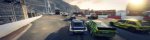
DiRT 3
(Nvidia Surround; DX9; 8x ingameMSAA; max. Details; 80% JPEG-Kompression;Schwarze Balken beim Replay entfernt)

neue Mods:
Any Car on Any Track Mod v3.5
Features:
Drive any car on any track in Single race and Split screen.
Previously unavailable track of "The Bobsleigh Run" in Norway added to Single race.
Previously unavailable option of Joyride in DC (Battersea) Compound to Single race.
Choose any car for Joyride in the DC Compound.
All layouts are also available such as Parking Lot, Depot, Waterfront, All Areas, etc.
Added Rally, Trailblazer and Head-2-Head tracks in the RallyX mode including their respective weather effects and able to choose no. of laps on H2H tracks in Single race.
All the cars start at the same time on these tracks in RallyX mode.
New Vehicle class added, "Any". Choosing this class makes the AI to choose their vehicles randomly from all classes.
Added all the weather effects supported by a location to all the tracks of that respective location. Eg Now, all Smelter tracks include Morning, Evening, Wet and Rain effects.
Now, almost all weather effects are available on all tracks:
· The DC Compound: Morning, Wet and Rain (new)
· All Norway and Aspen tracks: Morning, Evening, Snow, Night, Foggy and Snowy Night (new in RX tracks)
· All Monaco Tracks incl. Gymkhana: Morning, Evening and Night (new)
· All LA Coliseum Tracks: Morning, Evening and Rain (new in RX tracks)
· All LA Coliseum Gymkhana Tracks: Morning, Evening, Rain and Night (new)
· All Smelter Tracks: Morning, Evening, Wet and Rain (new in RX tracks)
Dirt 3 Rally Camera Pack 1.0
-All car added two new Headcam camera
-All car added two new helicopter camera
-Citroen C4 rally windshield mod (only in interior view)
-Ford Focus rally windshield mod (only in interior view)
-Mitsubishi Lancer Evolution X plus two new camera(beta1.1)
restlichen Mods siehe Post davor
Durch den "Any Car on Any Track Mod v3.5" - Mod schneit es nun auch nachts.
Vorher ging nur das Nachtrennen ohne Schneefall oder das Tagesrennen mit Schneefall.


dirt3_game 2011-06-26 22-08-57-67.jpg dirt3_game 2011-06-26 22-09-51-41.jpg dirt3_game 2011-06-26 22-15-10-89.jpg
dirt3_game 2011-06-26 23-02-10-96.jpg


Destruction Dirt 3 :)

dirt3_game 2011-06-23 16-19-47-97.jpg dirt3_game 2011-06-22 22-58-06-26.jpg
dirt3_game 2011-06-26 22-50-09-41.jpg dirt3_game 2011-06-26 22-57-42-63.jpg

dirt3_game 2011-06-23 16-31-21-33.jpg dirt3_game 2011-06-22 21-57-42-42.jpg dirt3_game 2011-06-26 23-06-52-84.jpg


Gruss Lucky


:ugly::D
:devil:


Zuletzt bearbeitet:
Multimonitor - Screenshots (Triplehead) Nvidia Surround - GTA4

GrandTheft Auto 4
(Nvidia Surround;FXAA; DX9; 77% JPEG-Kompression)
Einstellungen und eingefügte Mods siehe Spoiler unten

Habe dank Nuallan (DL-Link -> iCEnhancer 1.2 und mehr) eine neue Mod, die auf ENB basiert, ausprobiert.
iCEnhancer 1.2 (YoutTubeLink) (Settings by H1Vltg3 - iCEnhanced-V1.35-UPDATED)
kostet massig Performance.
Komme nicht über 25 FPS.
Sieht aber verdammt geil aus, wenn auch das DOF viel zu "krass" ist,
aber für einen Abend war es super. Wollte doch erst Ende des Jahres wieder aufrüsten. :)

Ausserdem ist noch die "Viva New York"-Mod und "Ultimate NYPD Uniform"-Mod dazugekommen.


Detaildistanz 25
(Restlichen Einstellungen siehe Spoiler)


GTAIV 2011-06-30 21-02-42-14.jpg


GTAIV 2011-06-30 21-06-32-69.jpg GTAIV 2011-06-30 21-10-13-47.jpg GTAIV 2011-06-30 21-11-40-73.jpg GTAIV 2011-06-30 21-12-08-78.jpg GTAIV 2011-06-30 21-39-04-87.jpg
GTAIV 2011-06-30 21-48-41-51.jpg GTAIV 2011-06-30 23-01-52-69.jpg GTAIV 2011-06-30 23-11-42-66.jpg


Detaildistanz 100
(Restlichen Einstellungen siehe Spoiler)


GTAIV 2011-06-30 23-34-49-62.jpg

GTAIV 2011-06-30 23-53-49-54.jpg GTAIV 2011-06-30 23-50-55-87.jpg GTAIV 2011-07-01 00-15-22-23.jpg
GTAIV 2011-07-01 00-56-17-07.jpg GTAIV 2011-07-01 00-57-09-96.jpg

Einstellungen, hinzugefügte Mods, ICEnhancer-Settings
Einstellungen bei GTA 4:
Bis Patch #4 (1.0.4.0) upgedated, Auto-Update deaktiviert.
Videoauflösung: 3840x1024
Texturenquali: Hoch
Reflexionsauflösung: Sehr Hoch
Qualität Wasser: Mittel (sieht imo besser aus, Tip gefunden im 3DCenterForum)
Qualität Schatten: Hoch
Texturenfilter-Quali: Sehr hoch
Sichtdistanz: 15
Detaildistanz: zuerst 25, dann 10
Fahrzeugdichte: 66

Hinzugefügte MODs:
Exaggerated Blood v1.16
View in the Train (Man fährt jetzt als Fahrgast im Zug und kann sich umgucken)
Xenon HID Headkights V2 (Auto-Scheinwerfer)
NYC Taxi Ford Crown Victoria (Original New York Taxi ... geil im Spiel)
More Pedestrians Mod, Ped-Mod (3x mehr Fussgänger ... alles lebhafter)
DoubleViewDistance Pedestrians Mod (doppelte Sichtweite der Fussgänger. Sieht in Verbindung mit dem "mehr Fussgänger"-Mod genial aus)
EFLC Weapon Pack
ICEnhancer 1.2 (Settings by H1Vltg3-iCEnhanced-V1.35-UPDATED)
Straßen Texturen von DKT70 (kommt wieder weg ... net so mein Ding)
More-Stars-Mod (Ein bisschen zu viele Sterne, aber dafür sieht's im Spiel nicht so langweilig aus. Passt!)
ModCars Pack (Mods_cars_for_GTA_IV_PC_by_seba84_v6 ... teilweise viel zu "kuriose" Autos dabei, aber für eine Zeit lang macht's fun! Relativ wenig "CarSpawnBugs")
Ultimate Textures 2.0 (hat über 4 GB. Einfach bei youtube danach suchen und da ist auch ein DL-Link)
TreesModIV 1.1
Ultimate NYPD Uniform mod
VIVA New York Mod


VOLLSTÄNDIGE Einstellungen ICEnhancer 1.2 Mod (.ini) by H1Vltg3 - V1.35update:
//ENBSeries Based configuration file for iCEnhancer.
//Edited by H1Vltg3
//Does the same thing as ENB
//DO NOT PLAY WITH IT TOO MUCH. You might break everything

[PROXY]
EnableProxyLibrary=false
InitProxyFunctions=true
ProxyLibrary=

[GLOBAL]
AdditionalConfigFile=
UseEffect=true
CyclicConfigReading=false
ForceNVidiaCard=true
ForceNVidiaCaps=false

[ENGINE]
ForceDisplaySize=true
ForceAntialiasing=false
ForceDisplayRefreshRate=false
ForceAnisotropicFiltering=false
MaxAnisotropy=16
AntialiasingQuality=1
DisplayRefreshRateHz=60
DisplayWidth=3840
DisplayHeight=1024
ReflectionsForceHighPrecision=true
ReflectionsExtremePrecision=true
AntialiasingUpScale=1.0

[EFFECT]
EnableBloom=true
EnableAmbientOcclusion=true
EnableSkyLighting=true
UseOriginalPostProcessing=false

[INPUT]
KeyUseEffect=123
KeyCombination=16
KeyScreenshot=44
KeyAmbientOcclusion=121
KeyShowFPS=106

[BLOOD]
ReflectionAmount=1.1
SpecularPower=0.8

[TREE]
LeavesReflectionAmount=0.003
LeavesSpecularPower=0.003
LeavesAmbientAmount=0.45
LeavesColorMultiplier=1.0
LeavesColorPow=1.02
LeavesColorFilterR=0.7
LeavesColorFilterG=0.9
LeavesColorFilterB=0.7

[BUILDING]
WindowLightIntensity=1.2


[LIGHT1]
LightIntensity=1.7
LightAOAmount=1.2
LightILAmount=1.0
EdgeLighteningAmount=0.0
ColorPow=1.5
LightCurve=1.0

[LIGHT2]
LightIntensity=1.3
LightAOAmount=1.0
LightILAmount=0.5
EdgeLighteningAmount=0.35
ColorPow=1.5
LightCurve=1.3
ColorFilterR=0.5
ColorFilterG=0.7
ColorFilterB=1.4

[LIGHT3]
LightIntensity=1.2
LightAOAmount=2.0
LightILAmount=1.0
EdgeLighteningAmount=0.4
ColorPow=1.5
LightCurve=1.0

[LIGHT4]
LightIntensity=0.5
LightAOAmount=2.0
LightILAmount=1.0
EdgeLighteningAmount=1.0
ColorPow=0.99
LightCurve=1.0

[LIGHT5]
LightIntensity=1.8
LightAOAmount=1.3
LightILAmount=1.0
EdgeLighteningAmount=0.0
ColorPow=1.3
LightCurve=1.0

[LIGHT6]
LightIntensity=1.8
LightAOAmount=1.3
LightILAmount=1.0
EdgeLighteningAmount=0.0
ColorPow=1.3
LightCurve=1.0

[CARHEADLIGHT]
EmissiveMuliplier=3.5
LightIntensity=0.3

[LIGHTSPRITE]
UseExternalTexture=true
Intensity=2.5
IntensityInReflection=6.0
UseRays=true
RaysNumber=1
RaysIntensity=0.7
RaysRateOfChange=10.0
RaysLength=1.0

[CARWINDOWGLASS]
ReflectionAmount=0.6
SpecularPower=100.0
SpecularAmount=40.5
OpacityMultiplier=0.95

[CHROME]
ReflectionFront=1.2
ReflectionSide=1.5
SpecularPower=80.7
SideFade=0.2
MetallicAmount=0.00

[WHEELS]
ReflectionFront=1.2
ReflectionSide=0.8
SpecularPower=0.08
SideFade=0.1
MetallicAmount=0.0

[REFLECTION1]
ReflectionFront=1.57
ReflectionSide=1.25
SpecularPower=10
SideFade=1.0
MetallicAmount=100

[REFLECTION2]
ReflectionFront=1.0
ReflectionSide=1.25
SpecularPower=10
SideFade=0.6
MetallicAmount=100

[REFLECTION3]
ReflectionFront=1.0
ReflectionSide=1.25
SpecularPower=10
SideFade=0.6
MetallicAmount=0

[BLOOM]
BloomQuality=0
BlueShiftAmount=1
Radius1=2.0
Radius2=10.0
Contrast=300

[SSAO_SSIL]
ApplyAntialiasing=false
SamplingQuality=1
SamplingRange=0.4
SizeScale=0.45
SourceTexturesScale=0.45
FilterQuality=1
AOAmount=1.0
ILAmount=0.3
EdgeLighteningAmount=1.0

[SHADOW]
FilterQuality=2
CharacterShadowMultiplier=1.4
CarShadowMultiplier=1.3


[ADAPTATION]
ForceMinMaxValues=true
AdaptationTime=0.01
AdaptationMin=0.37
AdaptationMax=1.85
AdaptationMinMultiplier=1.0
AdaptationMaxMultiplier=1.0


[ENVIRONMENT]
DirectLightingIntensity=1.5
NightLightingIntensity=1.0
DirectLightingCurve=1.0
ReflectionAmountMultiplier=1.0
SpecularAmountMultiplier=1.2
SpecularPowerMultiplier=1.1
ColorPow=1.3
AmbientSunMultiplier=0.9
AmbientSkyMultiplier=1.0
AmbientSunSaturation=1.0
AmbientSkySaturation=1.0

[SKYLIGHTING]
FilterQuality=0
AmbientSunMix=1.8
AmbientSkyMix=1.5
AmbientContrast=1.0
AmbientMinLevel=0.56

[SKY]
AzimuthHeight=1.9
AzimuthMultiplier=0.5
AzimuthSunAffectPower=1.6
AzimuthSunAffectAmount=0.7
TopColorMultiplier=0.4
ColorSaturation=1.0
ColorPower=1.2
SunIntensity=1
SunMaxBrightness=100.0
SunColorFilterR=1.0
SunColorFilterG=0.9
SunColorFilterB=0.75
SunColorFilterCurve=5.0
SunCoronaCurve=2
SunCoronaIntensity=2
SunDesaturation=0.0
OverallPower=1.0
OverallIntensity=0.65
BrightnessUpperLimitMultiplier=4
CloudsUseCustomTexture=true
CloudsCurve=2.0
CloudsIntensity=1.0
CloudsDesaturation=10.5
CloudsEdgeClamp=1.2
CloudsEdgeIntensity=2.5
CloudsEdgeRange=1.5
StarsUseCustomTexture=true
StarsAmount=0.3
StarsIntensity=1.5
StarsBrightness=1.0
MoonIntensity=100.0
MoonGamma=1.5
MoonSize=0.03
MoonLightingCurve=0.9
NightCloudsEdgeClamp=3.5
NightCloudsEdgeIntensity=5.0
NightCloudsEdgeRange=10.0
Enable=true

[PARTICLE]
SoftParticlesEnable=true
SoftParticlesEdgeRange=4.0

[DETAIL]
DetailMapEnable=true

[COLORCORRECTION]
UsePaletteTexture=false
Gruss Lucky
 
Zuletzt bearbeitet:
AW: Multimonitor - Screenshots (Triplehead) Nvidia Surround - GTA4


Ach ja, noch was zu GTA4: Das FXAA klappt mit dem ICEnhancer automatisch. Man muss keine effect.txt einfügen.


Portal 2
(Nvidia Surround; ingame 8xCSAA; DX9; max. Details mit SSAO; 85% JPEG-Kompression)

portal2 2011-05-17 21-21-36-94.jpg portal2 2011-05-31 22-44-54-43.jpg

Nochmal Gruss Lucky
 
Zuletzt bearbeitet:
AW: Multimonitor - Screenshots (Triplehead) Nvidia Surround - GTA4

Ich benutz jetzt auch INC-Enhancer, gibt es da irgendein Tutorial was was in der ini macht ? Weil, ich es versuchen will selbst ein paar einstellungen zu unternehmen! Bzw. wo krieg ich conigs anderer her ?! :D
 
Zurück