How-To Einrichtung eines FAH Clients

How-To-Threads
AW: [HowTo] - Anleitung Einrichtung FAH Client 7.4.4

XP kann eh nichts mit Hardware-Unterstützung durch GPUs anfangen und somit läuft auch das falten nicht.
 
AW: [HowTo] - Anleitung Einrichtung FAH Client 7.4.4

Was passiert eiglt. wenn man den Client startet, aber so eine WorkUnit nicht zu Ende laufen lässt, weil einem z.B. der PC dann zuviel Strom zieht?
 
AW: [HowTo] - Anleitung Einrichtung FAH Client 7.4.4

Was passiert eiglt. wenn man den Client startet, aber so eine WorkUnit nicht zu Ende laufen lässt, weil einem z.B. der PC dann zuviel Strom zieht?

Die Workunits haben ein "Verfallsdatum" - wenn du sie also nicht vorher zu ende faltest ist sie verloren und deine Rechenleistung war umsonst
 
AW: [HowTo] - Anleitung Einrichtung FAH Client 7.4.4

Hat aber sonst keine Konsequenz?
Wenn du die Nummer länger machst und unter einen bestimmten Wert fällst (Verhältnis zwischen erfolreich gefaltene WUs inklusive zurückschicken zu nicht erfolgreich durchgefaltet) wird deinem Passkey der Bonus verweigert bis zu ihn wieder erfolgreich freigefaltet hast (gleiches Prozedere wie bei einem neuen Passkey sprich 10 WUs).
 
AW: [HowTo] - Anleitung Einrichtung FAH Client 7.4.4

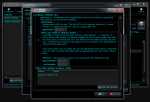
kann man machen, oder besser im F@H-Client (Advanced Control) nter 'Configure' --> 'Slots' --> cpu auswählen und den 'Edit'-Button drücken. DAnn ganz unten bei 'Extra slot options (experts only)' --> 'Add' folgendes Eintragen: pause-on-start true --> Somit startet F@H mit der Berechnung erst, wenn DU das Startsignal gibst. Selbiges empfehle ich auch für die GPU.
Hier mal noch ein Screenshot dazu

Unbenannt.PNG

Edith: zu langsam :( gleich 2 x überholt
 
AW: [HowTo] - Anleitung Einrichtung FAH Client 7.4.4

Sorry für die blöden Fragen meinerseits, kenne mich da halt nicht aus - aber interessiert mich. Soweit ich es richtig gelesen haben sollte, kann ich dem Client sagen das er nach einer Fertiggestellten Unit erstmal nichts neues macht, sodass ich gelegentlich mal eine Unit durchlaufen lassen kann?
 
AW: [HowTo] - Anleitung Einrichtung FAH Client 7.4.4

Sorry für die blöden Fragen meinerseits, kenne mich da halt nicht aus - aber interessiert mich. Soweit ich es richtig gelesen haben sollte, kann ich dem Client sagen das er nach einer Fertiggestellten Unit erstmal nichts neues macht, sodass ich gelegentlich mal eine Unit durchlaufen lassen kann?

Finish Button drücken, dann macht er die WU fertig und danach erstmal nichts mehr bis man wieder auf Fold drückt
 
AW: [HowTo] - Anleitung Einrichtung FAH Client 7.4.4

Eigentlich nicht, gibt es gefühlt schon "ewig". Hier mal ein Auszug (unter Linux per telnet localhost 36330), ich habe die Ausgabe für bessere Lesbarkeit mit Zeilenvorschüben aufgefüllt:
Code:
options -a
PyON 1 options
{"allow": "127.0.0.1",
"assignment-servers": "assign3.stanford.edu:8080 assign4.stanford.edu:80",
"auth-as": "true",
"capture-directory": "capture",
"capture-on-error": "false",
"capture-packets": "false",
"capture-requests": "false",
"capture-responses": "false",
"capture-sockets": "false",
"cause": "ANY",
"certificate-file": None, "checkpoint": "3",
"child": "true",
"client-subtype": "LINUX",
"client-threads": "6",
"client-type": "normal",
"command-address": "0.0.0.0",
"command-allow-no-pass": "127.0.0.1",
"deny": "0/0",
"command-deny-no-pass": "0/0",
"command-enable": "true",
"command-port": "36330",
"config-rotate": "true",
"config-rotate-dir": "configs",
"config-rotate-max": "16",
"connection-timeout": "60",
"core-dir": "cores",
"core-exec": "FahCore_$type",
"core-key": None, "core-prep": None, "core-priority": "low",
"core-server": None, "core-wrapper-exec": "FAHCoreWrapper",
"cpu-affinity": "false",
"cpu-species": "X86_PENTIUM_II",
"cpu-type": "AMD64",
"cpu-usage": "100",
"cpus": "-1",
"crl-file": None, "cuda-index": None, "cycle-rate": "4",
"cycles": "-1",
"daemon": "true",
"data-directory": ".",
"debug-sockets": "false",
"disable-sleep-when-active": "true",
"dump-after-deadline": "true",
"eval": None, "exception-locations": "true",
"exec-directory": "/usr/bin",
"exit-when-done": "false",
"extra-core-args": "-forceasm",
"fold-anon": "true",
"force-ws": None, "fork": "false",
"gpu": "true",
"gpu-assignment-servers": "assign-GPU.stanford.edu:80 assign-GPU2.stanford.edu:80",
"gpu-index": None, "gpu-usage": "100",
"gui-enabled": "true",
"http-addresses": "0:7396",
"https-addresses": "",
"idle": "false",
"idle-seconds": "300",
"log": "log.txt",
"log-color": "true",
"log-crlf": "false",
"log-date": "false",
"log-date-periodically": "21600",
"log-debug": "true",
"log-domain": "false",
"log-domain-levels": None, "log-header": "true",
"log-level": "true",
"log-no-info-header": "true",
"log-redirect": "false",
"log-rotate": "true",
"log-rotate-dir": "logs",
"log-rotate-max": "16",
"log-short-level": "false",
"log-simple-domains": "true",
"log-thread-id": "false",
"log-thread-prefix": "true",
"log-time": "true",
"log-to-screen": "true",
"log-truncate": "false",
"machine-id": "0",
"max-connect-time": "900",
"max-connections": "800",
"max-packet-size": "normal",
"max-queue": "16",
"max-request-length": "52428800",
"max-shutdown-wait": "60",
"max-slot-errors": "10",
"max-unit-errors": "5",
"max-units": "0",
"memory": None, "min-connect-time": "300",
"next-unit-percentage": "99",
"priority": None, "no-assembly": "false",
"open-web-control": "false",
"opencl-index": None, "os-species": "UNKNOWN",
"os-type": "LINUX",
"passkey": "blablabla",
"password": None, "pause-on-battery": "true",
"pause-on-start": "true",
"paused": "false",
"pid": "false",
"pid-file": "/var/run/fahclient.pid",
"power": "full",
"private-key-file": None, "project-key": "0",
"proxy": "server:port",
"proxy-enable": "false",
"proxy-pass": "",
"proxy-user": "",
"respawn": "false",
"run-as": "fahclient",
"script": None, "service": "false",
"session-cookie": "sid",
"session-lifetime": "86400",
"session-timeout": "3600",
"smp": "true",
"stack-traces": "false",
"stall-detection-enabled": "false",
"stall-percent": "5",
"stall-timeout": "1800",
"team": "70335",
"threads": "8",
"user": "mattifolder",
"verbosity": "3",
"web-allow": "127.0.0.1",
"web-deny": "0/0",
"web-enable": "true"}
---

Code:
slot-options -a
PyON 1 slot-options
{"client-type": "advanced",
"cpus": "6",
"max-packet-size": "big",
"next-unit-percentage": "100",
"paused": "false"}
---

Und hier noch die Ausgabe der Hilfe:
Code:
> help
  auth                        Authenticate.
  error                       Error message.
  exit                        Exit the command processor
  heartbeat                   Prints an increasing hearbeat count.
  log-updates start | restart | stop Enable/diable log updates.
  quit                        Exit the command processor
  screensaver                 Unpause all slots which are paused waiting for a
                              screensaver and pause them again on disconnect.
  updates add <id> <rate> <expression> | del <id> | list | clear | reset Enable/disable
                              updates.

Folding@home Client:
  always_on [slot]            Set all or one slot(s) always on.
  bond <ip>:<port> <input> [output] [ip:port] Bond a packet file to a outgoing
                              debug socket connection.
  configured                  Return a PyON message indicating if the client has
                              set a user, team or passkey.
  do-cycle                    Run one client cycle.
  download-core <type> <url>  Download a core.
  finish [slot]               Finish all or one slot(s).
  get-info <category> <key>   Print application information
  info                        Print application information in PyON format
  inject <ip>:<port> <input> [output] [ip:port] Inject a packet file to a
                              listening debug socket. Will wait until packet is
                              processed.
  mask-unit-state             Disable specified unit states.
  num-slots                   Get number of slots in PyON format.
  on_idle [slot]              Set all or one slot(s) on idle.
  option <name> [value]       Get or set a configuration option
  options                     List or set options with their values.
                              If no name arguments are given then all options
                              with non-default values will be listed. If the
                              '-d' argument is given then even defaulted options
                              will be listed. If the '-a' option is given then
                              unset options will also be listed. Otherwise, if
                              option names are provided only those options will
                              be listed.
                              The special name '*' lists all options which have
                              not yet been listed and is affected by the '-d'
                              and '-a' options.
                              If a name argument is followed directly by an
                              equal sign then the rest of the arugment will be
                              used to set the option's value. If instead a name
                              argument is followed immediately by a '!' then the
                              option will be reset to its default value.
                              Options which are set or reset will also be
                              listed.
                              Options are listed as a PyON format dictionary.[-d
                              | -a] | [<name>[! | =<value>]]...
  pause [slot]                Pause all or one slot(s).
  ppd                         Get current total estimated Points Per Day.
  queue-info                  Get work unit queue information in PyON format.
  request-id                  Request an ID from the assignment server.
  request-ws                  Request work server assignment from the assignment
                              server.
  save [file]                 Save the configuration either to the specified
                              file or to the file the configuration was last
                              loaded from.
  shutdown                    Shutdown the application
  simulation-info <slot id>   Get current simulation information.
  slot-add <type> [<name>=<value>]... Add a new slot. Configuration options for
                              the new slot can be provided.
  slot-delete <slot>          Delete a slot. If it is running a unit it will be
                              stopped.
  slot-info                   Get slot information in PyON format.
  slot-modify <id> <type> [<name><! | =<value>>]... Modify an existing slot.
                              Configuration options can be either set or reset
                              using the same syntax used by the 'options'
                              command.
  slot-options <slot> [-d | -a] | [name]... The first argument is the slot ID.
                              See 'options' help for a description of the
                              remaining arguments.
  trajectory <slot id>        Get current protein trajectory.
  unpause [slot]              Unpause all or one slot(s).
  uptime                      Print application uptime
  wait-for-units              Wait for all running units to finish.

Standard Commands:
  add <number> <number>       Add two values
  clear                       Clear the screen
  date [format]               Print the date and time. Optionally, with
                              'format'. See: man strftime
  div <number> <number>       Divide two values
  eq <string> <string>        True if arguments are equal
  eval [expr]...              Evaluate all arguments
  if <cond> <expr1> [expr2]   If 'cond' evaluates to a non-empty string then
                              evalute 'expr1' otherwise, if provided, evaluate
                              'expr2'
  less <string> <string>      True the first argument is lexigraphically less
                              than the second
  mul <number> <number>       Multiply two values
  neq <string> <string>       True if arguments are not equal
  not <expr>                  Invert the truth value of the argument
  sleep <seconds>             Sleep for a number of seconds
  sub <number> <number>       Subtract two values

Was davon alles funktioniert oder nicht, weiß ich jedoch nicht.
 
Zurück