BlueScreen wie jetzt weiter

Guten Abend liebe Community,
guten Abend simpel1970,

ich habe Anfang Dez 2012 ein Komplettsystem (selbst konfiguriert und zusammenbauen lassen), welches bereits 1x zur Reklamation zurückgeschickt wurde. Bei der Reklamation wurden NT/MoBo & Graka ausgetauscht, da das Netzteil defekt war!!! Nun bekam ich das System vor kurzem zurück und musste nach der Reparatur erneut Mängel feststellen => Bluescreens und eine SSD mit 3gb/s ausgehandelter Geschwindigkeit..

Kurz daraufhin die Hotline des Unternehmens kontaktiert, wurde mir empfohlen ich soll das SATA Kabel in den SATA3 (6 GB/S) Slot einsetzen und Windows neuinstallieren, da durch den Falschanschluss
die Bluescreens entstanden wären, obwohl sie die Minidumps des Bluescreens nicht mal angeschaut haben.

Den Rat des Technikers befolgt und Windows 7 64bit HP erneut installiert, funktionierte die SSD endlich mit 6gb/s, dennoch hatte ich am selben Abend wieder einen Bluescreen. Bis
jetzt hatte ich nur einen Bluescreen, die restlichen kann ich nur fotografisch vorweisen.

Ich hoffe Ihr könnt mir helfen bzw. mitteilen wo der Fehler liegt...

Freundliche Grüße
Mali762

Im Anhang befindet sich ein WinZip-Archiv bestehend aus:
Bilder meiner Bluescreens
Screenshots von CPU-Z
Minidump-Datei

Minidump Anaylze:
Microsoft (R) Windows Debugger Version 6.4.0007.2
Copyright (c) Microsoft Corporation. All rights reserved.

Loading Dump File [C:\Windows\Minidump\010413-11060-01.dmp]
Mini Kernel Dump File: Only registers and stack trace are available

Symbol search path is: SRV*C:Symbols*http://msdl.microsoft.com/download/symbols
Executable search path is:
Windows Longhorn Kernel Version 7601 (Service Pack 1) MP (12 procs) Free x64
Product: WinNt, suite: TerminalServer SingleUserTS Personal
Built by: 7601.17944.amd64fre.win7sp1_gdr.120830-0333
Kernel base = 0xfffff800`02e0a000 PsLoadedModuleList = 0xfffff800`0304e670
Debug session time: Fri Jan 4 23:20:15.992 2013 (GMT+1)
System Uptime: 0 days 0:10:32.835
Loading Kernel Symbols
...........................................................................................................................................................
Loading unloaded module list
....
Loading User Symbols
*******************************************************************************
* *
* Bugcheck Analysis *
* *
*******************************************************************************

Use !analyze -v to get detailed debugging information.

BugCheck 7F, {8, 80050031, 406f8, fffff88007c1efba}

Unable to load image \SystemRoot\system32\DRIVERS\nvlddmkm.sys, Win32 error 2
*** WARNING: Unable to verify timestamp for nvlddmkm.sys
*** ERROR: Module load completed but symbols could not be loaded for nvlddmkm.sys
Probably caused by : nvlddmkm.sys ( nvlddmkm+1d2fba )

Followup: MachineOwner
---------

9: kd> !analyze -v
*******************************************************************************
* *
* Bugcheck Analysis *
* *
*******************************************************************************

UNEXPECTED_KERNEL_MODE_TRAP (7f)
This means a trap occurred in kernel mode, and it's a trap of a kind
that the kernel isn't allowed to have/catch (bound trap) or that
is always instant death (double fault). The first number in the
bugcheck params is the number of the trap (8 = double fault, etc)
Consult an Intel x86 family manual to learn more about what these
traps are. Here is a *portion* of those codes:
If kv shows a taskGate
use .tss on the part before the colon, then kv.
Else if kv shows a trapframe
use .trap on that value
Else
.trap on the appropriate frame will show where the trap was taken
(on x86, this will be the ebp that goes with the procedure KiTrap)
Endif
kb will then show the corrected stack.
Arguments:
Arg1: 0000000000000008, EXCEPTION_DOUBLE_FAULT
Arg2: 0000000080050031
Arg3: 00000000000406f8
Arg4: fffff88007c1efba

Debugging Details:
------------------

BUGCHECK_STR: 0x7f_8

CUSTOMER_CRASH_COUNT: 1

DEFAULT_BUCKET_ID: DRIVER_FAULT

CURRENT_IRQL: 2

LAST_CONTROL_TRANSFER: from fffff80002e88569 to fffff80002e88fc0

STACK_TEXT:
fffff880`0645dee8 fffff800`02e88569 : 00000000`0000007f 00000000`00000008 00000000`80050031 00000000`000406f8 : nt!KeBugCheckEx
fffff880`0645def0 fffff800`02e86a32 : 00000000`00000000 00000000`00000000 00000000`00000000 00000000`00000000 : nt!KiBugCheckDispatch+0x69
fffff880`0645e030 fffff880`07c1efba : 00000000`00000000 00000000`00000000 fffffa80`12a90920 00000000`00000000 : nt!KiDoubleFaultAbort+0xb2
fffff880`0647a000 00000000`00000000 : 00000000`00000000 fffffa80`12a90920 00000000`00000000 fffff880`0647a080 : nvlddmkm+0x1d2fba
fffff880`0647a008 00000000`00000000 : fffffa80`12a90920 00000000`00000000 fffff880`0647a080 fffff880`07c1efbf : 0x0
fffff880`0647a010 fffffa80`12a90920 : 00000000`00000000 fffff880`0647a080 fffff880`07c1efbf fffffa80`1292f000 : 0x0
fffff880`0647a018 00000000`00000000 : fffff880`0647a080 fffff880`07c1efbf fffffa80`1292f000 00000000`00088480 : 0xfffffa80`12a90920
fffff880`0647a020 fffff880`0647a080 : fffff880`07c1efbf fffffa80`1292f000 00000000`00088480 fffff880`0647a0f0 : 0x0
fffff880`0647a028 fffff880`07c1efbf : fffffa80`1292f000 00000000`00088480 fffff880`0647a0f0 00000000`00000000 : 0xfffff880`0647a080
fffff880`0647a030 fffffa80`1292f000 : 00000000`00088480 fffff880`0647a0f0 00000000`00000000 fffff880`0647a080 : nvlddmkm+0x1d2fbf
fffff880`0647a038 00000000`00088480 : fffff880`0647a0f0 00000000`00000000 fffff880`0647a080 fffff880`07c1f11b : 0xfffffa80`1292f000
fffff880`0647a040 fffff880`0647a0f0 : 00000000`00000000 fffff880`0647a080 fffff880`07c1f11b 00000000`00000000 : 0x88480
fffff880`0647a048 00000000`00000000 : fffff880`0647a080 fffff880`07c1f11b 00000000`00000000 00000000`00001100 : 0xfffff880`0647a0f0
fffff880`0647a050 fffff880`0647a080 : fffff880`07c1f11b 00000000`00000000 00000000`00001100 fffff880`0647a120 : 0x0
fffff880`0647a058 fffff880`07c1f11b : 00000000`00000000 00000000`00001100 fffff880`0647a120 00000000`00000000 : 0xfffff880`0647a080
fffff880`0647a060 00000000`00000000 : 00000000`00001100 fffff880`0647a120 00000000`00000000 fffff880`0647a0e0 : nvlddmkm+0x1d311b
fffff880`0647a068 00000000`00001100 : fffff880`0647a120 00000000`00000000 fffff880`0647a0e0 fffff880`07c5276a : 0x0
fffff880`0647a070 fffff880`0647a120 : 00000000`00000000 fffff880`0647a0e0 fffff880`07c5276a fffffa80`0c788230 : 0x1100
fffff880`0647a078 00000000`00000000 : fffff880`0647a0e0 fffff880`07c5276a fffffa80`0c788230 fffff880`064621c0 : 0xfffff880`0647a120
fffff880`0647a080 fffff880`0647a0e0 : fffff880`07c5276a fffffa80`0c788230 fffff880`064621c0 00000000`00088480 : 0x0
fffff880`0647a088 fffff880`07c5276a : fffffa80`0c788230 fffff880`064621c0 00000000`00088480 fffff880`0647f9a0 : 0xfffff880`0647a0e0
fffff880`0647a090 fffffa80`0c788230 : fffff880`064621c0 00000000`00088480 fffff880`0647f9a0 fffff880`0647a0e0 : nvlddmkm+0x20676a
fffff880`0647a098 fffff880`064621c0 : 00000000`00088480 fffff880`0647f9a0 fffff880`0647a0e0 fffff880`07bfd343 : 0xfffffa80`0c788230
fffff880`0647a0a0 00000000`00088480 : fffff880`0647f9a0 fffff880`0647a0e0 fffff880`07bfd343 fffffa80`12a90920 : 0xfffff880`064621c0
fffff880`0647a0a8 fffff880`0647f9a0 : fffff880`0647a0e0 fffff880`07bfd343 fffffa80`12a90920 00000000`00000000 : 0x88480
fffff880`0647a0b0 fffff880`0647a0e0 : fffff880`07bfd343 fffffa80`12a90920 00000000`00000000 00000000`00000100 : 0xfffff880`0647f9a0
fffff880`0647a0b8 fffff880`07bfd343 : fffffa80`12a90920 00000000`00000000 00000000`00000100 00000000`00088480 : 0xfffff880`0647a0e0
fffff880`0647a0c0 fffffa80`12a90920 : 00000000`00000000 00000000`00000100 00000000`00088480 fffff880`0647a140 : nvlddmkm+0x1b1343
fffff880`0647a0c8 00000000`00000000 : 00000000`00000100 00000000`00088480 fffff880`0647a140 fffff880`07c4bd66 : 0xfffffa80`12a90920
fffff880`0647a0d0 00000000`00000100 : 00000000`00088480 fffff880`0647a140 fffff880`07c4bd66 fffffa80`1292f000 : 0x0
fffff880`0647a0d8 00000000`00088480 : fffff880`0647a140 fffff880`07c4bd66 fffffa80`1292f000 fffffa80`1292f000 : 0x100
fffff880`0647a0e0 fffff880`0647a140 : fffff880`07c4bd66 fffffa80`1292f000 fffffa80`1292f000 fffffa80`1292f370 : 0x88480
fffff880`0647a0e8 fffff880`07c4bd66 : fffffa80`1292f000 fffffa80`1292f000 fffffa80`1292f370 00000000`00001100 : 0xfffff880`0647a140
fffff880`0647a0f0 fffffa80`1292f000 : fffffa80`1292f000 fffffa80`1292f370 00000000`00001100 fffff880`0647a168 : nvlddmkm+0x1ffd66
fffff880`0647a0f8 fffffa80`1292f000 : fffffa80`1292f370 00000000`00001100 fffff880`0647a168 fffff880`07c4bda7 : 0xfffffa80`1292f000
fffff880`0647a100 fffffa80`1292f370 : 00000000`00001100 fffff880`0647a168 fffff880`07c4bda7 fffffa80`1292f000 : 0xfffffa80`1292f000
fffff880`0647a108 00000000`00001100 : fffff880`0647a168 fffff880`07c4bda7 fffffa80`1292f000 fffff880`0647a208 : 0xfffffa80`1292f370
fffff880`0647a110 fffff880`0647a168 : fffff880`07c4bda7 fffffa80`1292f000 fffff880`0647a208 fffffa80`129476c0 : 0x1100
fffff880`0647a118 fffff880`07c4bda7 : fffffa80`1292f000 fffff880`0647a208 fffffa80`129476c0 fffffa80`1292f000 : 0xfffff880`0647a168
fffff880`0647a120 fffffa80`1292f000 : fffff880`0647a208 fffffa80`129476c0 fffffa80`1292f000 fffff880`0647a170 : nvlddmkm+0x1ffda7
fffff880`0647a128 fffff880`0647a208 : fffffa80`129476c0 fffffa80`1292f000 fffff880`0647a170 fffff880`07dcf8c4 : 0xfffffa80`1292f000
fffff880`0647a130 fffffa80`129476c0 : fffffa80`1292f000 fffff880`0647a170 fffff880`07dcf8c4 fffffa80`00000000 : 0xfffff880`0647a208
fffff880`0647a138 fffffa80`1292f000 : fffff880`0647a170 fffff880`07dcf8c4 fffffa80`00000000 fffff880`0647a1e0 : 0xfffffa80`129476c0
fffff880`0647a140 fffff880`0647a170 : fffff880`07dcf8c4 fffffa80`00000000 fffff880`0647a1e0 fffffa80`129476c0 : 0xfffffa80`1292f000
fffff880`0647a148 fffff880`07dcf8c4 : fffffa80`00000000 fffff880`0647a1e0 fffffa80`129476c0 fffffa80`00000000 : 0xfffff880`0647a170
fffff880`0647a150 fffffa80`00000000 : fffff880`0647a1e0 fffffa80`129476c0 fffffa80`00000000 fffff880`0647a1c0 : nvlddmkm+0x3838c4
fffff880`0647a158 fffff880`0647a1e0 : fffffa80`129476c0 fffffa80`00000000 fffff880`0647a1c0 fffff880`07e10eae : 0xfffffa80`00000000
fffff880`0647a160 fffffa80`129476c0 : fffffa80`00000000 fffff880`0647a1c0 fffff880`07e10eae 00000000`00000004 : 0xfffff880`0647a1e0
fffff880`0647a168 fffffa80`00000000 : fffff880`0647a1c0 fffff880`07e10eae 00000000`00000004 00000000`8c0001fe : 0xfffffa80`129476c0
fffff880`0647a170 fffff880`0647a1c0 : fffff880`07e10eae 00000000`00000004 00000000`8c0001fe fffffa80`1295c900 : 0xfffffa80`00000000

FOLLOWUP_IP:
nvlddmkm+1d2fba
fffff880`07c1efba e8b511feff call nvlddmkm+0x1b4174 (fffff88007c00174)

SYMBOL_STACK_INDEX: 3

FOLLOWUP_NAME: MachineOwner

SYMBOL_NAME: nvlddmkm+1d2fba

MODULE_NAME: nvlddmkm

IMAGE_NAME: nvlddmkm.sys

DEBUG_FLR_IMAGE_TIMESTAMP: 50b97852

STACK_COMMAND: kb

FAILURE_BUCKET_ID: X64_0x7f_8_nvlddmkm+1d2fba

BUCKET_ID: X64_0x7f_8_nvlddmkm+1d2fba

Followup: MachineOwner


Schaue mal nach ob es Treiber Updates für deine Grafikkarte gibt, denn in deinem log wird mehrmals die nvlddmkm.sys aufgeführt.

Scheint also ein Treiber Problem zu sein.

Falls es kein Update geben sollte da du bereits die aktuellste Version benutzt versuche ein Downgrade oder eine Neuinstallation.
 
Ich habe bereits vor der Neuinstallation von Windows 7, den neusten Grafikkartentreiber im abgesicherten Modus neuinstalliert (sowohl als auch die Deinstallation des alten Treiber in dem abgesicherten Modus durchgeführt)..

Erhalte dennoch weiterhin den Fehler "STOP: 0x0000007F" - wie auf fast jedem Foto ersichtlich..
 
Genau die selbe Vorgehensweise habe ich gemacht.

Dennoch tauchte der Bluescreen weiterhin auf - nur dann ohne "nvlddmkm.sys" sondern nur der STOP-Fehler :(
 
Hast du evtl. ZoneAlarm installiert? Falls ja mal Deinstallieren.
Stürzt der PC auch ab wenn du ihn testweise mal im abgesicherten Modus betreibst?
 
Der Bluescreen ist hauptsächlich aufgetreten beim öffnen der Programme "Pc Wizard 2012" und "Speccy"...
Beim Spielen/Browsen oder Officearbeiten habe ich keinerlei Probleme..

Ich weiß nicht ob es eine hilfreiche Information ist, aber ich habe keinerlei unbekannte Geräte im "Geräte-Manager"

Edit: Nein ich habe kein ZoneAlarm installiert - habe Avira Internet Security Suite..
 
Der Support von Mircrosoft meint dieser STOP-Fehler bedeutet, dass ein Trap im Kernelmodus aufgetreten ist, der entweder für den Kernel nicht zulässig oder immer schwerwiegend ist. Die häufigsten Ursachen eines STOP 0x7F-Fehlers sind:

- Low-Level-Hardwarebeschädigung, wie zum Beispiel beschädigter Arbeitsspeicher
- Nicht passende Speichermodule
- Fehlfunktion des Motherboards
- Übertaktung

Der 1. Parameter Wert grenzt es weiter ein.

0x00000000 Division durch Null
0x00000004 Überlauf
0x00000005 Grenzüberprüfungsfehler
0x00000006 Ungültiger Opcode
0x00000008 Doppelfehler

Ich schätze daher das es am Speicher liegt. Einfach mal nur einen Riegel ne weile Testen. Gegebenenfalls im Bios die Latens ein wenig erhöhen und die Timings überprüfen.


quelle: [Windows 7] 0x0000007F Bluescreen

DL: http://www.memtest.org/


also Überprüf mal den RAM eventuell mit MEMTEST oder Überprüf mal die Timings ...
 
"Übertaktung", da fällt mir ein ich habe meine i7-3930k auf 4 GHz getaktet..

Des Weiteren musste ich im BIOS erfahren das die Timings, Spannung (1,5V statt 1,65V) und MHz (mit 1333mhz statt 1600mhz) meines Arbeitsspeichers falsch waren.. Alle 3 Angaben an die
Herstellervorgaben angepasst.
Nach der Anpassung habe ich 30 Minuten lang 7 MemTest mit je 2000MBRam 30 Minuten laufen lassen - kein einziger Error.

Aber kann das ganze ausschlaggebend für den Bluescreen sein???? Ich traue mich nicht erneut PC Wizard 2012 zu starten, um vielleicht einen Bluescreen zu erzeugen...
 
Getestet und siehe da erneut Bluescreen...

Microsoft (R) Windows Debugger Version 6.4.0007.2
Copyright (c) Microsoft Corporation. All rights reserved.


Loading Dump File [C:\Windows\Minidump\010513-11216-01.dmp]
Mini Kernel Dump File: Only registers and stack trace are available

Symbol search path is: SRV*C:Symbols*http://msdl.microsoft.com/download/symbols
Executable search path is:
Windows Longhorn Kernel Version 7601 (Service Pack 1) MP (12 procs) Free x64
Product: WinNt, suite: TerminalServer SingleUserTS Personal
Built by: 7601.17944.amd64fre.win7sp1_gdr.120830-0333
Kernel base = 0xfffff800`02e1e000 PsLoadedModuleList = 0xfffff800`03062670
Debug session time: Sat Jan 5 20:08:54.030 2013 (GMT+1)
System Uptime: 0 days 1:24:19.857
Loading Kernel Symbols
...........................................................................................................................................................
Loading unloaded module list
.......
Loading User Symbols
*******************************************************************************
* *
* Bugcheck Analysis *
* *
*******************************************************************************

Use !analyze -v to get detailed debugging information.

BugCheck 7F, {8, 80050031, 406f8, fffff80002ebbe80}

Probably caused by : ntkrnlmp.exe ( nt!KiDoubleFaultAbort+b2 )

Followup: MachineOwner
---------

9: kd> !analyze -v
*******************************************************************************
* *
* Bugcheck Analysis *
* *
*******************************************************************************

UNEXPECTED_KERNEL_MODE_TRAP (7f)
This means a trap occurred in kernel mode, and it's a trap of a kind
that the kernel isn't allowed to have/catch (bound trap) or that
is always instant death (double fault). The first number in the
bugcheck params is the number of the trap (8 = double fault, etc)
Consult an Intel x86 family manual to learn more about what these
traps are. Here is a *portion* of those codes:
If kv shows a taskGate
use .tss on the part before the colon, then kv.
Else if kv shows a trapframe
use .trap on that value
Else
.trap on the appropriate frame will show where the trap was taken
(on x86, this will be the ebp that goes with the procedure KiTrap)
Endif
kb will then show the corrected stack.
Arguments:
Arg1: 0000000000000008, EXCEPTION_DOUBLE_FAULT
Arg2: 0000000080050031
Arg3: 00000000000406f8
Arg4: fffff80002ebbe80

Debugging Details:
------------------


OVERLAPPED_MODULE: dump_iaStorA

BUGCHECK_STR: 0x7f_8

CUSTOMER_CRASH_COUNT: 1

DEFAULT_BUCKET_ID: DRIVER_FAULT

CURRENT_IRQL: e

LAST_CONTROL_TRANSFER: from fffff80002e9c569 to fffff80002e9cfc0

STACK_TEXT:
fffff880`0625dee8 fffff800`02e9c569 : 00000000`0000007f 00000000`00000008 00000000`80050031 00000000`000406f8 : nt!KeBugCheckEx
fffff880`0625def0 fffff800`02e9aa32 : 00000000`00000000 00000000`00000000 00000000`00000000 00000000`00000000 : nt!KiBugCheckDispatch+0x69
fffff880`0625e030 fffff800`02ebbe80 : 00000000`00000000 00000000`00000000 00000000`00000000 00000000`00000000 : nt!KiDoubleFaultAbort+0xb2
fffff880`06279fb0 00000000`00000000 : 00000000`00000000 00000000`00000000 00000000`00000000 00000000`00000000 : nt!KiIpiProcessRequests+0x190


FOLLOWUP_IP:
nt!KiDoubleFaultAbort+b2
fffff800`02e9aa32 90 nop

SYMBOL_STACK_INDEX: 2

FOLLOWUP_NAME: MachineOwner

SYMBOL_NAME: nt!KiDoubleFaultAbort+b2

MODULE_NAME: nt

IMAGE_NAME: ntkrnlmp.exe

DEBUG_FLR_IMAGE_TIMESTAMP: 503f82be

STACK_COMMAND: kb

FAILURE_BUCKET_ID: X64_0x7f_8_nt!KiDoubleFaultAbort+b2

BUCKET_ID: X64_0x7f_8_nt!KiDoubleFaultAbort+b2

Followup: MachineOwner
---------
 
Hmm bin mit meinem Latein am Ende. Da Ferndiagnosen auch immer schlecht sind in solchen Fällen.

Eventuell weiß wer anders hier auf dem board weiter. Lass mal Memtest laufen eventuell ist ein Arbeitsspeicher defekt. Mal einzeln einbauen und testen.

Aber versuch es erstmal mit Memtest. Ich tippe das dort ein Riegel defekt ist oder etwas falsch eingestellt ist mit den Timings.

Was auch sein könnte was ich aber nicht glaube dass das MoBo defekt ist.

Auf der ultimate Boot CD ist alles zum testen drauf. Einfach bei Google suchen runterladen und brennen dann booten.
 
Zuletzt bearbeitet von einem Moderator:
Hi Mali762,

lade bitte mal die aktuellsten Minidumps hier im Forum hoch.
Bezüglich deiner geposteten CPU-Z Screens ist mir aufgefallen, dass die RAM mit einer Command Rate von 1T laufen. Bei Vollbestückung stellt dies regelmäßig ein Problem dar. Die Command Rate solltest du erst einmal auf 2T umstellen.

Dies kannst du im Bios (Menü "AI Tweaker" -> "DRAM Timing Control" unter "Primary Timings" -> "DRAM Command Mode" vornehmen. Hier trägst du eine "2" ein.
Nach der Umstellung die Änderungen abspeichern und den PC neu starten. Poste anschließend einen aktuellen Screenshot von CPU-Z (Reiter Memory) und teste, ob die Probleme bleiben.

An welchem Port ist die Systemplatte angeschlossen (Intel oder Marvell)?
 
Hi Mali762,

lade bitte mal die aktuellsten Minidumps hier im Forum hoch.
Bezüglich deiner geposteten CPU-Z Screens ist mir aufgefallen, dass die RAM mit einer Command Rate von 1T laufen. Bei Vollbestückung stellt dies regelmäßig ein Problem dar. Die Command Rate solltest du erst einmal auf 2T umstellen.

Dies kannst du im Bios (Menü "AI Tweaker" -> "DRAM Timing Control" unter "Primary Timings" -> "DRAM Command Mode" vornehmen. Hier trägst du eine "2" ein.
Nach der Umstellung die Änderungen abspeichern und den PC neu starten. Poste anschließend einen aktuellen Screenshot von CPU-Z (Reiter Memory) und teste, ob die Probleme bleiben.

An welchem Port ist die Systemplatte angeschlossen (Intel oder Marvell)?


Mali hat mir per PN mitgeteilt das er sich mit dem Shop in Verbindung gesetzt hat und gemeinsam auf die Lösung gekommen sind das es an den beiden Analsyse Programmen lag.
Seit dem er diese nicht mehr nutzt hat er laut PN keine Bluescreens mehr gehabt.

Ich denke dass das Problem gelöst sein sollte.

Falls nicht wird er sich bestimmt noch mal hier melden :)
 
Hallo zusammen,

ich habe seit einiger Zeit beim Zocken immer wieder Bluescreens. Als erstes hatte ich den Dreck in meiner Grafikkarte im Verdacht, nach dem Saubermachen lief sie zwar deutlich ruhiger und kühler, hat aber nichts an dem Problem geändert. Den RAM hab ich mit memtest86+ auch bereits überprüft, kein Ergebnis.

Die Auswertung der Minidump Datei ergibt folgenden Text, mit dem ich leider gar nichts anfangen kann:
MEMORY_MANAGEMENT (1a)
# Any other values for parameter 1 must be individually examined.
Arguments:
Arg1: 00061944, The subtype of the bugcheck.
Arg2: 05319d98
Arg3: ff161618
Arg4: a0a676f0

Debugging Details:
------------------


BUGCHECK_STR: 0x1a_61944

DEFAULT_BUCKET_ID: WIN7_DRIVER_FAULT

PROCESS_NAME: svchost.exe

CURRENT_IRQL: 0

LAST_CONTROL_TRANSFER: from e3c44aa8 to e3c9186f

STACK_TEXT:
bdde0d1c e3c44aa8 00000000 05319d98 00000001 nt!MmAccessFault+0x106
bdde0d1c 6f9148c6 00000000 05319d98 00000001 nt!KiTrap0E+0xdc
WARNING: Frame IP not in any known module. Following frames may be wrong.
00c4eb78 00000000 00000000 00000000 00000000 0x6f9148c6


STACK_COMMAND: kb

SYMBOL_NAME: ANALYSIS_INCONCLUSIVE

FOLLOWUP_NAME: MachineOwner

MODULE_NAME: Unknown_Module

IMAGE_NAME: Unknown_Image

DEBUG_FLR_IMAGE_TIMESTAMP: 0

BUCKET_ID: ZEROED_STACK

Followup: MachineOwner
---------

Ich hoffe, ihr könnt mir damit weiterhelfen.

Schöne Grüße
Neo
 
Hi, wie lange hast du die Memtest Prüfung laufen lassen? Lief die Prüfung außerhalb oder innerhalb von Windows?

Die Auswertung ist leider, wie es der Text selbst schon sagt nicht eindeutig: "ANALYSIS_INCONCLUSIVE".
Grund: "Arg1: 00061944, The subtype of the bugcheck" Hierbei handelt es sich um einen unbekannten Speichermanagement Fehler. Die Ursache hierfür könnte alles mögliche sein.
Lade die Dump Datei(en) bitte mal hier hoch. Wenn alle anderen Abstürze gleich sind, kann der Dump Datei, bzw. dem "Zeroed Stack" eventuell noch etwas mehr entlockt werden.

Poste bitte auch noch ein paar Screenshots von CPU-Z (Reiter Mainboard, CPU, Memory und SPD), sowie einen Screenshot von GPU-Z und CrystalDiskInfo.

Wie sind denn die Temperaturen der Grafikkarte und der CPU unter Last?
 
Ich war gestern den ganzen Tag unterwegs, deswegen kann ich jetzt erst antworten.
Memtest lief ausserhalb von windows, das ganze lief, bis der Balken bei 100% war, ca eine halbe Stunde. Hab es aber auch schonmal unter Windows 4 Stunden laufen lassen.
Die Grafikkarte läuft unter Last bei ca 75°, von der CPU kann ich es leider nicht sagen.
Screenshots und die letzten 5 Dump Dateien findet ihr im angehängten .Zip.
 

Anhänge

Aus den Dumps sind keine Treiberprobleme ersichtlich. Absturzgründe waren Speicherzugriffsverletzungen und Speicher-Pool-Probleme.

Die Screenshots von CrystalDiskInfo bitte nochmal machen, aber dabei darauf achten, dass alle Werte in den Zeilen und Spalten zu sehen sind.
Lass die Memtestprüfung mind. 4-6 Std. außerhalb von Windows laufen (innerhalb von / unter Windows bleiben einige Speicherbereiche von Windows gesperrt).

Weitere Vorgehensweise:
- Temperatur der CPU unter Last ermitten (z.B. mit Prime95 und Coretemp)
- Memtest Prüfung
bleibt diese Fehlerfrei:
- Bios deines Boards auf den aktuellsten Stand flashen: GIGABYTE - Mainboard - Socket AM2+ - GA-MA790X-UD3P (rev. 1.x)
 
Danke schonmal für deine Hilfe.

Die CPU arbeitet unter Last bei 67°, der Maximalwert lag grade bei 68°. Dann kam es wieder zum Bluescreen.
Hier der Text aus der Minidump Datei:
Microsoft (R) Windows Debugger Version 6.2.9200.20512 X86
Copyright (c) Microsoft Corporation. All rights reserved.


Loading Dump File [C:\Windows\Minidump\060213-24523-01.dmp]
Mini Kernel Dump File: Only registers and stack trace are available

Symbol search path is: SRV*C:\symbols*http://msdl.microsoft.com/download/symbols
Executable search path is:
Windows 7 Kernel Version 7601 (Service Pack 1) MP (4 procs) Free x86 compatible
Product: WinNt, suite: TerminalServer SingleUserTS Personal
Built by: 7601.18113.x86fre.win7sp1_gdr.130318-1533
Machine Name:
Kernel base = 0xe3c08000 PsLoadedModuleList = 0xe3d514d0
Debug session time: Sun Jun 2 12:05:42.418 2013 (UTC + 2:00)
System Uptime: 0 days 1:08:44.760
Loading Kernel Symbols
...............................................................
................................................................
...........................................
Loading User Symbols
Loading unloaded module list
.........
*******************************************************************************
* *
* Bugcheck Analysis *
* *
*******************************************************************************

Use !analyze -v to get detailed debugging information.

BugCheck 1000007E, {c0000005, b08d1bfb, a67ab03c, a67aac20}

Probably caused by : dxgmms1.sys ( dxgmms1!VIDMM_GLOBAL::WasAllocationUsedLastPeriod+1f )

Followup: MachineOwner
---------

3: kd> !analyze -v
*******************************************************************************
* *
* Bugcheck Analysis *
* *
*******************************************************************************

SYSTEM_THREAD_EXCEPTION_NOT_HANDLED_M (1000007e)
This is a very common bugcheck. Usually the exception address pinpoints
the driver/function that caused the problem. Always note this address
as well as the link date of the driver/image that contains this address.
Some common problems are exception code 0x80000003. This means a hard
coded breakpoint or assertion was hit, but this system was booted
/NODEBUG. This is not supposed to happen as developers should never have
hardcoded breakpoints in retail code, but ...
If this happens, make sure a debugger gets connected, and the
system is booted /DEBUG. This will let us see why this breakpoint is
happening.
Arguments:
Arg1: c0000005, The exception code that was not handled
Arg2: b08d1bfb, The address that the exception occurred at
Arg3: a67ab03c, Exception Record Address
Arg4: a67aac20, Context Record Address

Debugging Details:
------------------


EXCEPTION_CODE: (NTSTATUS) 0xc0000005 - Die Anweisung in 0x%08lx verweist auf Speicher 0x%08lx. Der Vorgang %s konnte nicht im Speicher durchgef hrt werden.

FAULTING_IP:
dxgmms1!VIDMM_GLOBAL::WasAllocationUsedLastPeriod+1f
b08d1bfb 8b7804 mov edi,dword ptr [eax+4]

EXCEPTION_RECORD: a67ab03c -- (.exr 0xffffffffa67ab03c)
ExceptionAddress: b08d1bfb (dxgmms1!VIDMM_GLOBAL::WasAllocationUsedLastPeriod+0x0000001f)
ExceptionCode: c0000005 (Access violation)
ExceptionFlags: 00000000
NumberParameters: 2
Parameter[0]: 00000000
Parameter[1]: ff141828
Attempt to read from address ff141828

CONTEXT: a67aac20 -- (.cxr 0xffffffffa67aac20)
eax=ff141824 ebx=f1601740 ecx=9fe6e4c8 edx=00000003 esi=00000000 edi=e2fdb6b0
eip=b08d1bfb esp=a67ab104 ebp=a67ab10c iopl=0 nv up ei ng nz na po nc
cs=0008 ss=0010 ds=0023 es=0023 fs=0030 gs=0000 efl=00010282
dxgmms1!VIDMM_GLOBAL::WasAllocationUsedLastPeriod+0x1f:
b08d1bfb 8b7804 mov edi,dword ptr [eax+4] ds:0023:ff141828=????????
Resetting default scope

CUSTOMER_CRASH_COUNT: 1

DEFAULT_BUCKET_ID: WIN7_DRIVER_FAULT

PROCESS_NAME: csrss.exe

CURRENT_IRQL: 0

ERROR_CODE: (NTSTATUS) 0xc0000005 - Die Anweisung in 0x%08lx verweist auf Speicher 0x%08lx. Der Vorgang %s konnte nicht im Speicher durchgef hrt werden.

EXCEPTION_PARAMETER1: 00000000

EXCEPTION_PARAMETER2: ff141828

READ_ADDRESS: GetPointerFromAddress: unable to read from e3d7184c
Unable to read MiSystemVaType memory at e3d50e20
ff141828

FOLLOWUP_IP:
dxgmms1!VIDMM_GLOBAL::WasAllocationUsedLastPeriod+1f
b08d1bfb 8b7804 mov edi,dword ptr [eax+4]

BUGCHECK_STR: 0x7E

LAST_CONTROL_TRANSFER: from b08e5437 to b08d1bfb

STACK_TEXT:
a67ab10c b08e5437 f134b6e0 00000000 c01e0100 dxgmms1!VIDMM_GLOBAL::WasAllocationUsedLastPeriod+0x1f
a67ab150 b08e6e98 0000000c 00000000 a21ca530 dxgmms1!VIDMM_SEGMENT::TrimAllProcesses+0x175
a67ab168 b08d8898 00000005 00000000 ca3ca6a8 dxgmms1!VIDMM_SEGMENT::MarkCandidateForEviction+0x66
a67ab190 b08da23c a21ca530 9fbc15f8 a67ab2f0 dxgmms1!VIDMM_GLOBAL::AllocateResourceForPinnedAllocation+0x44
a67ab1f8 b08daef8 a67ab33c a67ab2c8 a67ab2f8 dxgmms1!VIDMM_GLOBAL::ProcessDeferredCommand+0x142
a67ab210 b08f03b9 a67ab2f0 9fbc15f8 9fbc15f8 dxgmms1!VidMmiProcessSystemCommand+0x20
a67ab22c b08f1293 9ed8bbb0 9fe29788 a67ab26c dxgmms1!VidSchiSubmitSystemCommand+0x33
a67ab23c b08cc6dc 9fbc15f8 9fbc15f8 9ed8e910 dxgmms1!VidSchiSubmitQueueCommand+0x7b
a67ab26c b08f1466 9ed8c000 a67ab290 9ed8e910 dxgmms1!VidSchiSubmitQueueCommandDirect+0x1ae
a67ab294 b08ec7f1 01bc15f8 9fe6d000 40000000 dxgmms1!VidSchiSubmitCommandPacketToQueue+0x180
a67ab2ac b08daf5f 9fe29788 b08daed8 a67ab2f0 dxgmms1!VidSchSubmitSystemCommand+0xab
a67ab2dc b08dafc6 a67ab2f0 a21ca530 ca3ca6a8 dxgmms1!VIDMM_GLOBAL::QueueSystemCommandAndWait+0x41
a67ab314 b08dc2e9 a67ab33c ee5261c8 ee5261b0 dxgmms1!VIDMM_GLOBAL::QueueDeferredCommandAndWait+0x3c
a67ab368 b08dcf83 d82964a8 a21ca530 00000000 dxgmms1!VIDMM_GLOBAL::OpenOneAllocation+0x25d
a67ab394 b08c02db d82964a8 00000000 00000000 dxgmms1!VIDMM_GLOBAL::OpenAllocation+0x9f
a67ab3b4 b080af2f 9fe6d000 d82964a8 e995a880 dxgmms1!VidMmOpenAllocation+0x1f
a67ab3d8 b082e0d6 9ed24780 9fe6d000 d82964a8 dxgkrnl!VIDMM_EXPORT::VidMmOpenAllocation+0x23
a67ab424 b082c9e1 a67ab848 a67ab5d4 a67ab454 dxgkrnl!DXGDEVICE::CreateVidMmAllocations<_DXGK_ALLOCATIONINFO>+0x1d4
a67ab7dc b0831b66 a67ab848 00000000 00000000 dxgkrnl!DXGDEVICE::CreateAllocation+0x867
a67ab89c b084a06c 00000000 00000000 ffb3d010 dxgkrnl!DXGDEVICE::CreateStandardAllocation+0x28a
a67aba78 b955262d c0001d40 00000000 a67abd28 dxgkrnl!DxgkCddEnable+0x5a0
a67abac0 b9555165 ffb3d010 a67abcd0 a67abd28 cdd!CreateAndEnableDevice+0x171
a67abd50 e3e1112f ffb3d010 8b1d57d3 00000000 cdd!PresentWorkerThread+0x81d
a67abd90 e3cb8549 b9554948 ffb3d010 00000000 nt!PspSystemThreadStartup+0x9e
00000000 00000000 00000000 00000000 00000000 nt!KiThreadStartup+0x19


SYMBOL_STACK_INDEX: 0

SYMBOL_NAME: dxgmms1!VIDMM_GLOBAL::WasAllocationUsedLastPeriod+1f

FOLLOWUP_NAME: MachineOwner

MODULE_NAME: dxgmms1

IMAGE_NAME: dxgmms1.sys

DEBUG_FLR_IMAGE_TIMESTAMP: 5164d8b5

STACK_COMMAND: .cxr 0xffffffffa67aac20 ; kb

FAILURE_BUCKET_ID: 0x7E_dxgmms1!VIDMM_GLOBAL::WasAllocationUsedLastPeriod+1f

BUCKET_ID: 0x7E_dxgmms1!VIDMM_GLOBAL::WasAllocationUsedLastPeriod+1f

Followup: MachineOwner
---------

Den Memtest werde ich dann morgen, wenn ich in der Uni bin nochmal laufen lassen.

Könnte das Ganze nicht auch am Grafikkartenspeicher liegen?
 

Anhänge

  • CrystalDistInfo_CDE2.JPG
    CrystalDistInfo_CDE2.JPG
    141,6 KB · Aufrufe: 43
  • CrystalDistInfo_GH2.JPG
    CrystalDistInfo_GH2.JPG
    125,8 KB · Aufrufe: 45
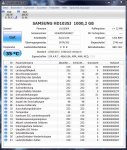
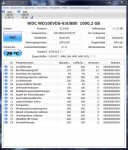
Bei der zweiten Festplatte (Laufwerk G und H) solltest du unbedingt das SATA Datenkabel tauschen, oder zumindest auf korrekten Sitz hin überprüfen. Hier sind sehr viele U-DMA CRC Fehler verzeichnet (Hex Wert C96 = Dezimal 3222). Dieses Problem wird im günstigsten Fall durch eine fehlerhafte Verkabelung; im ungünstigsten Fall durch einen Controllerdefekt verursacht.
Tausche das Kabel aus und kontrolliere den Wert regelmäßig (poste bei erneuten Problemen regelmäßig Screenshots von CrystalDiskInfo).

Die Auswertung des letzten BSOD deutet in der Tat auf ein Problem mit der Grafikkarte hin. Ausgelöst wurde dies durch eine Speicherzugriffsverletzung. Und hier liegt das Problem bei der genauen Eingrenzung des Fehlers. Bei einer Speicherzugriffsverletzung kannst du dir -bei der Betrachtung nur einer Auswertung- niemals sicher sein, dass der Fehler -wie im vorliegenden Fall- auch tatsächlich durch die Grafikschnittstelle (dxgmms) ausgelöst wurde. Hier muss man die anderen Dumps mit vergleichen. Nur wenn bei allen das gleiche Absturzbild auftritt, wird das Bild etwas klarer.
 
Zurück