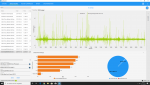
Das schlechte Streamen beim Betreten von neuen Areas wird man wohl net rausbekommen.
aber
Kleine Spikes können evtl. mit dem Cloudsaving zu tun haben: Ein User auf resetera
PSA] Possible PC Stuttering Fix - Close Steam, Launch Origin, Game Properties > Disable Origin In Game & Cloud Saves
If you meet and/or exceed the recommended system specs but are experiencing hitching and random stuttering, this fixed it for me.
Shut down Steam
Launch Origin - X:\Program Files (x86)\Origin\Origin.exe
Go to - My Game Library > Star Wars Jedi Fallen Order > Settings (Gear Icon) > Game Properties
Uncheck "Enable Origin In Game..."
Click on Cloud Saves tab and uncheck "Enable cloud saves..."
Click Save
Play the game!
Good luck and I hope this helps some people!
und
Man kann auch mal den Offline-Mode testen: ein User auf restera
FYI for anyone - Offline play is supported, though if it doesn't work the first time, here's how I got it to work
- close Steam (and Origin if it is open)
- in task manager, end the processes for any Steam, "EA Link", and Origin Processes.
- Start Steam in Offline mode and try to play the game.
- You should get an Origin box saying you are offline, asking for your username / password - enter them
- Play offline!