Shona
BIOS-Overclocker(in)
BioShock Infinite’s “Burial At Sea” Audio Update
Ich mach es mal ganz kurz für alle die schon seit Episode 1 deswegen rumschreien und das Spiel/DLC deswegen schlecht gemacht machen.
Seite heute 11.09.2014 gibt es ein 5.1GB Audio Update (siehe unten) und ich hoffe mal das nun alle zufrieden sind....
Changelog und FAQ
Meine Begeisterung bez. des Update hört man bestimmt auch raus...Mich kotzt es nunmal an das ich nun ein 5.1GB Audio Update mit meiner DSL3000 Leitung laden muss (Dauer: 5h) das ich nicht brauche und auch nicht will

Ich mach es mal ganz kurz für alle die schon seit Episode 1 deswegen rumschreien und das Spiel/DLC deswegen schlecht gemacht machen.
Seite heute 11.09.2014 gibt es ein 5.1GB Audio Update (siehe unten) und ich hoffe mal das nun alle zufrieden sind....
Changelog und FAQ
BioShock Infinite’s “Burial At Sea” DLC now has audio in French, German, Italian, Spanish, and Japanese available. If you want to update your already-installed BioShock Infinite Burial At Sea add-on packs to include these languages, you’ll need to take the following steps.
NOTE: No other changes or fixes are included in the content, the update only includes localized audio.
Steam:
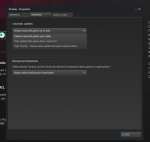
If BioShock Infinite is installed and you own the Season Pass or any “Burial At Sea” packages, you will get an update/download if your title is set to automatically update.
PS3:
X360:
- Navigate your XrossMediaBar© to “Game” and then “Game Data Utility”
- Please make sure you are not selecting “Saved Data Utility” – as these are your settings & save games.
- Find and Select “BioShock Infinite”
- Press the Triangle Button and then select “delete.” Confirm the deletion of the content.
- Now re-download the “Burial At Sea” packs and any other packs you want.
- On the Dashboard, navigate to “Settings” and then “System Settings.”
- Next, go to “Storage” and then choose the Device which Burial At Sea is installed on (Usually the Hard Drive).
- Select “Games and Apps” and then find and Select “BioShock Infinite”
- This list will include your save games and your DLC Content. Find “Burial at Sea – Episode 1” or “Burial at Sea – Episode 2 (1 of 2)” & “Burial at Sea – Episode 2 (2 of 2).”
- You will need to remove BOTH parts of Burial at Sea Episode 2.
- Now re-download the Burial at Sea packs.
NOTE: Please follow these instructions to re-download the Burial at Sea Packs:
- At the game’s main menu, select “Season Pass Store”
- This will bring you to the Season Pass menu.
- Scroll down to “BioShock Infinite: Burial At Sea- Episode 1.”
- Select this item, then confirm by selecting “Order & Pay.”
- If you have already purchased this content, the purchase price should read $0.00
- Select “Download” to begin the download process.
- This content cannot be downloaded in the background.
- Repeat these steps with “BioShock Infinite: Burial At Sea- Episode 2."
Meine Begeisterung bez. des Update hört man bestimmt auch raus...Mich kotzt es nunmal an das ich nun ein 5.1GB Audio Update mit meiner DSL3000 Leitung laden muss (Dauer: 5h) das ich nicht brauche und auch nicht will
 ENDLICH deutsche Sprachausgabe.
 . Vor 3 Jahren war ich mit DSL Light unterwegs und empfand es als Normal, nen Download Montags zu starten und am Wochenende fertig geladen zu haben. Pha... 5 Stunden....
  Das läuft ja geschmeidig an einem einzigen Abend durch.
 Es gibt nur noch die folgenden was das ganze schlimmer macht..