
Du verwendest einen veralteten Browser. Es ist möglich, dass diese oder andere Websites nicht korrekt angezeigt werden.
Du solltest ein Upgrade durchführen oder einen alternativen Browser verwenden.
Du solltest ein Upgrade durchführen oder einen alternativen Browser verwenden.
Bilderthread Spiele Screenshot Thread (bitte keine OT-Diskussionen!)
- Ersteller Stefan Payne
- Erstellt am


Shub Niggurath
Freizeitschrauber(in)
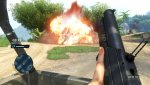
<<< F A R C R Y ³ >>>
DX9 > 2960x1440 @ 2560x1440 (momentan) > FOV 104
Alles auf Anschlag (außer Post FX = medium; Geometry = low)
HUD durch (horizontales) Downsampling verzerrt!
Geht leider nicht auszublenden.
FOV hat auf Waffen keinerlei Auswirkung;
hängen leider konsoligerweise immer noch riesengroß vor der Nase!
Mittels Swfx dezente Nachjustierungen vorgenommen.
(übertriebene Werte reinklatschen kann jeder! )
)
Leicht geschärft, etwas entsättigt sowie unaufdringliches HDR.
Einzig SMAA wird aggressiv eingesetzt,
weil's sowieso nicht alles erwischt.
Swfx on | off
DX9 > 2960x1440 @ 2560x1440 (momentan) > FOV 104
Alles auf Anschlag (außer Post FX = medium; Geometry = low)
HUD durch (horizontales) Downsampling verzerrt!
Geht leider nicht auszublenden.
FOV hat auf Waffen keinerlei Auswirkung;
hängen leider konsoligerweise immer noch riesengroß vor der Nase!
Mittels Swfx dezente Nachjustierungen vorgenommen.
(übertriebene Werte reinklatschen kann jeder!
)Leicht geschärft, etwas entsättigt sowie unaufdringliches HDR.
Einzig SMAA wird aggressiv eingesetzt,
weil's sowieso nicht alles erwischt.
Swfx on | off

Einstellungen:
GamerProfile.xml
GamerProfile.xml
Code:
<GamerProfile>
    <SoundProfile MusicEnabled="0" MasterVolume="100" MicEnabled="0" IncomingVoiceEnabled="0" Language="english" />
    <RenderProfile MSAALevel="2" AlphaToCoverage="2" SSAOLevel="4"  SDSM="0" ResolutionX="2960" ResolutionY="1440" Quality="custom"  QualityEditor="editor_ps3" Fullscreen="1" Borderless="0" UseD3D11="0"  D3D11MultithreadedRendering="0" WidescreenLetterbox="0"  UseWidescreenFOV="1" FOVScaleFactor="1.425" EnableSubResolution="0"  SubResolutionX="960" SubResolutionY="540" VSync="1" RefreshRate="0"  DisableMip0Loading="0" GPUMaxBufferedFrames="3" ShowFPS="0" MaxFps="60"  Brightness="1" Contrast="1" GammaRamp="1"  AllowAsynchShaderLoading="1">
        <CustomQuality>
            <quality ResolutionX="1280" ResolutionY="720"  EnvironmentQuality="high" AntiPortalQuality="default"  PortalQuality="medium" PostFxQuality="medium" TextureQuality="high"  TextureResolutionQuality="high" WaterQuality="veryhigh"  DepthPassQuality="high" VegetationQuality="veryhigh"  TerrainQuality="high" GeometryQuality="ultra" AmbientQuality="high"  DeferredAmbientQuality="high" ShadowQuality="ultrahigh" EditorQuality=""  Hdr="1" HdrFP32="0" ReflectionHdr="1" EnableVertexBinding="1"  id="custom" />
        </CustomQuality>
        <Post>
            <quality GameDepthOfField="1" CinematicDepthOfField="0"  FXAALevel="0" CloudShadows="1" MotionBlur="0" id="medium" />
        </Post>
    </RenderProfile>
    <NetworkProfile VoiceChatEnabled="1"  CustomMapMaxUploadRateInBitsOnline="10240000" OnlineEnginePort="9000"  OnlineServicePort="9001" FileTransferHostPort="9002"  FileTransferClientPort="9003" LanHostBroadcastPort="9004"  LanClientBroadcastPort="9005" ScanFreePorts="1" ScanPortRange="1000"  ScanPortStart="9000" SessionProvider=""  MaxUploadInbpsOnline="10240000">
        <Accounts />
    </NetworkProfile>
    <GameProfile />
    <ProfileSpecificGameProfile Sensitivity="0.4" Invert_x="0"  Invert_y="0" DefaultFlickFireDirection_y="0" UseMouseSmooth="0"  Smoothness="0" Smoothness_Ironsight="0.2" HelpCrosshair="0"  Gamepad_vibration="0" UseRoadSignHilight="0" ShowDiamondsInMap="0"  UseSubtitles="1" TaggingEnabled="1" UseAmbx="0" UseGamePad="0"  GamepadAnswered="0" Autosave="1" Machete="0" IronsightToggleMode="1">
        <FireConfig QualitySetting="VeryHigh" />
    </ProfileSpecificGameProfile>
    <RealTreeProfile Quality="VeryHigh" />
    <EngineProfile>
        <PhysicConfig QualitySetting="VeryHigh" />
        <QcConfig GatherFPS="1" GatherAICnt="1" GatherDialogs="0" IsQcTester="0" />
        <InputConfig />
        <ZoneConfig />
    </EngineProfile>
    <UplayProfile LockString="" />
</GamerProfile>
Swfx
Code:
   /*-----------------------------------------------------------.
  /                      Choose effects                         /
  '-----------------------------------------------------------*/

// Set to 1 for ON or 0 for OFF
#define USE_SMAA_ANTIALIASING 1 //[0 or 1] SMAA Anti-aliasing : Smoothens jagged lines.
#define USE_LUMASHARPEN   1 //[0 or 1] LumaSharpen : Also sharpens the  antialiased edges which makes them less smooth - I'm working on fixing  that.
#define USE_BLOOM         0 //[0 or 1] Bloom : Makes bright lights bleed  their light into their surroundings (relatively high performance cost)
#define USE_HDR           1 //[0 or 1] HDR : Not actual HDR - It just  tries to mimic an HDR look (relatively high performance cost)
#define USE_TECHNICOLOR   0 //[0 or 1] TECHNICOLOR : Attempts to mimic  the look of an old movie using the Technicolor three-strip color process  (Techicolor Process 4)
#define USE_DPX           0 //[0 or 1] Cineon DPX : Should make the  image look like it's been converted to DXP Cineon - basically it's  another movie-like look similar to technicolor.
#define USE_LIFTGAMMAGAIN 0 //[0 or 1] Lift Gamma Gain : Adjust  brightness and color of shadows, midtones and highlights (avoids  clipping)
#define USE_TONEMAP       0 //[0 or 1] Tonemap : Adjust gamma, exposure, saturation, bleach and defog. (may cause clipping)
#define USE_VIBRANCE      1 //[0 or 1] Vibrance : Intelligently  saturates (or desaturates if you use negative values) the pixels  depending on their original saturation.
#define USE_CURVES        0 //[0 or 1] Curves : Contrast adjustments using S-curves.
#define USE_SEPIA         1 //[0 or 1] Sepia : Sepia tones the image.
#define USE_VIGNETTE      0 //[0 or 1] Vignette : Darkens the edges of  the image to make it look more like it was shot with a camera lens. May  cause banding artifacts.
#define USE_DITHER        0 //[0 or 1] Dither : Applies dithering to  simulate more colors than your monitor can display. This lessens banding  artifacts (mostly caused by Vignette)
#define USE_SPLITSCREEN   0 //[0 or 1] Splitscreen : Enables the before-and-after splitscreen comparison mode.


   /*-----------------------------------------------------------.
  /                  SMAA Anti-aliasing settings                /
  '-----------------------------------------------------------*/

#define SMAA_THRESHOLD 0.08           // [0.05 to 0.20] Edge detection threshold
#define SMAA_MAX_SEARCH_STEPS 64      // [0 to 98] Determines the radius SMAA will search for aliased edges
#define SMAA_MAX_SEARCH_STEPS_DIAG 16 // [0 to 16] Determines the radius SMAA will search for diagonal aliased edges
#define SMAA_CORNER_ROUNDING 50       // [0 to 100] Determines the percent of antialiasing to apply to corners.

// -- Advanced SMAA settings --
#define COLOR_EDGE_DETECTION 1        // [0 or 1] 1 Enables color edge  detection (slower but slightly more acurate) - 0 uses luma edge  detection (faster)
#define SMAA_DIRECTX9_LINEAR_BLEND 0  // [0 or 1] Using DX9 HARDWARE?  (software version doesn't matter) if so this needs to be 1 - If not,  leave it at 0.


   /*-----------------------------------------------------------.
  /                       LumaSharpen settings                  /
  '-----------------------------------------------------------*/
// -- Sharpening --
#define sharp_strength 0.33   // [0.10 to 3.00] Strength of the sharpening
#define sharp_clamp    0.025  // [0.000 to 1.000] Limits maximum amount of sharpening a pixel recieves - Default is 0.035

// -- Advanced sharpening settings --
#define pattern 3        // [1|2|3|4] Choose a sample pattern. 1 = Fast, 2 = Normal, 3 = Wider, 4 = Pyramid shaped.
#define offset_bias 1.0  // [0.0 to 6.0] Offset bias adjusts the radius of the sampling pattern.
                         // I designed the pattern for offset_bias 1.0, but feel free to experiment.

// -- Debug sharpening settings --
#define show_sharpen 0   // [0 or 1] Visualize the strength of the sharpen (multiplied by 4 to see it better)


   /*-----------------------------------------------------------.
  /                       Bloom settings                        /
  '-----------------------------------------------------------*/
#define BloomThreshold 28.28 //[0.00 to 50.00] Threshold for what is a bright light (that causes bloom) and what isn't.
#define BloomPower 2.222     //[0.0000 to 8.0000] Strength of the bloom
#define BloomWidth 0.3243    //[0.0000 to 1.0000] Width of the bloom


   /*-----------------------------------------------------------.
  /                        HDR settings                         /
  '-----------------------------------------------------------*/
#define HDRPower 1.10  //[0.0 to 8.0] Strangely lowering this makes the image brighter
#define radius2  0.84  //[0.0 to 8.0] Raising this seems to make the effect stronger and also brighter


   /*-----------------------------------------------------------.
  /                      TECHNICOLOR settings                   /
  '-----------------------------------------------------------*/
#define TechniAmount 0.11        //[0.0 to 1.0]
#define TechniPower  2.8         //[0.0 to 8.0]
#define redNegativeAmount   0.88 //[0.0 to 1.0]
#define greenNegativeAmount 0.88 //[0.0 to 1.0]
#define blueNegativeAmount  0.88 //[0.0 to 1.0]


   /*-----------------------------------------------------------.
  /                      Cineon DPX settings                    /
  '-----------------------------------------------------------*/
#define Red   8.0  //[1.0 to 15.0]
#define Green 8.0  //[1.0 to 15.0]
#define Blue  8.0  //[1.0 to 15.0]

#define ColorGamma    2.5  //[0.1 to 2.5] Adjusts the colorfulness of  the effect in a manner similar to Vibrance. 1.0 is neutral.
#define DPXSaturation 3.0  //[0.0 to 8.0] Adjust saturation of the effect. 1.0 is neutral.

#define RedC   0.36  //[0.6 to 0.2]
#define GreenC 0.36  //[0.6 to 0.2]
#define BlueC  0.34  //[0.6 to 0.2]

#define Blend 0.2    //[0.0 to 0.1] How strong the effect should be.


   /*-----------------------------------------------------------.
  /                      Lift Gamma Gain settings               /
  '-----------------------------------------------------------*/
#define RGB_Lift  float3(1.000, 1.000, 1.000)  //[0.000 to 2.000] Adjust shadows for Red, Green and Blue
#define RGB_Gamma float3(1.000, 1.000, 1.000)  //[0.000 to 2.000] Adjust midtones for Red, Green and Blue
#define RGB_Gain  float3(1.000, 1.000, 1.000)  //[0.000 to 2.000] Adjust highlights for Red, Green and Blue


   /*-----------------------------------------------------------.
  /                        Tonemap settings                     /
  '-----------------------------------------------------------*/
#define Gamma 1.0        //[0.00 to 2.00] Adjust midtones

#define Exposure 0.00    //[-1.00 to 1.00] Adjust exposure

#define Saturation 0.00  //[-1.00 to 1.00] Adjust saturation

#define Bleach 0.00      //[0.00 to 1.00] Brightens the shadows and fades the colors

#define Defog 0.000  //[0.00 to 1.00] How much of the color tint to remove
#define FogColor float3(0.00, 0.00, 2.55) //[0.00 to 1.00, 0.00 to 1.00, 0.00 to 1.00] What color to remove - default is blue


   /*-----------------------------------------------------------.
  /                       Vibrance settings                     /
  '-----------------------------------------------------------*/
#define Vibrance -0.03 //[-1.0 to 1.0] Intelligently saturates (or  desaturates if you use negative values) the pixels depending on their  original saturation.


   /*-----------------------------------------------------------.
  /                        Curves settings                      /
  '-----------------------------------------------------------*/
#define Curves_contrast 0.33  //[-1.0 to 1.0] The amount of contrast you want

// -- Advanced curve settings --
#define Curves_formula 2      //[1|2|3|4|5|6|7] The constrast s-curve you want to use.


   /*-----------------------------------------------------------.
  /                         Sepia settings                      /
  '-----------------------------------------------------------*/
#define ColorTone float3(0.80, 0.81, 1.00) //[0.00 to 1.00, 0.00 to 1.00, 0.00 to 1.00] What color to tint the image
#define GreyPower  0.00                    //[0.0 to 1.0] How much desaturate the image before tinting it
#define SepiaPower 0.49                    //[0.0 to 1.0] How much to tint the image


   /*-----------------------------------------------------------.
  /                       Vignette settings                     /
  '-----------------------------------------------------------*/
#define VignetteRadius 1.00   //[-1.00 to 3.00] lower values = stronger radial effect from center
#define VignetteAmount -1.00  //[-2.00 to 1.00] Strength of black. -2.00 = Max Black, 1.00 = Max White.
#define VignetteSlope 8       //[1 to 16] How far away from the center  the change should start to really grow strong (odd numbers cause a  larger fps drop than even numbers)
#define VignetteCenter float2(0.500, 0.500)  //[0.00 to 1.00] Center of effect.


   /*-----------------------------------------------------------.
  /                        Dither settings                      /
  '-----------------------------------------------------------*/
//No settings yet, beyond switching it on or off in the top section.

//Note that the checkerboard pattern used by Dither, makes an image harder to compress.
//This can make your screenshots and video recordings take up more space.


   /*-----------------------------------------------------------.
  /                     Splitscreen settings                    /
  '-----------------------------------------------------------*/
#define splitscreen_mode 3  //[1|2|3|4|5]  1 = Vertical 50/50 split, 2 =  Vertical 25/50/25 split, 3 = Vertical 50/50 angled split, 4 =  Horizontal 50/50 split, 5 = Horizontal 25/50/25 split

Robonator
Kokü-Junkie (m/w)
Planetside 2 Mix aus Max und Medium Settings
1920x1080
Es war ein schöner Tag Ich und 3 Franzosen haben so einiges gerissen und am Ende triumphierte die NK haushoch!
 Hier ein Blick auf die Terranische Basis
Und wieder eine von unseren
Hier ein Blick auf die Terranische Basis
Und wieder eine von unseren
Zu mehr Bildern kam ich leider nicht, hab ca 6 Stunden lang durchgezockt
1920x1080
Es war ein schöner Tag
Ich und 3 Franzosen haben so einiges gerissen und am Ende triumphierte die NK haushoch!
Zu mehr Bildern kam ich leider nicht, hab ca 6 Stunden lang durchgezockt

blaidd
Freizeitschrauber(in)

2720x1700@1920x1200, 16xHQAF, SMAA, Ingame-(FX)AA high, max. Details, Texture-LOD -1
(läuft noch mit Catalyst 12.11 beta8, sicher von der Performance noch nicht das gelbe vom Ei, beta 12 please, AMD, hatte allerdings auch mein OC-Bios-Setup nicht geladen, CPU lief @ Stock.)

Jack ONeill
Volt-Modder(in)
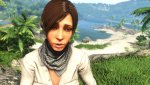
So jetzt muß ich mal wieder was von Far Cry machen
Anhänge
-
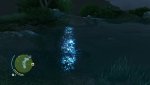 2012-11-30_00023.jpg314,3 KB · Aufrufe: 81
 -
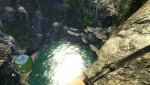 2012-11-30_00024.jpg663,9 KB · Aufrufe: 84
 -
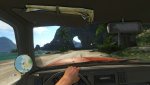 2012-12-01_00002.jpg304,2 KB · Aufrufe: 83
 -
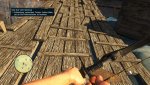 2012-12-01_00001.jpg883,4 KB · Aufrufe: 107
 -
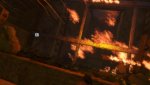 2012-12-06_00004.jpg335,4 KB · Aufrufe: 94
 -
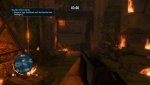 2012-12-06_00002.jpg313,7 KB · Aufrufe: 86
 -
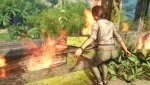 2012-12-06_00006.jpg639,2 KB · Aufrufe: 115
 -
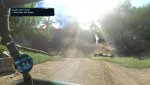 2012-12-06_00008.jpg470,4 KB · Aufrufe: 101
 -
 2012-12-06_00009.jpg586,4 KB · Aufrufe: 96
 -
 2012-12-06_00010.jpg494,9 KB · Aufrufe: 95
 -
 2012-12-06_00011.jpg370,3 KB · Aufrufe: 105


CrimsoN 2.0
Volt-Modder(in)
Dark Messiah Might and Magic
3360x2100 @ 1680x1050 | 2xSGSAA/16xHQ-AF | Rest Max | Deutsche Version -.-"

3360x2100 @ 1680x1050 | 2xSGSAA/16xHQ-AF | Rest Max | Deutsche Version -.-"

G
GxGamer
Guest
Euro Truck Simulator 2
1680 x1050 | Maximale Details | Marken-Mods


1680 x1050 | Maximale Details | Marken-Mods

CrimsoN 2.0
Volt-Modder(in)
Mass Effect 3
2520x 1576 @ 1680x1050 | 2xSGSSAA/16xHQ-AF | LOD -1.000* | FXAA Aus | Rest max | DLC´s fast alle
Eine Anleitung wie hier SGSSAA und AO in ME3 anschalte findet ihr hier
http://extreme.pcgameshardware.de/r...-mass-effect-3-frei-schalten.html#post4037305
Diese Bilder sollen nur ein kleiner vorgemacht sein !
Das LOD ist mit Absicht etwas höher gewählt

2520x 1576 @ 1680x1050 | 2xSGSSAA/16xHQ-AF | LOD -1.000* | FXAA Aus | Rest max | DLC´s fast alle
Eine Anleitung wie hier SGSSAA und AO in ME3 anschalte findet ihr hier
http://extreme.pcgameshardware.de/r...-mass-effect-3-frei-schalten.html#post4037305
Diese Bilder sollen nur ein kleiner vorgemacht sein !
Das LOD ist mit Absicht etwas höher gewählt
Zuletzt bearbeitet:

propa
Komplett-PC-Aufrüster(in)
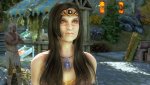
Skyrim mit meiner überarbeiteten ENB Preset WIP vom September.
Anhänge
-
 TESV 2012-12-03 20-17-12-01.jpg324 KB · Aufrufe: 114
 -
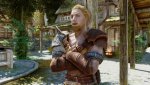 TESV 2012-12-04 20-37-20-08.jpg438,9 KB · Aufrufe: 108
 -
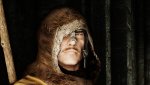 TESV 2012-12-04 20-22-01-20.jpg362,5 KB · Aufrufe: 91
 -
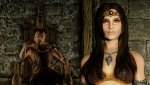 TESV 2012-12-04 20-20-05-20.jpg618,3 KB · Aufrufe: 113
 -
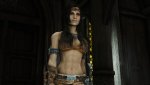 TESV 2012-12-04 20-14-57-81.jpg223,8 KB · Aufrufe: 99
 -
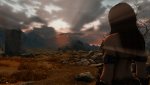 TESV 2012-12-04 19-57-22-54.jpg332,8 KB · Aufrufe: 93
 -
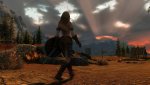 TESV 2012-12-03 19-53-03-54.jpg408,2 KB · Aufrufe: 105
 -
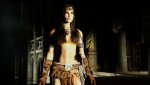 TESV 2012-12-03 20-43-21-28.jpg260,9 KB · Aufrufe: 94

Ich 15
BIOS-Overclocker(in)
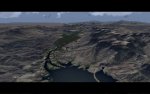
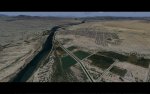
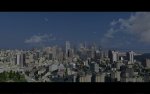
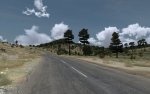
Take on Helicopters (diverse Settings)
Anhänge
-
 takeonh2012-09-0100-1qpqnw.jpg1,1 MB · Aufrufe: 142
 -
 takeonh2012-09-0100-4stqs5.jpg584,3 KB · Aufrufe: 111
 -
 takeonh2012-09-0120-5j8r43.jpg1,2 MB · Aufrufe: 112
 -
 takeonh2012-09-0120-5i9pz2.jpg1,6 MB · Aufrufe: 92
 -
 takeonh2012-09-0100-564qz5.jpg1,1 MB · Aufrufe: 132
 -
 takeonh2012-09-0101-0tkrdk.jpg1,3 MB · Aufrufe: 117
 -
 takeonh2012-09-0101-0oirhf.jpg1,5 MB · Aufrufe: 118
 -
 takeonh2012-09-0100-4d6q0q.jpg1 MB · Aufrufe: 99
 -
 takeonh2012-09-0120-55hph3.jpg1,6 MB · Aufrufe: 110
 -
 takeonh2012-09-0100-394oyr.jpg893,6 KB · Aufrufe: 118
 -
 takeonh2012-08-3122-5n6o2y.jpg809,5 KB · Aufrufe: 134

CrimsoN 2.0
Volt-Modder(in)
Mass Effect 3
2100X1314 @ 1680x1050 | 4xSGSSAA/16xHQ-AF | LOD -0.875* | FXAA Aus | Rest max | DLC´s fast alle
Eine Anleitung wie hier SGSSAA und AO in ME3 anschalte findet ihr hier
[Update]SGSSAA und AO für Mass Effect 3 frei schalten

2100X1314 @ 1680x1050 | 4xSGSSAA/16xHQ-AF | LOD -0.875* | FXAA Aus | Rest max | DLC´s fast alle
Eine Anleitung wie hier SGSSAA und AO in ME3 anschalte findet ihr hier
[Update]SGSSAA und AO für Mass Effect 3 frei schalten
CrimsoN 2.0
Volt-Modder(in)
Mass Effect 3
2100X1314 @ 1680x1050 | 4xSGSSAA/16xHQ-AF | LOD -0.875* | FXAA Aus | Rest max | DLC´s fast alle
Eine Anleitung wie hier SGSSAA und AO in ME3 anschalte findet ihr hier
[Update]SGSSAA und AO für Mass Effect 3 frei schalten
2100X1314 @ 1680x1050 | 4xSGSSAA/16xHQ-AF | LOD -0.875* | FXAA Aus | Rest max | DLC´s fast alle
Eine Anleitung wie hier SGSSAA und AO in ME3 anschalte findet ihr hier
[Update]SGSSAA und AO für Mass Effect 3 frei schalten
CrimsoN 2.0
Volt-Modder(in)
Mass Effect 3
2560x1600 @ 1680x1050 | 2xSGSSAA/16xHQ-AF | LOD -1.000 | FXAA Aus | Rest max | DLC´s fast alle
Eine Anleitung wie hier SGSSAA und AO in ME3 anschalte findet ihr hier
2560x1600 @ 1680x1050 | 2xSGSSAA/16xHQ-AF | LOD -1.000 | FXAA Aus | Rest max | DLC´s fast alle
Eine Anleitung wie hier SGSSAA und AO in ME3 anschalte findet ihr hier


Ähnliche Themen

- Antworten
- 92
- Aufrufe
- 10K
W

- Antworten
- 1K
- Aufrufe
- 326K
