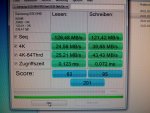
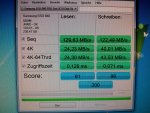
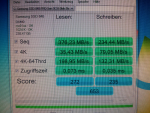
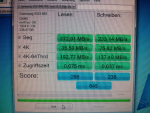
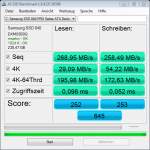
offenbar steckt die ssd gerade am jmicron-controller (weiße sata-anschlüsse). die ssd sollte für optimale performance jedoch an einen der blauen sata-anschlüsse gesteckt werden, denn diese sind die "nativen", also chipsatzeigenen, anschlüsse. sie sind den anschlüssen der zusatzcontroller vorzuziehen. wenn <7 sata-geräte vorhanden sind, sollten sie alle an die blauen anschlüsse gesteckt werden.http://www.gigabyte.com/products/product-page.aspx?pid=3450#sp schrieb:South Bridge:Marvell 9128 chip:
- 6 x SATA 3Gb/s connectors (SATA2_0, SATA2_1, SATA2_2, SATA2_3, SATA2_4, SATA2_5) supporting up to 6 SATA 3Gb/s devices
- Support for SATA RAID 0, RAID 1, RAID 5, and RAID 10
* SATA3 RAID 0 4x and SATA3 2x performance are maximum theoretical values. Actual performance may vary by system configuration.
- 2 x SATA 6Gb/s connectors (GSATA3_6, GSATA3_7) supporting up to 2 SATA 6Gb/s devices
- Support for SATA RAID 0, and RAID 1
* SATA3 SSDs are not recommended for use in RAID 0 mode on Marvell SE9128 ports.
GIGABYTE SATA2 chip:JMicron JMB362 chip:
- 1 x IDE connector supporting ATA-133/100/66/33 and up to 2 IDE devices
- 2 x SATA 3Gb/s connectors (GSATA2_8, GSATA2_9) supporting up to 2 SATA 3Gb/s devices
- Support for SATA RAID 0, RAID 1, and JBOD
iTE IT8720 chip:
- 2 x eSATA 3Gb/s connectors (eSATA/USB Combo) on the back panel sup- porting up to 2 SATA 3Gb/s devices
- Support for SATA RAID 0, RAID 1, and JBOD
- 1 x floppy disk drive connector supporting up to 1 floppy disk drive
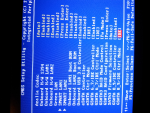
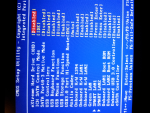
ja, ahci aktivieren, indem du im bios "ICH Sata Controller Mode" auf AHCI stellst. Davor muss aber die o.g. registry-änderung gemacht werden (oder du installierst windows nach umstellen auf ahci neu)muss ich was anderes ändern damit die ssd richtig läuft