
Du verwendest einen veralteten Browser. Es ist möglich, dass diese oder andere Websites nicht korrekt angezeigt werden.
Du solltest ein Upgrade durchführen oder einen alternativen Browser verwenden.
Du solltest ein Upgrade durchführen oder einen alternativen Browser verwenden.
Bluescreen bei win 7
- Ersteller LuXxn
- Erstellt am

simpel1970
Lötkolbengott/-göttin
Eher Motherboard oder Prozessor (zumindest bei den Fehlermeldungen).
Lass mal noch eine Live-CD laufen (diese benötigt keine Festplatte), ob es hier ebenfalls zu Problemen kommt: The LiveCD List
Lass mal noch eine Live-CD laufen (diese benötigt keine Festplatte), ob es hier ebenfalls zu Problemen kommt: The LiveCD List
simpel1970
Lötkolbengott/-göttin
Ja, musst du auf CD brennen (Brennfunktion: "Image brennen....").
Windows läuft nicht von CD, sondern muss erst auf die Festplatte installiert werden (also kein "Live-System").
Windows läuft nicht von CD, sondern muss erst auf die Festplatte installiert werden (also kein "Live-System").
simpel1970
Lötkolbengott/-göttin
Nicht, wenn du ein anderes Motherboard zur Hand hast. Ansonsten ja. Ein Motherboard defekt kannst du zuverlässig nur durch Austausch des selbigen überprüfen (oder durch Ausschlussverfahren aller anderen Komponenten, incl. Austausch CPU, NT, RAM).
Es gibt keine geeigneten Testverfahren (Softwaretools), mit denen du eine defektes Motherboard bestimmen könntest. Allerdings wäre die Live-CD ein guter Hinweis, dass die Hardware in Ordnung wäre (sofern alles problemlos läuft).
Es gibt keine geeigneten Testverfahren (Softwaretools), mit denen du eine defektes Motherboard bestimmen könntest. Allerdings wäre die Live-CD ein guter Hinweis, dass die Hardware in Ordnung wäre (sofern alles problemlos läuft).
TE
TE

LuXxn
Komplett-PC-Aufrüster(in)
Also, die live cd läuft seit einer halben Stunde ohne bluescreen, wenn ich Windows einleg macht der pc nach einer Minute schlapp. Ich lass die live cd mal noch länger drin. Heißt das womöglich,dass meine Festplatte kaputt ist?
Edit: hab mal die HDD von meinem alte. Pc angeschlossen und versucht Windows zu installieren. Hab aber wieder nen bluescreen bekommen... Können auch Kabel defekt sein?
Edit: hab mal die HDD von meinem alte. Pc angeschlossen und versucht Windows zu installieren. Hab aber wieder nen bluescreen bekommen... Können auch Kabel defekt sein?
Zuletzt bearbeitet:
simpel1970
Lötkolbengott/-göttin
An welchem Controller-Port ist denn die Systemplatte angeschlossen? An den Intel, oder an den ASMedia Ports?
Tausche neben dem Kabel auch mal die verschiedenen Ports/Controller.
Tausche neben dem Kabel auch mal die verschiedenen Ports/Controller.
TE
TE
LuXxn
Komplett-PC-Aufrüster(in)
Hm ok. Dann mach ich das mal. Wär aber ziemlich komisch wenn es an dern steckplatz liegt, weil der pc ja paar Monate perfekt lief
Hab mal umgesteckt, keine Wirkung immer noch der bluescreen nonpaged Area
Was mich aber ziemlich wundert ist, das beide RAM riegel egal auf welchem steckplatz im memtest Error verursachen. Wenn ich aber nen RAM einsetz der zu 100% funktioniert geht der pc trotzdem nicht...
Hab mal umgesteckt, keine Wirkung immer noch der bluescreen nonpaged Area
Was mich aber ziemlich wundert ist, das beide RAM riegel egal auf welchem steckplatz im memtest Error verursachen. Wenn ich aber nen RAM einsetz der zu 100% funktioniert geht der pc trotzdem nicht...
Zuletzt bearbeitet:
TE
TE
LuXxn
Komplett-PC-Aufrüster(in)
Also, ich glaub ich hab das Problem gefunden. Hab bisschen gegooglet und dann mal mein BIOS umgestellt. Und zwar hab ich den Turbo Boost vom Prozessor auf disable gestellt. Keine Ahnung warum der an war und warum's davor funktioniert hat. Auf jeden Fall möchte ich dir danken Simpel1970 für deine Geduld und deine kompetente Hilfe. Werde mich melden wenn's nochmal Probleme gibt.
Danke =]
Danke =]
simpel1970
Lötkolbengott/-göttin
Bitteschön.
Wenn es nun stabil bleibt, wäre mit der Deaktivierung des Turbo zumindest das Problem umgangen.
Wenn du auf den Turbo nicht verzichten willst, würde ich z.B. testweise die VTT Voltage (Memory Controller CPU) moderat erhöhen (erstmal eine Stufe höher).
Aufgrund der arbeitsweise von Memtest bedeuten dort angezeigte Fehler nicht zwangsläufig, dass der RAM defekt ist. Diese Fehler können ebenfalls vom Motherboard oder der CPU verursacht werden.
Wenn es nun stabil bleibt, wäre mit der Deaktivierung des Turbo zumindest das Problem umgangen.
Wenn du auf den Turbo nicht verzichten willst, würde ich z.B. testweise die VTT Voltage (Memory Controller CPU) moderat erhöhen (erstmal eine Stufe höher).
Was mich aber ziemlich wundert ist, das beide RAM riegel egal auf welchem steckplatz im memtest Error verursachen. Wenn ich aber nen RAM einsetz der zu 100% funktioniert geht der pc trotzdem nicht...
Aufgrund der arbeitsweise von Memtest bedeuten dort angezeigte Fehler nicht zwangsläufig, dass der RAM defekt ist. Diese Fehler können ebenfalls vom Motherboard oder der CPU verursacht werden.
TE
TE
LuXxn
Komplett-PC-Aufrüster(in)
So, Bluescreen 1 den ich noch bekomme.
UNEXPECTED_KERNEL_MODE_TRAP (7f)
This means a trap occurred in kernel mode, and it's a trap of a kind
that the kernel isn't allowed to have/catch (bound trap) or that
is always instant death (double fault). The first number in the
bugcheck params is the number of the trap (8 = double fault, etc)
Consult an Intel x86 family manual to learn more about what these
traps are. Here is a *portion* of those codes:
If kv shows a taskGate
use .tss on the part before the colon, then kv.
Else if kv shows a trapframe
use .trap on that value
Else
.trap on the appropriate frame will show where the trap was taken
(on x86, this will be the ebp that goes with the procedure KiTrap)
Endif
kb will then show the corrected stack.
Arguments:
Arg1: 0000000000000008, EXCEPTION_DOUBLE_FAULT
Arg2: 0000000080050033
Arg3: 00000000000406f8
Arg4: fffff80002e97ffb
Debugging Details:
------------------
BUGCHECK_STR: 0x7f_8
CUSTOMER_CRASH_COUNT: 1
DEFAULT_BUCKET_ID: WIN7_DRIVER_FAULT
PROCESS_NAME: chrome.exe
CURRENT_IRQL: 0
LAST_CONTROL_TRANSFER: from fffff80002e98569 to fffff80002e98fc0
STACK_TEXT:
fffff800`047bfd28 fffff800`02e98569 : 00000000`0000007f 00000000`00000008 00000000`80050033 00000000`000406f8 : nt!KeBugCheckEx
fffff800`047bfd30 fffff800`02e96a32 : 00000000`00000000 00000000`00000000 00000000`00000000 00000000`00000000 : nt!KiBugCheckDispatch+0x69
fffff800`047bfe70 fffff800`02e97ffb : 00000000`00000000 00000000`00000000 00000000`00000000 00000000`00000000 : nt!KiDoubleFaultAbort+0xb2
fffff880`08991ae0 00000000`00000000 : 00000000`00000000 00000000`00000000 00000000`00000000 00000000`00000000 : nt!KiSystemCall64+0x3b
STACK_COMMAND: kb
FOLLOWUP_IP:
nt!KiDoubleFaultAbort+b2
fffff800`02e96a32 90 nop
SYMBOL_STACK_INDEX: 2
SYMBOL_NAME: nt!KiDoubleFaultAbort+b2
FOLLOWUP_NAME: MachineOwner
MODULE_NAME: nt
IMAGE_NAME: ntkrnlmp.exe
DEBUG_FLR_IMAGE_TIMESTAMP: 503f82be
FAILURE_BUCKET_ID: X64_0x7f_8_nt!KiDoubleFaultAbort+b2
BUCKET_ID: X64_0x7f_8_nt!KiDoubleFaultAbort+b2
Followup: MachineOwner
---------
0: kd> !analyze -v
*******************************************************************************
* *
* Bugcheck Analysis *
* *
*******************************************************************************
UNEXPECTED_KERNEL_MODE_TRAP (7f)
This means a trap occurred in kernel mode, and it's a trap of a kind
that the kernel isn't allowed to have/catch (bound trap) or that
is always instant death (double fault). The first number in the
bugcheck params is the number of the trap (8 = double fault, etc)
Consult an Intel x86 family manual to learn more about what these
traps are. Here is a *portion* of those codes:
If kv shows a taskGate
use .tss on the part before the colon, then kv.
Else if kv shows a trapframe
use .trap on that value
Else
.trap on the appropriate frame will show where the trap was taken
(on x86, this will be the ebp that goes with the procedure KiTrap)
Endif
kb will then show the corrected stack.
Arguments:
Arg1: 0000000000000008, EXCEPTION_DOUBLE_FAULT
Arg2: 0000000080050033
Arg3: 00000000000406f8
Arg4: fffff80002e97ffb
Debugging Details:
------------------
BUGCHECK_STR: 0x7f_8
CUSTOMER_CRASH_COUNT: 1
DEFAULT_BUCKET_ID: WIN7_DRIVER_FAULT
PROCESS_NAME: chrome.exe
CURRENT_IRQL: 0
LAST_CONTROL_TRANSFER: from fffff80002e98569 to fffff80002e98fc0
STACK_TEXT:
fffff800`047bfd28 fffff800`02e98569 : 00000000`0000007f 00000000`00000008 00000000`80050033 00000000`000406f8 : nt!KeBugCheckEx
fffff800`047bfd30 fffff800`02e96a32 : 00000000`00000000 00000000`00000000 00000000`00000000 00000000`00000000 : nt!KiBugCheckDispatch+0x69
fffff800`047bfe70 fffff800`02e97ffb : 00000000`00000000 00000000`00000000 00000000`00000000 00000000`00000000 : nt!KiDoubleFaultAbort+0xb2
fffff880`08991ae0 00000000`00000000 : 00000000`00000000 00000000`00000000 00000000`00000000 00000000`00000000 : nt!KiSystemCall64+0x3b
STACK_COMMAND: kb
FOLLOWUP_IP:
nt!KiDoubleFaultAbort+b2
fffff800`02e96a32 90 nop
SYMBOL_STACK_INDEX: 2
SYMBOL_NAME: nt!KiDoubleFaultAbort+b2
FOLLOWUP_NAME: MachineOwner
MODULE_NAME: nt
IMAGE_NAME: ntkrnlmp.exe
DEBUG_FLR_IMAGE_TIMESTAMP: 503f82be
FAILURE_BUCKET_ID: X64_0x7f_8_nt!KiDoubleFaultAbort+b2
BUCKET_ID: X64_0x7f_8_nt!KiDoubleFaultAbort+b2
Followup: MachineOwner
---------
0: kd> !analyze -v
*******************************************************************************
* *
* Bugcheck Analysis *
* *
*******************************************************************************
UNEXPECTED_KERNEL_MODE_TRAP (7f)
This means a trap occurred in kernel mode, and it's a trap of a kind
that the kernel isn't allowed to have/catch (bound trap) or that
is always instant death (double fault). The first number in the
bugcheck params is the number of the trap (8 = double fault, etc)
Consult an Intel x86 family manual to learn more about what these
traps are. Here is a *portion* of those codes:
If kv shows a taskGate
use .tss on the part before the colon, then kv.
Else if kv shows a trapframe
use .trap on that value
Else
.trap on the appropriate frame will show where the trap was taken
(on x86, this will be the ebp that goes with the procedure KiTrap)
Endif
kb will then show the corrected stack.
Arguments:
Arg1: 0000000000000008, EXCEPTION_DOUBLE_FAULT
Arg2: 0000000080050033
Arg3: 00000000000406f8
Arg4: fffff80002e97ffb
Debugging Details:
------------------
BUGCHECK_STR: 0x7f_8
CUSTOMER_CRASH_COUNT: 1
DEFAULT_BUCKET_ID: WIN7_DRIVER_FAULT
PROCESS_NAME: chrome.exe
CURRENT_IRQL: 0
LAST_CONTROL_TRANSFER: from fffff80002e98569 to fffff80002e98fc0
STACK_TEXT:
fffff800`047bfd28 fffff800`02e98569 : 00000000`0000007f 00000000`00000008 00000000`80050033 00000000`000406f8 : nt!KeBugCheckEx
fffff800`047bfd30 fffff800`02e96a32 : 00000000`00000000 00000000`00000000 00000000`00000000 00000000`00000000 : nt!KiBugCheckDispatch+0x69
fffff800`047bfe70 fffff800`02e97ffb : 00000000`00000000 00000000`00000000 00000000`00000000 00000000`00000000 : nt!KiDoubleFaultAbort+0xb2
fffff880`08991ae0 00000000`00000000 : 00000000`00000000 00000000`00000000 00000000`00000000 00000000`00000000 : nt!KiSystemCall64+0x3b
STACK_COMMAND: kb
FOLLOWUP_IP:
nt!KiDoubleFaultAbort+b2
fffff800`02e96a32 90 nop
SYMBOL_STACK_INDEX: 2
SYMBOL_NAME: nt!KiDoubleFaultAbort+b2
FOLLOWUP_NAME: MachineOwner
MODULE_NAME: nt
IMAGE_NAME: ntkrnlmp.exe
DEBUG_FLR_IMAGE_TIMESTAMP: 503f82be
FAILURE_BUCKET_ID: X64_0x7f_8_nt!KiDoubleFaultAbort+b2
BUCKET_ID: X64_0x7f_8_nt!KiDoubleFaultAbort+b2
Followup: MachineOwner
---------
0: kd> !analyze -v
*******************************************************************************
* *
* Bugcheck Analysis *
* *
*******************************************************************************
UNEXPECTED_KERNEL_MODE_TRAP (7f)
This means a trap occurred in kernel mode, and it's a trap of a kind
that the kernel isn't allowed to have/catch (bound trap) or that
is always instant death (double fault). The first number in the
bugcheck params is the number of the trap (8 = double fault, etc)
Consult an Intel x86 family manual to learn more about what these
traps are. Here is a *portion* of those codes:
If kv shows a taskGate
use .tss on the part before the colon, then kv.
Else if kv shows a trapframe
use .trap on that value
Else
.trap on the appropriate frame will show where the trap was taken
(on x86, this will be the ebp that goes with the procedure KiTrap)
Endif
kb will then show the corrected stack.
Arguments:
Arg1: 0000000000000008, EXCEPTION_DOUBLE_FAULT
Arg2: 0000000080050033
Arg3: 00000000000406f8
Arg4: fffff80002e97ffb
Debugging Details:
------------------
BUGCHECK_STR: 0x7f_8
CUSTOMER_CRASH_COUNT: 1
DEFAULT_BUCKET_ID: WIN7_DRIVER_FAULT
PROCESS_NAME: chrome.exe
CURRENT_IRQL: 0
LAST_CONTROL_TRANSFER: from fffff80002e98569 to fffff80002e98fc0
STACK_TEXT:
fffff800`047bfd28 fffff800`02e98569 : 00000000`0000007f 00000000`00000008 00000000`80050033 00000000`000406f8 : nt!KeBugCheckEx
fffff800`047bfd30 fffff800`02e96a32 : 00000000`00000000 00000000`00000000 00000000`00000000 00000000`00000000 : nt!KiBugCheckDispatch+0x69
fffff800`047bfe70 fffff800`02e97ffb : 00000000`00000000 00000000`00000000 00000000`00000000 00000000`00000000 : nt!KiDoubleFaultAbort+0xb2
fffff880`08991ae0 00000000`00000000 : 00000000`00000000 00000000`00000000 00000000`00000000 00000000`00000000 : nt!KiSystemCall64+0x3b
STACK_COMMAND: kb
FOLLOWUP_IP:
nt!KiDoubleFaultAbort+b2
fffff800`02e96a32 90 nop
SYMBOL_STACK_INDEX: 2
SYMBOL_NAME: nt!KiDoubleFaultAbort+b2
FOLLOWUP_NAME: MachineOwner
MODULE_NAME: nt
IMAGE_NAME: ntkrnlmp.exe
DEBUG_FLR_IMAGE_TIMESTAMP: 503f82be
FAILURE_BUCKET_ID: X64_0x7f_8_nt!KiDoubleFaultAbort+b2
BUCKET_ID: X64_0x7f_8_nt!KiDoubleFaultAbort+b2
Followup: MachineOwner
---------
Bluescreen 2:
PAGE_FAULT_IN_NONPAGED_AREA (50)
Invalid system memory was referenced. This cannot be protected by try-except,
it must be protected by a Probe. Typically the address is just plain bad or it
is pointing at freed memory.
Arguments:
Arg1: fffff88009ad6000, memory referenced.
Arg2: 0000000000000001, value 0 = read operation, 1 = write operation.
Arg3: fffff80002e81242, If non-zero, the instruction address which referenced the bad memory
address.
Arg4: 0000000000000000, (reserved)
Debugging Details:
------------------
Could not read faulting driver name
WRITE_ADDRESS: GetPointerFromAddress: unable to read from fffff800030ae100
GetUlongFromAddress: unable to read from fffff800030ae1c0
fffff88009ad6000 Nonpaged pool
FAULTING_IP:
nt!memset+c2
fffff800`02e81242 480fc351d8 movnti qword ptr [rcx-28h],rdx
MM_INTERNAL_CODE: 0
CUSTOMER_CRASH_COUNT: 1
DEFAULT_BUCKET_ID: WIN7_DRIVER_FAULT
BUGCHECK_STR: 0x50
PROCESS_NAME: SearchIndexer.
CURRENT_IRQL: 0
TRAP_FRAME: fffff88009ad4f50 -- (.trap 0xfffff88009ad4f50)
NOTE: The trap frame does not contain all registers.
Some register values may be zeroed or incorrect.
rax=fffff88009ad5a68 rbx=0000000000000000 rcx=fffff88009ad6028
rdx=0000000000000000 rsi=0000000000000000 rdi=0000000000000000
rip=fffff80002e81242 rsp=fffff88009ad50e8 rbp=fffff88009ad5790
r8=0000000000000028 r9=03fffffffff7ffeb r10=fffff88009ad5080
r11=fffff88009ad50e0 r12=0000000000000000 r13=0000000000000000
r14=0000000000000000 r15=0000000000000000
iopl=0 nv up ei ng nz na po nc
nt!memset+0xc2:
fffff800`02e81242 480fc351d8 movnti qword ptr [rcx-28h],rdx ds:fffff880`09ad6000=????????????????
Resetting default scope
EXCEPTION_RECORD: fffff88009ad5a38 -- (.exr 0xfffff88009ad5a38)
ExceptionAddress: 00000000771432d0
ExceptionCode: c0000005 (Access violation)
ExceptionFlags: 00000000
NumberParameters: 2
Parameter[0]: 0000000000000000
Parameter[1]: 0000000027466998
Attempt to read from address 0000000027466998
LAST_CONTROL_TRANSFER: from fffff80002e26eec to fffff80002e7efc0
STACK_TEXT:
fffff880`09ad4de8 fffff800`02e26eec : 00000000`00000050 fffff880`09ad6000 00000000`00000001 fffff880`09ad4f50 : nt!KeBugCheckEx
fffff880`09ad4df0 fffff800`02e7d0ee : 00000000`00000001 fffff880`09ad6000 00000000`00000000 fffff880`09ad5a38 : nt! ?? ::FNODOBFM::`string'+0x4514f
fffff880`09ad4f50 fffff800`02e81242 : fffff800`02eb9921 fffff880`09ad5a38 fffff880`09ad5ae0 fffff880`09ad5ae0 : nt!KiPageFault+0x16e
fffff880`09ad50e8 fffff800`02eb9921 : fffff880`09ad5a38 fffff880`09ad5ae0 fffff880`09ad5ae0 00000000`0745a6e0 : nt!memset+0xc2
fffff880`09ad50f0 fffff800`02e7e642 : fffff880`09ad5a38 00000000`27466990 fffff880`09ad5ae0 00000000`00230000 : nt!KiDispatchException+0x205
fffff880`09ad5900 00000000`00000000 : 00000000`00000000 00000000`00000000 00000000`00000000 00000000`00000000 : nt!KiExceptionDispatch+0xc2
STACK_COMMAND: kb
FOLLOWUP_IP:
nt! ?? ::FNODOBFM::`string'+4514f
fffff800`02e26eec cc int 3
SYMBOL_STACK_INDEX: 1
SYMBOL_NAME: nt! ?? ::FNODOBFM::`string'+4514f
FOLLOWUP_NAME: MachineOwner
MODULE_NAME: nt
IMAGE_NAME: ntkrnlmp.exe
DEBUG_FLR_IMAGE_TIMESTAMP: 503f82be
FAILURE_BUCKET_ID: X64_0x50_nt!_??_::FNODOBFM::_string_+4514f
BUCKET_ID: X64_0x50_nt!_??_::FNODOBFM::_string_+4514f
Followup: MachineOwner
---------
Bluescreen 3:
UNEXPECTED_KERNEL_MODE_TRAP (7f)
This means a trap occurred in kernel mode, and it's a trap of a kind
that the kernel isn't allowed to have/catch (bound trap) or that
is always instant death (double fault). The first number in the
bugcheck params is the number of the trap (8 = double fault, etc)
Consult an Intel x86 family manual to learn more about what these
traps are. Here is a *portion* of those codes:
If kv shows a taskGate
use .tss on the part before the colon, then kv.
Else if kv shows a trapframe
use .trap on that value
Else
.trap on the appropriate frame will show where the trap was taken
(on x86, this will be the ebp that goes with the procedure KiTrap)
Endif
kb will then show the corrected stack.
Arguments:
Arg1: 0000000000000008, EXCEPTION_DOUBLE_FAULT
Arg2: 0000000080050033
Arg3: 00000000000406f8
Arg4: fffff88003f69571
Debugging Details:
------------------
BUGCHECK_STR: 0x7f_8
CUSTOMER_CRASH_COUNT: 1
DEFAULT_BUCKET_ID: WIN7_DRIVER_FAULT
PROCESS_NAME: System
CURRENT_IRQL: 2
LAST_CONTROL_TRANSFER: from fffff80002ee0569 to fffff80002ee0fc0
STACK_TEXT:
fffff800`00ba4d28 fffff800`02ee0569 : 00000000`0000007f 00000000`00000008 00000000`80050033 00000000`000406f8 : nt!KeBugCheckEx
fffff800`00ba4d30 fffff800`02edea32 : 00000000`00000000 00000000`00000000 00000000`00000000 00000000`00000000 : nt!KiBugCheckDispatch+0x69
fffff800`00ba4e70 fffff880`03f69571 : 00000000`00000000 00000000`00000000 00000000`00000000 00000000`00000000 : nt!KiDoubleFaultAbort+0xb2
fffff800`02b9cac0 00000000`00000000 : 00000000`00000000 00000000`00000000 00000000`00000000 00000000`00000000 : USBPORT!GetHcFdoExt+0x21
STACK_COMMAND: kb
FOLLOWUP_IP:
USBPORT!GetHcFdoExt+21
fffff880`03f69571 5b pop rbx
SYMBOL_STACK_INDEX: 3
SYMBOL_NAME: USBPORT!GetHcFdoExt+21
FOLLOWUP_NAME: MachineOwner
MODULE_NAME: USBPORT
IMAGE_NAME: USBPORT.SYS
DEBUG_FLR_IMAGE_TIMESTAMP: 4d8c0c08
FAILURE_BUCKET_ID: X64_0x7f_8_USBPORT!GetHcFdoExt+21
BUCKET_ID: X64_0x7f_8_USBPORT!GetHcFdoExt+21
Followup: MachineOwner
---------
0: kd> lmvm USBPORT
start end module name
fffff880`03f58000 fffff880`03fae000 USBPORT (pdb symbols) c:\symbols\usbport.pdb\47451B86B21D42BDADD411F6892B8A0D1\usbport.pdb
Loaded symbol image file: USBPORT.SYS
Mapped memory image file: c:\symbols\USBPORT.SYS\4D8C0C0856000\USBPORT.SYS
Image path: \SystemRoot\system32\drivers\USBPORT.SYS
Image name: USBPORT.SYS
Timestamp: Fri Mar 25 04:29:12 2011 (4D8C0C08)
CheckSum: 00056970
ImageSize: 00056000
File version: 6.1.7601.17586
Product version: 6.1.7601.17586
File flags: 0 (Mask 3F)
File OS: 40004 NT Win32
File type: 2.0 Dll
File date: 00000000.00000000
Translations: 0409.04b0
CompanyName: Microsoft Corporation
ProductName: Microsoft® Windows® Operating System
InternalName: usbport.sys
OriginalFilename: usbport.sys
ProductVersion: 6.1.7601.17586
FileVersion: 6.1.7601.17586 (win7sp1_gdr.110324-1501)
FileDescription: USB 1.1 & 2.0 Port Driver
LegalCopyright: © Microsoft Corporation. All rights reserved.
UNEXPECTED_KERNEL_MODE_TRAP (7f)
This means a trap occurred in kernel mode, and it's a trap of a kind
that the kernel isn't allowed to have/catch (bound trap) or that
is always instant death (double fault). The first number in the
bugcheck params is the number of the trap (8 = double fault, etc)
Consult an Intel x86 family manual to learn more about what these
traps are. Here is a *portion* of those codes:
If kv shows a taskGate
use .tss on the part before the colon, then kv.
Else if kv shows a trapframe
use .trap on that value
Else
.trap on the appropriate frame will show where the trap was taken
(on x86, this will be the ebp that goes with the procedure KiTrap)
Endif
kb will then show the corrected stack.
Arguments:
Arg1: 0000000000000008, EXCEPTION_DOUBLE_FAULT
Arg2: 0000000080050033
Arg3: 00000000000406f8
Arg4: fffff80002e97ffb
Debugging Details:
------------------
BUGCHECK_STR: 0x7f_8
CUSTOMER_CRASH_COUNT: 1
DEFAULT_BUCKET_ID: WIN7_DRIVER_FAULT
PROCESS_NAME: chrome.exe
CURRENT_IRQL: 0
LAST_CONTROL_TRANSFER: from fffff80002e98569 to fffff80002e98fc0
STACK_TEXT:
fffff800`047bfd28 fffff800`02e98569 : 00000000`0000007f 00000000`00000008 00000000`80050033 00000000`000406f8 : nt!KeBugCheckEx
fffff800`047bfd30 fffff800`02e96a32 : 00000000`00000000 00000000`00000000 00000000`00000000 00000000`00000000 : nt!KiBugCheckDispatch+0x69
fffff800`047bfe70 fffff800`02e97ffb : 00000000`00000000 00000000`00000000 00000000`00000000 00000000`00000000 : nt!KiDoubleFaultAbort+0xb2
fffff880`08991ae0 00000000`00000000 : 00000000`00000000 00000000`00000000 00000000`00000000 00000000`00000000 : nt!KiSystemCall64+0x3b
STACK_COMMAND: kb
FOLLOWUP_IP:
nt!KiDoubleFaultAbort+b2
fffff800`02e96a32 90 nop
SYMBOL_STACK_INDEX: 2
SYMBOL_NAME: nt!KiDoubleFaultAbort+b2
FOLLOWUP_NAME: MachineOwner
MODULE_NAME: nt
IMAGE_NAME: ntkrnlmp.exe
DEBUG_FLR_IMAGE_TIMESTAMP: 503f82be
FAILURE_BUCKET_ID: X64_0x7f_8_nt!KiDoubleFaultAbort+b2
BUCKET_ID: X64_0x7f_8_nt!KiDoubleFaultAbort+b2
Followup: MachineOwner
---------
0: kd> !analyze -v
*******************************************************************************
* *
* Bugcheck Analysis *
* *
*******************************************************************************
UNEXPECTED_KERNEL_MODE_TRAP (7f)
This means a trap occurred in kernel mode, and it's a trap of a kind
that the kernel isn't allowed to have/catch (bound trap) or that
is always instant death (double fault). The first number in the
bugcheck params is the number of the trap (8 = double fault, etc)
Consult an Intel x86 family manual to learn more about what these
traps are. Here is a *portion* of those codes:
If kv shows a taskGate
use .tss on the part before the colon, then kv.
Else if kv shows a trapframe
use .trap on that value
Else
.trap on the appropriate frame will show where the trap was taken
(on x86, this will be the ebp that goes with the procedure KiTrap)
Endif
kb will then show the corrected stack.
Arguments:
Arg1: 0000000000000008, EXCEPTION_DOUBLE_FAULT
Arg2: 0000000080050033
Arg3: 00000000000406f8
Arg4: fffff80002e97ffb
Debugging Details:
------------------
BUGCHECK_STR: 0x7f_8
CUSTOMER_CRASH_COUNT: 1
DEFAULT_BUCKET_ID: WIN7_DRIVER_FAULT
PROCESS_NAME: chrome.exe
CURRENT_IRQL: 0
LAST_CONTROL_TRANSFER: from fffff80002e98569 to fffff80002e98fc0
STACK_TEXT:
fffff800`047bfd28 fffff800`02e98569 : 00000000`0000007f 00000000`00000008 00000000`80050033 00000000`000406f8 : nt!KeBugCheckEx
fffff800`047bfd30 fffff800`02e96a32 : 00000000`00000000 00000000`00000000 00000000`00000000 00000000`00000000 : nt!KiBugCheckDispatch+0x69
fffff800`047bfe70 fffff800`02e97ffb : 00000000`00000000 00000000`00000000 00000000`00000000 00000000`00000000 : nt!KiDoubleFaultAbort+0xb2
fffff880`08991ae0 00000000`00000000 : 00000000`00000000 00000000`00000000 00000000`00000000 00000000`00000000 : nt!KiSystemCall64+0x3b
STACK_COMMAND: kb
FOLLOWUP_IP:
nt!KiDoubleFaultAbort+b2
fffff800`02e96a32 90 nop
SYMBOL_STACK_INDEX: 2
SYMBOL_NAME: nt!KiDoubleFaultAbort+b2
FOLLOWUP_NAME: MachineOwner
MODULE_NAME: nt
IMAGE_NAME: ntkrnlmp.exe
DEBUG_FLR_IMAGE_TIMESTAMP: 503f82be
FAILURE_BUCKET_ID: X64_0x7f_8_nt!KiDoubleFaultAbort+b2
BUCKET_ID: X64_0x7f_8_nt!KiDoubleFaultAbort+b2
Followup: MachineOwner
---------
0: kd> !analyze -v
*******************************************************************************
* *
* Bugcheck Analysis *
* *
*******************************************************************************
UNEXPECTED_KERNEL_MODE_TRAP (7f)
This means a trap occurred in kernel mode, and it's a trap of a kind
that the kernel isn't allowed to have/catch (bound trap) or that
is always instant death (double fault). The first number in the
bugcheck params is the number of the trap (8 = double fault, etc)
Consult an Intel x86 family manual to learn more about what these
traps are. Here is a *portion* of those codes:
If kv shows a taskGate
use .tss on the part before the colon, then kv.
Else if kv shows a trapframe
use .trap on that value
Else
.trap on the appropriate frame will show where the trap was taken
(on x86, this will be the ebp that goes with the procedure KiTrap)
Endif
kb will then show the corrected stack.
Arguments:
Arg1: 0000000000000008, EXCEPTION_DOUBLE_FAULT
Arg2: 0000000080050033
Arg3: 00000000000406f8
Arg4: fffff80002e97ffb
Debugging Details:
------------------
BUGCHECK_STR: 0x7f_8
CUSTOMER_CRASH_COUNT: 1
DEFAULT_BUCKET_ID: WIN7_DRIVER_FAULT
PROCESS_NAME: chrome.exe
CURRENT_IRQL: 0
LAST_CONTROL_TRANSFER: from fffff80002e98569 to fffff80002e98fc0
STACK_TEXT:
fffff800`047bfd28 fffff800`02e98569 : 00000000`0000007f 00000000`00000008 00000000`80050033 00000000`000406f8 : nt!KeBugCheckEx
fffff800`047bfd30 fffff800`02e96a32 : 00000000`00000000 00000000`00000000 00000000`00000000 00000000`00000000 : nt!KiBugCheckDispatch+0x69
fffff800`047bfe70 fffff800`02e97ffb : 00000000`00000000 00000000`00000000 00000000`00000000 00000000`00000000 : nt!KiDoubleFaultAbort+0xb2
fffff880`08991ae0 00000000`00000000 : 00000000`00000000 00000000`00000000 00000000`00000000 00000000`00000000 : nt!KiSystemCall64+0x3b
STACK_COMMAND: kb
FOLLOWUP_IP:
nt!KiDoubleFaultAbort+b2
fffff800`02e96a32 90 nop
SYMBOL_STACK_INDEX: 2
SYMBOL_NAME: nt!KiDoubleFaultAbort+b2
FOLLOWUP_NAME: MachineOwner
MODULE_NAME: nt
IMAGE_NAME: ntkrnlmp.exe
DEBUG_FLR_IMAGE_TIMESTAMP: 503f82be
FAILURE_BUCKET_ID: X64_0x7f_8_nt!KiDoubleFaultAbort+b2
BUCKET_ID: X64_0x7f_8_nt!KiDoubleFaultAbort+b2
Followup: MachineOwner
---------
0: kd> !analyze -v
*******************************************************************************
* *
* Bugcheck Analysis *
* *
*******************************************************************************
UNEXPECTED_KERNEL_MODE_TRAP (7f)
This means a trap occurred in kernel mode, and it's a trap of a kind
that the kernel isn't allowed to have/catch (bound trap) or that
is always instant death (double fault). The first number in the
bugcheck params is the number of the trap (8 = double fault, etc)
Consult an Intel x86 family manual to learn more about what these
traps are. Here is a *portion* of those codes:
If kv shows a taskGate
use .tss on the part before the colon, then kv.
Else if kv shows a trapframe
use .trap on that value
Else
.trap on the appropriate frame will show where the trap was taken
(on x86, this will be the ebp that goes with the procedure KiTrap)
Endif
kb will then show the corrected stack.
Arguments:
Arg1: 0000000000000008, EXCEPTION_DOUBLE_FAULT
Arg2: 0000000080050033
Arg3: 00000000000406f8
Arg4: fffff80002e97ffb
Debugging Details:
------------------
BUGCHECK_STR: 0x7f_8
CUSTOMER_CRASH_COUNT: 1
DEFAULT_BUCKET_ID: WIN7_DRIVER_FAULT
PROCESS_NAME: chrome.exe
CURRENT_IRQL: 0
LAST_CONTROL_TRANSFER: from fffff80002e98569 to fffff80002e98fc0
STACK_TEXT:
fffff800`047bfd28 fffff800`02e98569 : 00000000`0000007f 00000000`00000008 00000000`80050033 00000000`000406f8 : nt!KeBugCheckEx
fffff800`047bfd30 fffff800`02e96a32 : 00000000`00000000 00000000`00000000 00000000`00000000 00000000`00000000 : nt!KiBugCheckDispatch+0x69
fffff800`047bfe70 fffff800`02e97ffb : 00000000`00000000 00000000`00000000 00000000`00000000 00000000`00000000 : nt!KiDoubleFaultAbort+0xb2
fffff880`08991ae0 00000000`00000000 : 00000000`00000000 00000000`00000000 00000000`00000000 00000000`00000000 : nt!KiSystemCall64+0x3b
STACK_COMMAND: kb
FOLLOWUP_IP:
nt!KiDoubleFaultAbort+b2
fffff800`02e96a32 90 nop
SYMBOL_STACK_INDEX: 2
SYMBOL_NAME: nt!KiDoubleFaultAbort+b2
FOLLOWUP_NAME: MachineOwner
MODULE_NAME: nt
IMAGE_NAME: ntkrnlmp.exe
DEBUG_FLR_IMAGE_TIMESTAMP: 503f82be
FAILURE_BUCKET_ID: X64_0x7f_8_nt!KiDoubleFaultAbort+b2
BUCKET_ID: X64_0x7f_8_nt!KiDoubleFaultAbort+b2
Followup: MachineOwner
---------
Bluescreen 2:
PAGE_FAULT_IN_NONPAGED_AREA (50)
Invalid system memory was referenced. This cannot be protected by try-except,
it must be protected by a Probe. Typically the address is just plain bad or it
is pointing at freed memory.
Arguments:
Arg1: fffff88009ad6000, memory referenced.
Arg2: 0000000000000001, value 0 = read operation, 1 = write operation.
Arg3: fffff80002e81242, If non-zero, the instruction address which referenced the bad memory
address.
Arg4: 0000000000000000, (reserved)
Debugging Details:
------------------
Could not read faulting driver name
WRITE_ADDRESS: GetPointerFromAddress: unable to read from fffff800030ae100
GetUlongFromAddress: unable to read from fffff800030ae1c0
fffff88009ad6000 Nonpaged pool
FAULTING_IP:
nt!memset+c2
fffff800`02e81242 480fc351d8 movnti qword ptr [rcx-28h],rdx
MM_INTERNAL_CODE: 0
CUSTOMER_CRASH_COUNT: 1
DEFAULT_BUCKET_ID: WIN7_DRIVER_FAULT
BUGCHECK_STR: 0x50
PROCESS_NAME: SearchIndexer.
CURRENT_IRQL: 0
TRAP_FRAME: fffff88009ad4f50 -- (.trap 0xfffff88009ad4f50)
NOTE: The trap frame does not contain all registers.
Some register values may be zeroed or incorrect.
rax=fffff88009ad5a68 rbx=0000000000000000 rcx=fffff88009ad6028
rdx=0000000000000000 rsi=0000000000000000 rdi=0000000000000000
rip=fffff80002e81242 rsp=fffff88009ad50e8 rbp=fffff88009ad5790
r8=0000000000000028 r9=03fffffffff7ffeb r10=fffff88009ad5080
r11=fffff88009ad50e0 r12=0000000000000000 r13=0000000000000000
r14=0000000000000000 r15=0000000000000000
iopl=0 nv up ei ng nz na po nc
nt!memset+0xc2:
fffff800`02e81242 480fc351d8 movnti qword ptr [rcx-28h],rdx ds:fffff880`09ad6000=????????????????
Resetting default scope
EXCEPTION_RECORD: fffff88009ad5a38 -- (.exr 0xfffff88009ad5a38)
ExceptionAddress: 00000000771432d0
ExceptionCode: c0000005 (Access violation)
ExceptionFlags: 00000000
NumberParameters: 2
Parameter[0]: 0000000000000000
Parameter[1]: 0000000027466998
Attempt to read from address 0000000027466998
LAST_CONTROL_TRANSFER: from fffff80002e26eec to fffff80002e7efc0
STACK_TEXT:
fffff880`09ad4de8 fffff800`02e26eec : 00000000`00000050 fffff880`09ad6000 00000000`00000001 fffff880`09ad4f50 : nt!KeBugCheckEx
fffff880`09ad4df0 fffff800`02e7d0ee : 00000000`00000001 fffff880`09ad6000 00000000`00000000 fffff880`09ad5a38 : nt! ?? ::FNODOBFM::`string'+0x4514f
fffff880`09ad4f50 fffff800`02e81242 : fffff800`02eb9921 fffff880`09ad5a38 fffff880`09ad5ae0 fffff880`09ad5ae0 : nt!KiPageFault+0x16e
fffff880`09ad50e8 fffff800`02eb9921 : fffff880`09ad5a38 fffff880`09ad5ae0 fffff880`09ad5ae0 00000000`0745a6e0 : nt!memset+0xc2
fffff880`09ad50f0 fffff800`02e7e642 : fffff880`09ad5a38 00000000`27466990 fffff880`09ad5ae0 00000000`00230000 : nt!KiDispatchException+0x205
fffff880`09ad5900 00000000`00000000 : 00000000`00000000 00000000`00000000 00000000`00000000 00000000`00000000 : nt!KiExceptionDispatch+0xc2
STACK_COMMAND: kb
FOLLOWUP_IP:
nt! ?? ::FNODOBFM::`string'+4514f
fffff800`02e26eec cc int 3
SYMBOL_STACK_INDEX: 1
SYMBOL_NAME: nt! ?? ::FNODOBFM::`string'+4514f
FOLLOWUP_NAME: MachineOwner
MODULE_NAME: nt
IMAGE_NAME: ntkrnlmp.exe
DEBUG_FLR_IMAGE_TIMESTAMP: 503f82be
FAILURE_BUCKET_ID: X64_0x50_nt!_??_::FNODOBFM::_string_+4514f
BUCKET_ID: X64_0x50_nt!_??_::FNODOBFM::_string_+4514f
Followup: MachineOwner
---------
Bluescreen 3:
UNEXPECTED_KERNEL_MODE_TRAP (7f)
This means a trap occurred in kernel mode, and it's a trap of a kind
that the kernel isn't allowed to have/catch (bound trap) or that
is always instant death (double fault). The first number in the
bugcheck params is the number of the trap (8 = double fault, etc)
Consult an Intel x86 family manual to learn more about what these
traps are. Here is a *portion* of those codes:
If kv shows a taskGate
use .tss on the part before the colon, then kv.
Else if kv shows a trapframe
use .trap on that value
Else
.trap on the appropriate frame will show where the trap was taken
(on x86, this will be the ebp that goes with the procedure KiTrap)
Endif
kb will then show the corrected stack.
Arguments:
Arg1: 0000000000000008, EXCEPTION_DOUBLE_FAULT
Arg2: 0000000080050033
Arg3: 00000000000406f8
Arg4: fffff88003f69571
Debugging Details:
------------------
BUGCHECK_STR: 0x7f_8
CUSTOMER_CRASH_COUNT: 1
DEFAULT_BUCKET_ID: WIN7_DRIVER_FAULT
PROCESS_NAME: System
CURRENT_IRQL: 2
LAST_CONTROL_TRANSFER: from fffff80002ee0569 to fffff80002ee0fc0
STACK_TEXT:
fffff800`00ba4d28 fffff800`02ee0569 : 00000000`0000007f 00000000`00000008 00000000`80050033 00000000`000406f8 : nt!KeBugCheckEx
fffff800`00ba4d30 fffff800`02edea32 : 00000000`00000000 00000000`00000000 00000000`00000000 00000000`00000000 : nt!KiBugCheckDispatch+0x69
fffff800`00ba4e70 fffff880`03f69571 : 00000000`00000000 00000000`00000000 00000000`00000000 00000000`00000000 : nt!KiDoubleFaultAbort+0xb2
fffff800`02b9cac0 00000000`00000000 : 00000000`00000000 00000000`00000000 00000000`00000000 00000000`00000000 : USBPORT!GetHcFdoExt+0x21
STACK_COMMAND: kb
FOLLOWUP_IP:
USBPORT!GetHcFdoExt+21
fffff880`03f69571 5b pop rbx
SYMBOL_STACK_INDEX: 3
SYMBOL_NAME: USBPORT!GetHcFdoExt+21
FOLLOWUP_NAME: MachineOwner
MODULE_NAME: USBPORT
IMAGE_NAME: USBPORT.SYS
DEBUG_FLR_IMAGE_TIMESTAMP: 4d8c0c08
FAILURE_BUCKET_ID: X64_0x7f_8_USBPORT!GetHcFdoExt+21
BUCKET_ID: X64_0x7f_8_USBPORT!GetHcFdoExt+21
Followup: MachineOwner
---------
0: kd> lmvm USBPORT
start end module name
fffff880`03f58000 fffff880`03fae000 USBPORT (pdb symbols) c:\symbols\usbport.pdb\47451B86B21D42BDADD411F6892B8A0D1\usbport.pdb
Loaded symbol image file: USBPORT.SYS
Mapped memory image file: c:\symbols\USBPORT.SYS\4D8C0C0856000\USBPORT.SYS
Image path: \SystemRoot\system32\drivers\USBPORT.SYS
Image name: USBPORT.SYS
Timestamp: Fri Mar 25 04:29:12 2011 (4D8C0C08)
CheckSum: 00056970
ImageSize: 00056000
File version: 6.1.7601.17586
Product version: 6.1.7601.17586
File flags: 0 (Mask 3F)
File OS: 40004 NT Win32
File type: 2.0 Dll
File date: 00000000.00000000
Translations: 0409.04b0
CompanyName: Microsoft Corporation
ProductName: Microsoft® Windows® Operating System
InternalName: usbport.sys
OriginalFilename: usbport.sys
ProductVersion: 6.1.7601.17586
FileVersion: 6.1.7601.17586 (win7sp1_gdr.110324-1501)
FileDescription: USB 1.1 & 2.0 Port Driver
LegalCopyright: © Microsoft Corporation. All rights reserved.
Zuletzt bearbeitet:
simpel1970
Lötkolbengott/-göttin
Die Bluescreens kommen trotz ausgeschalteten Turbo noch?
Insbes. der Stop 0x7F (Double Fault) Fehler gefällt mir gar nicht, da er regelmäßig auf defekte Hardware zurück zu führen ist. Womit wir wieder bei Mobo oder CPU wären.
Insbes. der Stop 0x7F (Double Fault) Fehler gefällt mir gar nicht, da er regelmäßig auf defekte Hardware zurück zu führen ist. Womit wir wieder bei Mobo oder CPU wären.
TE
TE
LuXxn
Komplett-PC-Aufrüster(in)
JO, kommen trotz Turbo aus noch...
Sollte ich den rechner zur reparatur bringen?
Weil ich glaub ich bekomm nicht raus ob das mb doer die cpu kaputt sind.
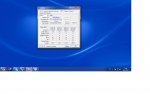
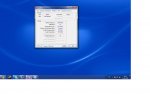
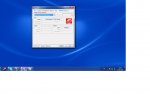
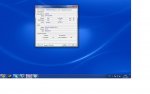
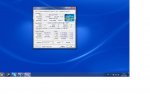
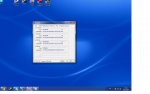
Jedoch läuft er mit Turbo aus, manchmal bis zu 1 1/2 stunden. Dann kratzt er ab. Meistens wenn ich in nem Spiel bin. Sind meine CPU-Z Bilder soweit ok?
Sollte ich den rechner zur reparatur bringen?
Weil ich glaub ich bekomm nicht raus ob das mb doer die cpu kaputt sind.
Jedoch läuft er mit Turbo aus, manchmal bis zu 1 1/2 stunden. Dann kratzt er ab. Meistens wenn ich in nem Spiel bin. Sind meine CPU-Z Bilder soweit ok?
Zuletzt bearbeitet:
TE
TE
LuXxn
Komplett-PC-Aufrüster(in)
hier die Bilder
Was mir auch aufgefallen ist. Mein Pc hat noch nie Piep Töne von sich gegeben. Ist das normal? Mein alter Computer hat beim hochfahren immer gepiept. Warum mein jetziger nicht? Und das Mb kann ich nich testen weil mein cpu und mein ram nicht in mein altes mb passen...
Ich hab auch noch garantie bei Mindfactory. Soll ich mal das mb einschicken. Könnte ich den CPU und das mb einschicken? :F
Was würde passieren wenn ich womöglich ein Teil einschick das noch geht? Also ausversehen?
Die Gewährleistung beträgt bei uns die gesetzlich vorgeschriebenen 24 Monate auf jeden verkauften Artikel.
Das bedeutet doch, dass ich jeden beliebeigen artikel einsenden darf oder?
Was mir auch aufgefallen ist. Mein Pc hat noch nie Piep Töne von sich gegeben. Ist das normal? Mein alter Computer hat beim hochfahren immer gepiept. Warum mein jetziger nicht? Und das Mb kann ich nich testen weil mein cpu und mein ram nicht in mein altes mb passen...
Ich hab auch noch garantie bei Mindfactory. Soll ich mal das mb einschicken. Könnte ich den CPU und das mb einschicken? :F
Was würde passieren wenn ich womöglich ein Teil einschick das noch geht?
Also ausversehen?Die Gewährleistung beträgt bei uns die gesetzlich vorgeschriebenen 24 Monate auf jeden verkauften Artikel.
Das bedeutet doch, dass ich jeden beliebeigen artikel einsenden darf oder?
Anhänge
Zuletzt bearbeitet:
simpel1970
Lötkolbengott/-göttin
Wenn er noch nie Pieptöne von sich gegeben hat, könnte das auch daran liegen, dass am Board kein Speaker angeschlossen ist 
Hast du die RAM im Bios schon testweise auf 1333mhz laufen lassen? (aktuell stehen sie auf 800mhz).
Zudem laufen die RAM nur im SingleChannel. Baue die RAM auf die Bänke A1 und B1 um.
Des weiteren ist die Grafikkarte nur mit 4x Lanes angebunden. Kann es sein, dass diese nicht im oberen PCI-E Slot steckt?
Hast du die RAM im Bios schon testweise auf 1333mhz laufen lassen? (aktuell stehen sie auf 800mhz).
Zudem laufen die RAM nur im SingleChannel. Baue die RAM auf die Bänke A1 und B1 um.
Des weiteren ist die Grafikkarte nur mit 4x Lanes angebunden. Kann es sein, dass diese nicht im oberen PCI-E Slot steckt?
Ähnliche Themen


- Antworten
- 59
- Aufrufe
- 14K
- Antworten
- 3
- Aufrufe
- 2K


- Antworten
- 4
- Aufrufe
- 5K
