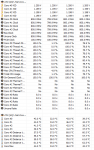
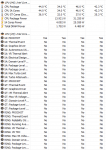
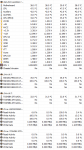
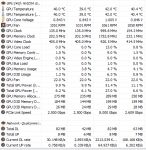
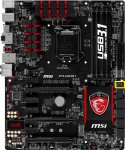
Also having this problem on an MSI Z97 Gaming 7 motherboard...
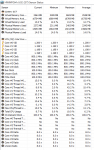
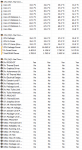
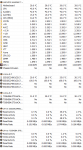
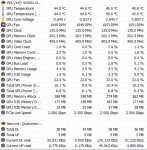
Every time I enable EIST (intel speed step) and re-boot, the cpu is stuck at 800 mhz AND the intel extreme tuning utility reports 100% thermal throttling, even at the same time that it's reporting the CPU temp in the 30-40 degree C range.....
Resetting to default values always fixes it though...
This MUST be a bug between certain motherboards and windows and Intel's Extreme Tuning Utility....
So basically on the MSI board, enabling OC Genie solves this problem....I assume because then the bios resets the values and increases the base clock and min/max CPU settings...
This also seems to happen when I use the ADVANCED version of MSI's OC section of the BIOS...If I leave it on SIMPLE, and the CPU multiplier is at 40, it seems to retain the correct 4.0 ghz freq...
Definitely some sort of bug...!
So
1. IF You know your cooling solution is working-fan's spinning on an air cooler, or pump's working AND fans spinning at a reasonable RPM on a AIO liquid cooler, I'd suggest NOT tearing anything apart, but rather working within the BIOS to fix the problem....
2. Do not freak out and assume from this problem that some part is defective...Will cost you time, money and aggravation...
3. Load default values or optimized values in your BIOS, then be sure to SAVE the settings and re-boot and then re-enter the BIOS and check the specs again..
4. Next step, if that doesn't solve the problem is to download a BIOS update, because sometimes, if you have a really old motherboard (1-2 years older than the processor) you COULD run into the issue where the MB doesn't have the right timings for the CPU...Probably shouldn't happen if you bought both a brand-new MB and CPU at the same time though...
5. If none of the above solve the problem...THEN, and ONLY THEN, should you power down the system, de-energize the power supply(unplug it, then press and hold the power button on the case for a few seconds) , < or motherboard if that has a power button> and ensure that any and all LED's on the motherboard and case are OUT...THEN turn off the rocker switch on the back of the power supply...
Then you can remove your cooling solution and remove and re-seat the CPU...completely cleaning off the thermal paste from the cpu and heatsink and re-applying...And ensure you get even pressure when re-applying the cooler...
And you should NEVER have to do more than tighten the screws FINGER TIGHT and follow up with a 1/4 turn of a screwdriver! Cranking down on the screws will do nothing except risk cracking the PCB