Sammelthread [Support] FAQ + First Steps (international)

Sammelthread
Hi jiggs1337,

quick question first, are you actually using UV-Pilot?
Sounds like it from your post but want to be sure before pointing you in the wrong direction.

If yes: your post hit a real bug, hotfix is coming. Game end will return you to where you were before.

Priority:
  1. Anchor if set (always wins)
  2. Pre-game slot otherwise, restored automatically
  3. Pilot fallback
Just set an Anchor (needs UV-Pilot) on whatever slot is your daily baseline.

If no: that's the missing piece. UV-Pilot is what catches game start/end and swaps profiles. Without it nothing switches automatically, so the GPU just stays on whatever you last clicked. Turn it on in settings and assign profiles per game in the Game Browser.

Either way, fix is in the next build.
Great, thanks for the quick incoming fix.

Yes, I do use UV-Pilot. So it correctly switches to the set game profile, but never goes back to pre-game or anchor.
 
Great. I tried it there with Pragmata, and I'm not sure if it actually restored the Anchor profile after. Both anchor (1) and 5 are highlighted. And the info boxes don't say that a profile was restored after game end.

1777297798778.png
 
Great. I tried it there with Pragmata, and I'm not sure if it actually restored the Anchor profile after. Both anchor (1) and 5 are highlighted. And the info boxes don't say that a profile was restored after game end.

Anhang anzeigen 1523111

Hi Jiggs, thanks for the report. Could you send me the full log as a zip file? You can export it using log export.
Normally, NV-UV should switch to the Anker profile when the game ends.

What you can also try is clearing all profiles, as there might be something wrong with the incremental hotfix update. Right-click on your profiles, remove UV, then test Profile One or Profile Two as an anchor profile.
 
Zuletzt bearbeitet:
Im trying it out on 5070ti and will write more. So far I had some crashes where history just deletes itself and I needed to start from begining.
Another issue is steps: when I set it to 7.5 step it still works in 50 MHz step.

Would be cool if it could fine-tune it more precisly and work on a curve. I will test it more and report back.
 
Im trying it out on 5070ti and will write more. So far I had some crashes where history just deletes itself and I needed to start from begining.
Another issue is steps: when I set it to 7.5 step it still works in 50 MHz step.

Would be cool if it could fine-tune it more precisly and work on a curve. I will test it more and report back.
Hey @Kozzlick,

thanks a lot for jumping in and giving NV-UV a try on your 5070 Ti,
really appreciate you taking the time to test it and report back :)

About the 7.5 MHz thing: I think there might be a small mix-up here. The 7.5 MHz value is the hardware clock raster that Blackwell GPUs use internally (NVIDIA spec). NV-UV already knows about this and snaps any frequency it writes to that raster automatically, you don't need to enter it yourself. The "Freq step" field in the scanner is something different, it controls how big each test step is (so 50 means "test in 50 MHz steps", 25 means "test in 25 MHz steps", and so on). The minimum is 5 MHz, which gives you nice fine granularity that lines up well with the hardware raster.

If you want to fine-tune more precisely,
just lower the Freq step to 5, 10 or 25 and the scanner will work in smaller increments.

About the history disappearing after crashes, that one I really need to look at properly. Could you grab your log and send it over? Easiest way is in NV-UV, click the "Export Log" button, save it to your desktop and upload it here (Dateien anhängen) With the log I can actually see what happened around the crash and tell you what's going on.
 
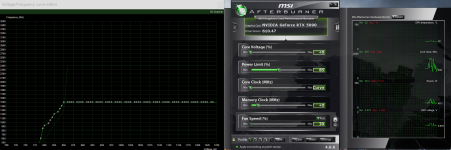
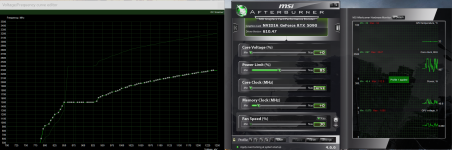
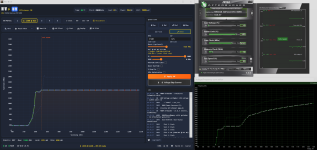
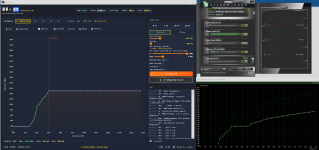
Custom profiles made with V-Lock/Direct don't seem to work, atleast under 900 mV. Once I press apply in afterburner the curve goes different and voltage goes over 1V under load.
 

Anhänge

  • 1.png
    1.png
    786,8 KB · Aufrufe: 8
  • 2.png
    2.png
    798,5 KB · Aufrufe: 8
  • nv.png
    nv.png
    209,5 KB · Aufrufe: 12
Hey @Zango

I checked this now and can confirm , it's driver behavior, not an NV-UV bug.

When you set a custom profile at low voltage (850 mV) with a 100 MHz offset, the driver folds the VF curve back to the stock shape below the lock line and then makes a vertical jump up to the next frequency plateau above it. You can reproduce the exact same curve shape in Afterburner directly: open the AB Curve Editor, set the same point at 850 mV +100 MHz and apply, you'll see the identical jump. Same in Green Curve. All three tools issue the same NVAPI VF set calls, the driver decides the curve shape beyond the lock point.

There is also a small display discrepancy you might notice between NV-UV and what AB or the OC Scanner curve viewer shows. NV-UV displays what was requested, AB reads back what the driver actually applied, and those two don't always match because the driver may snap your point to its own internal grid. That's why the AB curve can look "off" compared to NV-UV's visualization.

One more thing worth trying with V-Lock: if your stock curve cache is a bit stale or off, V-Lock calculations can drift. Try the Recalibrate button in NV-UV once with no profile applied (just stock) to refresh the baseline. That sometimes cleans up unexpected curve shapes.

If what you actually want is direct curve writes without any tool layering on top, I'd genuinely recommend giving Green-Curve a try. It writes directly to the driver with no intermediate layer, which might be a better fit if you prefer to see exactly what you set without the V-Lock abstraction. Different philosophy than NV-UV but well-made and active.

VG
Christian
 
Zuletzt bearbeitet:
This is my first time doing undervolting, so is there a way to get the voltage under 900 mV working with NV-UV?
 
This is my first time doing undervolting, so is there a way to get the voltage under 900 mV working with NV-UV?
Hey @Zango,

Best approach for your first undervolt: start from the Eco profile and feel your way down from there. Eco is already a solid, low-voltage baseline, so you don't have to build a curve from scratch. Apply it, run a game or stress test, and check stability before going lower.

Two things to keep in mind as you tune:

Lower voltage means less stability headroom at high clocks. The deeper you drop the voltage, the harder it gets to hold high frequencies stably. So if you lower the lock voltage, you usually also need to ease off the target frequency a bit, otherwise you'll get crashes or driver resets under load. It's a balance: low voltage and high clock pull against each other. Find the point where it's still rock solid in your games, then stop there.

The +1000 MHz driver limit per lock point. This is a hard limit built into the NVIDIA driver, not something NV-UV sets. At any given voltage point, you can raise the frequency at most 1000 MHz above that point's stock frequency. If you try to go higher, the driver clamps it back down to the +1000 MHz ceiling. So if a point sits at, say, 1400 MHz stock, the absolute max you can lock there is 2400 MHz, no matter what you enter. NV-UV will show you when a value gets clamped for this reason.

So the workflow: start at Eco, test stability, and if you want to push further, move in small steps and watch both stability and the +1000 MHz ceiling. Don't chase the lowest possible voltage right away, a stable everyday undervolt beats an aggressive one that crashes after 20 minutes.
 
My mistake in phrasing, I have been using NV-UV for atleast over a month, in that context it is my first time.
I think the under 900 mV was working before, maybe a Nvidia driver update has changed the behavior.

You didn't answer my question, since any clocks under 900mV seemed to do this curve bounce. Ive tried to have it with even stock MHz. But that seems to have been the problem. It works at 850 mV with over 900 MHz over stock. But at 825 mV for example no number works, low or high.
 
My mistake in phrasing, I have been using NV-UV for atleast over a month, in that context it is my first time.
I think the under 900 mV was working before, maybe a Nvidia driver update has changed the behavior.

You didn't answer my question, since any clocks under 900mV seemed to do this curve bounce. Ive tried to have it with even stock MHz. But that seems to have been the problem. It works at 850 mV with over 900 MHz over stock. But at 825 mV for example no number works, low or high.
Hey @Zango,

the answer is in the NV-UV UI itself: below 850 mV you need to switch from V-Lock to Direct mode (toggle right next to the V-Lock button). There's even a hint text in the UI that says "For values below 850 mV → use Direct mode".

V-Lock works within your stock VF curve range, so it has a lower bound at wherever your stock curve starts (850 mV in your case with the current driver). Direct mode bypasses that and writes the curve directly via NVAPI, so you can go below 850 mV.

Try it: switch to Direct mode, set 825 mV with your desired clock, apply.
That should work where V-Lock didn't.

do you re-calibrate just in case?
 
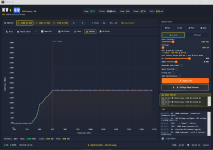
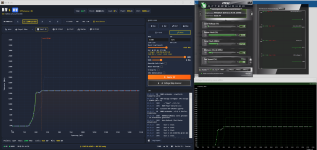
I have re-calibrated, and I use direct mode, still happens.
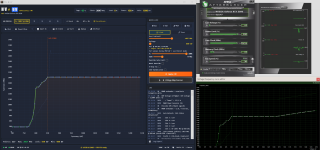
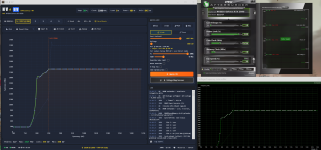
Using V-lock for 850 mV, you can see with higher clocks the problem gets better, with at +997 MHz only a difference at the middle(?) of the curve.
 

Anhänge

  • 825 2.png
    825 2.png
    520,2 KB · Aufrufe: 7
  • 825 3.png
    825 3.png
    493,7 KB · Aufrufe: 8
  • 850 1.png
    850 1.png
    515,7 KB · Aufrufe: 4
  • 850 2.png
    850 2.png
    500,9 KB · Aufrufe: 4
  • 850 3.png
    850 3.png
    724,6 KB · Aufrufe: 4
  • 850 4.png
    850 4.png
    741,9 KB · Aufrufe: 7
Zuletzt bearbeitet:
Hey @Zango

Final update ,I went deep on this and tested on my own card. Confirmed result: 850 mV simply doesn't work correct on the 5090. Not in NV-UV, not in MSI Afterburner directly, not in Green Curve

This isn't a tool limitation, it's a hardware/driver floor on the 5090. The practical undervolt minimum on this card is around 875 mV, and even there you need to target at least 1867 MHz for the lock to actually engage. Below that target the driver ignores the lock and falls back to stock GPU Boost behavior.

If you want a working undervolt on the 5090, start at 875 mV with a target around 1900 MHz. From there you can experiment upward (875/2000, 900/2700 etc.). Going below 875 mV is wasted effort, the card won't honor it regardless of which tool you use.

This matches what the wider 5090 community reports too.

My own observations on why undervolting is limited on this card (just a theory): testing showed the lock only engages when your target frequency is above the stock VF point at that voltage. At 875 mV stock sits at ~1857 MHz on my card, so 1867 MHz works but 1850 MHz doesn't. The driver seems to ignore lock attempts at or below the stock value for the chosen voltage.

That explains why higher voltages give you a wide working range (lots of room above stock to lock to) and lower voltages give you very little. But it doesn't fully explain why 850 mV refuses to work at all even with targets above its stock point. There seems to be a second mechanism kicking in at very low voltage that we couldn't pin down through testing alone. Maybe the driver has additional stability, maybe The Crossbar Penalty, or signal-integrity checks below a certain voltage threshold and just refuses to apply the lock outright.

One more thing worth knowing: in the lower voltage ranges, NV-UV's curve display can differ from what Afterburner ends up showing and what the driver actually applies. NV-UV shows the curve it requested, AB shows what the driver renders, and at low voltage these two views don't always match. I'm putting this on my TODO list to improve, the goal is for NV-UV's display to align more closely with what Afterburner actually shows after the curve is applied.

So your Eco profile in NV-UV (900 mV / 2700 MHz) is actually a solid baseline.
If you want to go more aggressive, try 875 mV / 1900 MHz as a starting point.
 
GPU: RTX 5060TI 16GB
GPU manufacturer + model: Gigabyte Windforce OC
NV-UV Version: Build 22 · Cantor
Afterburner Version: 4.6.6 Final
Windows: Windows 10 22H2
Driver version: 610.47

What happened:
Hi, after unzipping folder trying to launch app, but nothing happens. Circle of loading related to the cursor is rotating for 1.5-2 seconds and then nothing. No errors or dialogue tabs. The folder %LocalAppData%\NV-UV\ wasn't created.

Settings used:
-

Reproducible:
Always

Log file:
-
 
GPU: RTX 5060TI 16GB
GPU manufacturer + model: Gigabyte Windforce OC
NV-UV Version: Build 22 · Cantor
Afterburner Version: 4.6.6 Final
Windows: Windows 10 22H2
Driver version: 610.47

What happened:
Hi, after unzipping folder trying to launch app, but nothing happens. Circle of loading related to the cursor is rotating for 1.5-2 seconds and then nothing. No errors or dialogue tabs. The folder %LocalAppData%\NV-UV\ wasn't created.

Settings used:
-

Reproducible:
Always

Log file:
-

Hey RVP, if the nv-uv folder isn't being created, there won't be a log file either. Hmm, did Defender or some other antivirus maybe trigger an alarm or quarantine something?

Could you give NV-UV Play a try? I'd be curious to see whether that works for you.
 
Zuletzt bearbeitet:
Hey RVP, if the nv-uv folder isn't being created, there won't be a log file either. Hmm, did Defender or some other antivirus maybe trigger an alarm or quarantine something?

Could you give NV-UV Play a try? I'd be curious to see whether that works for you.

TL;DR: Missing dependencies. After Windows updating - it works.

No, Defender wasn't triggered or any other antivirus. All files are presenting. I've also try different versions of NV-UV, but they are all doing the same. I can make screen record for you with all steps, if it will be helpfull.

Maybe app have some debug mode, where logs will be displayed in real time or something similar to that?

UPD: I've tried launch app via CMD, but still nothing. No logs, no errors.

UPD2: Here some logs from Windows Event Manager

Error container 1374585241639207613, type 4
Event name: APPCRASH
Response: No data
CAB ID: 0

Problem signature:
P1: NV-UV.exe
P2: 1.0.0.0
P3: 69f29201
P4: KERNELBASE.dll
P5: 10.0.19041.1949
P6: cb12e58e
P7: c0000602
P8: 000000000010fb62
P9:
P10:

Attached files:
\\?\C:\ProgramData\Microsoft\Windows\WER\Temp\WERA92F.tmp.dmp
\\?\C:\ProgramData\Microsoft\Windows\WER\Temp\WERA96F.tmp.WERInternalMetadata.xml
\\?\C:\ProgramData\Microsoft\Windows\WER\Temp\WERA98F.tmp.xml
\\?\C:\ProgramData\Microsoft\Windows\WER\Temp\WERA98D.tmp.csv
\\?\C:\ProgramData\Microsoft\Windows\WER\Temp\WERA9AD.tmp.txt

These files can be found here:
\\?\C:\ProgramData\Microsoft\Windows\WER\ReportArchive\AppCrash_NV-UV.exe_a824f6a371f9e19949cf2264ef54195438e6350_5ff2da5e_68c87172-8f6d-4417-8153-af7fb02f9e30

Analysis symbol:
Rechecking for solution: 0
Report ID: 251964ba-70f9-4db4-af0f-a8dcabe47639
Report status: 268435456
Hashed container: ce5dc46ed0e50125231381fe916642bd
CAB GUID ID: 0

Faulting application name: NV-UV.exe, version: 1.0.0.0, timestamp: 0x69f29201
Faulting module name: KERNELBASE.dll, version: 10.0.19041.1949, timestamp: 0xcb12e58e
Exception code: 0xc0000602
Fault offset: 0x000000000010fb62
Faulting process ID: 0x73b0
Faulting application start time: 0x01dcf1f86a15df10
Faulting application path: C:\Users\zen\Desktop\NV-UV-Portable-v096\NV-UV-Portable-v096\NV-UV.exe
Faulting module path: C:\Windows\System32\KERNELBASE.dll
Report ID: 251964ba-70f9-4db4-af0f-a8dcabe47639
Full name of faulty package:
Application ID associated with faulty package:


Also here are contains of saved report:


Version=1
EventType=APPCRASH
EventTime=134248138150344448
ReportType=2
Consent=1
UploadTime=134248138151832438
ReportStatus=268435456
ReportIdentifier=68c87172-8f6d-4417-8153-af7fb02f9e30
IntegratorReportIdentifier=251964ba-70f9-4db4-af0f-a8dcabe47639
Wow64Host=34404
NsAppName=NV-UV.exe
OriginalFilename=NV-UV.dll
AppSessionGuid=000073b0-0001-0334-10df-156af8f1dc01
TargetAppId=W:0006042fc60cef5507e8f0644a5a42ba1f3a00000000!0000f1a7a10356dc40bcb333faf24aac67d2966d0e88!NV-UV.exe
TargetAppVer=2026//04//29:23:19:29!0!NV-UV.exe
BootId=4294967295
TargetAsId=1079
IsFatal=1
EtwNonCollectReason=1
Response.BucketId=ce5dc46ed0e50125231381fe916642bd
Response.BucketTable=4
Response.LegacyBucketId=1374585241639207613
Response.type=4
Sig[0].Name=Application Name
Sig[0].Value=NV-UV.exe
Sig[1].Name=Application Version
Sig[1].Value=1.0.0.0
Sig[2].Name=Application Timestamp
Sig[2].Value=69f29201
Sig[3].Name=Faulting Module Name
Sig[3].Value=KERNELBASE.dll
Sig[4].Name=Faulting Module Version
Sig[4].Value=10.0.19041.1949
Sig[5].Name=Faulting Module Timestamp
Sig[5].Value=cb12e58e
Sig[6].Name=Exception Code
Sig[6].Value=c0000602
Sig[7].Name=Exception Offset
Sig[7].Value=000000000010fb62
DynamicSig[1].Name=OS Version
DynamicSig[1].Value=10.0.19045.2.0.0.256.48
DynamicSig[2].Name=Language Code
DynamicSig[2].Value=1049
DynamicSig[22].Name=Additional Information 1
DynamicSig[22].Value=016d
DynamicSig[23].Name=Additional Information 2
DynamicSig[23].Value=016de4b78958b08b37b41e7a0069556b
DynamicSig[24].Name=Additional Information 3
DynamicSig[24].Value=47e8
DynamicSig[25].Name=Additional Information 4
DynamicSig[25].Value=47e814884f02f03912a9af7d9f32ba2d
UI[2]=C:\Users\zen\Desktop\NV-UV-Portable-v096\NV-UV-Portable-v096\NV-UV.exe
LoadedModule[0]=C:\Users\zen\Desktop\NV-UV-Portable-v096\NV-UV-Portable-v096\NV-UV.exe
LoadedModule[1]=C:\Windows\SYSTEM32\ntdll.dll
LoadedModule[2]=C:\Windows\System32\KERNEL32.DLL
LoadedModule[3]=C:\Windows\System32\KERNELBASE.dll
LoadedModule[4]=C:\Windows\SYSTEM32\apphelp.dll
LoadedModule[5]=C:\Windows\System32\ADVAPI32.dll
LoadedModule[6]=C:\Windows\System32\msvcrt.dll
LoadedModule[7]=C:\Windows\System32\sechost.dll
LoadedModule[8]=C:\Windows\System32\RPCRT4.dll
LoadedModule[9]=C:\Windows\System32\ole32.dll
LoadedModule[10]=C:\Windows\System32\ucrtbase.dll
LoadedModule[11]=C:\Windows\System32\combase.dll
LoadedModule[12]=C:\Windows\System32\GDI32.dll
LoadedModule[13]=C:\Windows\System32\win32u.dll
LoadedModule[14]=C:\Windows\System32\gdi32full.dll
LoadedModule[15]=C:\Windows\System32\msvcp_win.dll
LoadedModule[16]=C:\Windows\System32\USER32.dll
LoadedModule[17]=C:\Windows\System32\OLEAUT32.dll
LoadedModule[18]=C:\Windows\System32\SHELL32.dll
LoadedModule[19]=C:\Windows\System32\IMM32.DLL
State[0].Key=Transport.DoneStage1
State[0].Value=1
OsInfo[0].Key=vermaj
OsInfo[0].Value=10
OsInfo[1].Key=vermin
OsInfo[1].Value=0
OsInfo[2].Key=verbld
OsInfo[2].Value=19045
OsInfo[3].Key=ubr
OsInfo[3].Value=2006
OsInfo[4].Key=versp
OsInfo[4].Value=0
OsInfo[5].Key=arch
OsInfo[5].Value=9
OsInfo[6].Key=lcid
OsInfo[6].Value=1033
OsInfo[7].Key=geoid
OsInfo[7].Value=244
OsInfo[8].Key=sku
OsInfo[8].Value=48
OsInfo[9].Key=domain
OsInfo[9].Value=0
OsInfo[10].Key=prodsuite
OsInfo[10].Value=256
OsInfo[11].Key=ntprodtype
OsInfo[11].Value=1
OsInfo[12].Key=platid
OsInfo[12].Value=10
OsInfo[13].Key=sr
OsInfo[13].Value=0
OsInfo[14].Key=tmsi
OsInfo[14].Value=1592765
OsInfo[15].Key=osinsty
OsInfo[15].Value=2
OsInfo[16].Key=iever
OsInfo[16].Value=11.789.19041.0-11.0.1000
OsInfo[17].Key=portos
OsInfo[17].Value=0
OsInfo[18].Key=ram
OsInfo[18].Value=65450
OsInfo[19].Key=svolsz
OsInfo[19].Value=446
OsInfo[20].Key=wimbt
OsInfo[20].Value=0

UPD3: I've checked dependencies for NV-UV via Dependencies(https://github.com/lucasg/Dependencies) and found missing:

ext-ms-win-core-winrt-remote-l1-1-0.dll
ext-ms-win-com-apartmentrestriction-l1-1-0.dll
ext-ms-win-com-suspensionresiliency-l1-1-0.dll

I've updated Windows to 19045.6456 build and now it's working!

Maybe you can add some additional step during launching, which will check requirement dependencies instalation or add handler for such exceptions.

Anyway, thanks for help.

 
Zuletzt bearbeitet:
TL;DR: Missing dependencies. After Windows updating - it works.

No, Defender wasn't triggered or any other antivirus. All files are presenting. I've also try different versions of NV-UV, but they are all doing the same. I can make screen record for you with all steps, if it will be helpfull.

Maybe app have some debug mode, where logs will be displayed in real time or something similar to that?

UPD: I've tried launch app via CMD, but still nothing. No logs, no errors.

UPD2: Here some logs from Windows Event Manager

Error container 1374585241639207613, type 4
Event name: APPCRASH
Response: No data
CAB ID: 0

Problem signature:
P1: NV-UV.exe
P2: 1.0.0.0
P3: 69f29201
P4: KERNELBASE.dll
P5: 10.0.19041.1949
P6: cb12e58e
P7: c0000602
P8: 000000000010fb62
P9:
P10:

Attached files:
\\?\C:\ProgramData\Microsoft\Windows\WER\Temp\WERA92F.tmp.dmp
\\?\C:\ProgramData\Microsoft\Windows\WER\Temp\WERA96F.tmp.WERInternalMetadata.xml
\\?\C:\ProgramData\Microsoft\Windows\WER\Temp\WERA98F.tmp.xml
\\?\C:\ProgramData\Microsoft\Windows\WER\Temp\WERA98D.tmp.csv
\\?\C:\ProgramData\Microsoft\Windows\WER\Temp\WERA9AD.tmp.txt

These files can be found here:
\\?\C:\ProgramData\Microsoft\Windows\WER\ReportArchive\AppCrash_NV-UV.exe_a824f6a371f9e19949cf2264ef54195438e6350_5ff2da5e_68c87172-8f6d-4417-8153-af7fb02f9e30

Analysis symbol:
Rechecking for solution: 0
Report ID: 251964ba-70f9-4db4-af0f-a8dcabe47639
Report status: 268435456
Hashed container: ce5dc46ed0e50125231381fe916642bd
CAB GUID ID: 0

Faulting application name: NV-UV.exe, version: 1.0.0.0, timestamp: 0x69f29201
Faulting module name: KERNELBASE.dll, version: 10.0.19041.1949, timestamp: 0xcb12e58e
Exception code: 0xc0000602
Fault offset: 0x000000000010fb62
Faulting process ID: 0x73b0
Faulting application start time: 0x01dcf1f86a15df10
Faulting application path: C:\Users\zen\Desktop\NV-UV-Portable-v096\NV-UV-Portable-v096\NV-UV.exe
Faulting module path: C:\Windows\System32\KERNELBASE.dll
Report ID: 251964ba-70f9-4db4-af0f-a8dcabe47639
Full name of faulty package:
Application ID associated with faulty package:


Also here are contains of saved report:


Version=1
EventType=APPCRASH
EventTime=134248138150344448
ReportType=2
Consent=1
UploadTime=134248138151832438
ReportStatus=268435456
ReportIdentifier=68c87172-8f6d-4417-8153-af7fb02f9e30
IntegratorReportIdentifier=251964ba-70f9-4db4-af0f-a8dcabe47639
Wow64Host=34404
NsAppName=NV-UV.exe
OriginalFilename=NV-UV.dll
AppSessionGuid=000073b0-0001-0334-10df-156af8f1dc01
TargetAppId=W:0006042fc60cef5507e8f0644a5a42ba1f3a00000000!0000f1a7a10356dc40bcb333faf24aac67d2966d0e88!NV-UV.exe
TargetAppVer=2026//04//29:23:19:29!0!NV-UV.exe
BootId=4294967295
TargetAsId=1079
IsFatal=1
EtwNonCollectReason=1
Response.BucketId=ce5dc46ed0e50125231381fe916642bd
Response.BucketTable=4
Response.LegacyBucketId=1374585241639207613
Response.type=4
Sig[0].Name=Application Name
Sig[0].Value=NV-UV.exe
Sig[1].Name=Application Version
Sig[1].Value=1.0.0.0
Sig[2].Name=Application Timestamp
Sig[2].Value=69f29201
Sig[3].Name=Faulting Module Name
Sig[3].Value=KERNELBASE.dll
Sig[4].Name=Faulting Module Version
Sig[4].Value=10.0.19041.1949
Sig[5].Name=Faulting Module Timestamp
Sig[5].Value=cb12e58e
Sig[6].Name=Exception Code
Sig[6].Value=c0000602
Sig[7].Name=Exception Offset
Sig[7].Value=000000000010fb62
DynamicSig[1].Name=OS Version
DynamicSig[1].Value=10.0.19045.2.0.0.256.48
DynamicSig[2].Name=Language Code
DynamicSig[2].Value=1049
DynamicSig[22].Name=Additional Information 1
DynamicSig[22].Value=016d
DynamicSig[23].Name=Additional Information 2
DynamicSig[23].Value=016de4b78958b08b37b41e7a0069556b
DynamicSig[24].Name=Additional Information 3
DynamicSig[24].Value=47e8
DynamicSig[25].Name=Additional Information 4
DynamicSig[25].Value=47e814884f02f03912a9af7d9f32ba2d
UI[2]=C:\Users\zen\Desktop\NV-UV-Portable-v096\NV-UV-Portable-v096\NV-UV.exe
LoadedModule[0]=C:\Users\zen\Desktop\NV-UV-Portable-v096\NV-UV-Portable-v096\NV-UV.exe
LoadedModule[1]=C:\Windows\SYSTEM32\ntdll.dll
LoadedModule[2]=C:\Windows\System32\KERNEL32.DLL
LoadedModule[3]=C:\Windows\System32\KERNELBASE.dll
LoadedModule[4]=C:\Windows\SYSTEM32\apphelp.dll
LoadedModule[5]=C:\Windows\System32\ADVAPI32.dll
LoadedModule[6]=C:\Windows\System32\msvcrt.dll
LoadedModule[7]=C:\Windows\System32\sechost.dll
LoadedModule[8]=C:\Windows\System32\RPCRT4.dll
LoadedModule[9]=C:\Windows\System32\ole32.dll
LoadedModule[10]=C:\Windows\System32\ucrtbase.dll
LoadedModule[11]=C:\Windows\System32\combase.dll
LoadedModule[12]=C:\Windows\System32\GDI32.dll
LoadedModule[13]=C:\Windows\System32\win32u.dll
LoadedModule[14]=C:\Windows\System32\gdi32full.dll
LoadedModule[15]=C:\Windows\System32\msvcp_win.dll
LoadedModule[16]=C:\Windows\System32\USER32.dll
LoadedModule[17]=C:\Windows\System32\OLEAUT32.dll
LoadedModule[18]=C:\Windows\System32\SHELL32.dll
LoadedModule[19]=C:\Windows\System32\IMM32.DLL
State[0].Key=Transport.DoneStage1
State[0].Value=1
OsInfo[0].Key=vermaj
OsInfo[0].Value=10
OsInfo[1].Key=vermin
OsInfo[1].Value=0
OsInfo[2].Key=verbld
OsInfo[2].Value=19045
OsInfo[3].Key=ubr
OsInfo[3].Value=2006
OsInfo[4].Key=versp
OsInfo[4].Value=0
OsInfo[5].Key=arch
OsInfo[5].Value=9
OsInfo[6].Key=lcid
OsInfo[6].Value=1033
OsInfo[7].Key=geoid
OsInfo[7].Value=244
OsInfo[8].Key=sku
OsInfo[8].Value=48
OsInfo[9].Key=domain
OsInfo[9].Value=0
OsInfo[10].Key=prodsuite
OsInfo[10].Value=256
OsInfo[11].Key=ntprodtype
OsInfo[11].Value=1
OsInfo[12].Key=platid
OsInfo[12].Value=10
OsInfo[13].Key=sr
OsInfo[13].Value=0
OsInfo[14].Key=tmsi
OsInfo[14].Value=1592765
OsInfo[15].Key=osinsty
OsInfo[15].Value=2
OsInfo[16].Key=iever
OsInfo[16].Value=11.789.19041.0-11.0.1000
OsInfo[17].Key=portos
OsInfo[17].Value=0
OsInfo[18].Key=ram
OsInfo[18].Value=65450
OsInfo[19].Key=svolsz
OsInfo[19].Value=446
OsInfo[20].Key=wimbt
OsInfo[20].Value=0

UPD3: I've checked dependencies for NV-UV via Dependencies(https://github.com/lucasg/Dependencies) and found missing:

ext-ms-win-core-winrt-remote-l1-1-0.dll
ext-ms-win-com-apartmentrestriction-l1-1-0.dll
ext-ms-win-com-suspensionresiliency-l1-1-0.dll

I've updated Windows to 19045.6456 build and now it's working!

Maybe you can add some additional step during launching, which will check requirement dependencies instalation or add handler for such exceptions.

Anyway, thanks for help.


Hi,

Thanks for the diagnosis, you nailed it. 0xc0000602 is a Windows loader fail-fast that fires before any of NV-UV's code runs . The missing pieces you found are Windows OS components not files NV-UV ships, and they come with newer Windows 10 updates, which is why 19045.6456 fixed it.
Windows 10 is fully supported, it just needs to be fully patched (22H2).

One note on your idea: an in-app handler cannot catch a load-time fail-fast (it is non-catchable and fires before Main), so I have added a requirements note plus a short troubleshooting entry in the README instead, so anyone with the same symptom knows to update Windows first. Thanks again for digging into it.

VG
Christian
 
Zurück