// Copyright (c) 2010 NVIDIA Corporation. All rights reserved.
//
// TO  THE MAXIMUM  EXTENT PERMITTED  BY APPLICABLE  LAW, THIS SOFTWARE  IS PROVIDED
// *AS IS*  AND NVIDIA AND  ITS SUPPLIERS DISCLAIM  ALL WARRANTIES,  EITHER  EXPRESS
// OR IMPLIED, INCLUDING, BUT NOT LIMITED  TO, IMPLIED WARRANTIES OF MERCHANTABILITY
// AND FITNESS FOR A PARTICULAR PURPOSE.  IN NO EVENT SHALL  NVIDIA OR ITS SUPPLIERS
// BE  LIABLE  FOR  ANY  SPECIAL,  INCIDENTAL,  INDIRECT,  OR  CONSEQUENTIAL DAMAGES
// WHATSOEVER (INCLUDING, WITHOUT LIMITATION,  DAMAGES FOR LOSS OF BUSINESS PROFITS,
// BUSINESS INTERRUPTION, LOSS OF BUSINESS INFORMATION, OR ANY OTHER PECUNIARY LOSS)
// ARISING OUT OF THE  USE OF OR INABILITY  TO USE THIS SOFTWARE, EVEN IF NVIDIA HAS
// BEEN ADVISED OF THE POSSIBILITY OF SUCH DAMAGES.

/*============================================================================

                                    FXAA

============================================================================*/
#define FXAA_HLSL_3 1

/*============================================================================
                                 API PORTING
============================================================================*/
#ifndef FXAA_GLSL
    #define FXAA_GLSL 0
#endif
#ifndef FXAA_HLSL_3
	#define FXAA_HLSL_3 0
#endif
#ifndef FXAA_HLSL_4
    #define FXAA_HLSL_4 0
#endif
/*--------------------------------------------------------------------------*/
#if FXAA_GLSL
    #define int2 ivec2
    #define float2 vec2
    #define float3 vec3
    #define float4 vec4
    #define FxaaBool3 bvec3
    #define FxaaInt2 ivec2
    #define FxaaFloat2 vec2
    #define FxaaFloat3 vec3
    #define FxaaFloat4 vec4
    #define FxaaBool2Float(a) mix(0.0f, 1.0f, (a))
    #define FxaaPow3(x, y) pow(x, y)
    #define FxaaSel3(f, t, b) mix((f), (t), (b))
    #define FxaaTex sampler2D
#endif
/*--------------------------------------------------------------------------*/
#if FXAA_HLSL_3
    #define int2 float2
    #define FxaaInt2 float2
    #define FxaaFloat2 float2
    #define FxaaFloat3 float3
    #define FxaaFloat4 float4
    #define FxaaBool2Float(a) (a)
    #define FxaaPow3(x, y) pow(x, y)
    #define FxaaSel3(f, t, b) ((f)*(!b) + (t)*(b))
    #define FxaaTex sampler2D
#endif
/*--------------------------------------------------------------------------*/
#if FXAA_HLSL_4
    #define FxaaInt2 int2
    #define FxaaFloat2 float2
    #define FxaaFloat3 float3
    #define FxaaFloat4 float4
    #define FxaaBool2Float(a) (a)
    #define FxaaPow3(x, y) pow(x, y)
    #define FxaaSel3(f, t, b) ((f)*(!b) + (t)*(b))
    struct FxaaTex { SamplerState smpl; Texture2D tex; };
#endif
/*--------------------------------------------------------------------------*/
#define FxaaToFloat3(a) FxaaFloat3((a), (a), (a))
/*--------------------------------------------------------------------------*/
float4 FxaaTexLod0(FxaaTex tex, float2 pos) {
    #if FXAA_GLSL
        return textureLod(tex, pos.xy, 0.0f);
    #endif
    #if FXAA_HLSL_3
        return tex2Dlod(tex, float4(pos.xy, 0.0f, 0.0f));
    #endif
    #if FXAA_HLSL_4
        return tex.tex.SampleLevel(tex.smpl, pos.xy, 0.0f);
    #endif
}
/*--------------------------------------------------------------------------*/
float4 FxaaTexGrad(FxaaTex tex, float2 pos, float2 grad) {
    #if FXAA_GLSL
        return textureGrad(tex, pos.xy, grad, grad);
    #endif
    #if FXAA_HLSL_3
        return tex2Dgrad(tex, pos.xy, grad, grad);
    #endif
    #if FXAA_HLSL_4
        return tex.tex.SampleGrad(tex.smpl, pos.xy, grad, grad);
    #endif
}
/*--------------------------------------------------------------------------*/
float4 FxaaTexOff(FxaaTex tex, float2 pos, int2 off, float2 rcpFrame) {
    #if FXAA_GLSL
        return textureLodOffset(tex, pos.xy, 0.0f, off.xy);
    #endif
    #if FXAA_HLSL_3
        return tex2Dlod(tex, float4(pos.xy + (off * rcpFrame), 0, 0));
    #endif
    #if FXAA_HLSL_4
        return tex.tex.SampleLevel(tex.smpl, pos.xy, 0.0f, off.xy);
    #endif
}

/*============================================================================
                                 SRGB KNOBS
------------------------------------------------------------------------------
FXAA_SRGB_ROP - Set to 1 when applying FXAA to an sRGB back buffer.
                This will do the sRGB to linear transform,
                as ROP will expect linear color from this shader,
                and this shader works in non-linear color.
============================================================================*/
#define FXAA_SRGB_ROP 0

/*============================================================================
                                DEBUG KNOBS
------------------------------------------------------------------------------
All debug knobs draw FXAA-untouched pixels in FXAA computed luma (monochrome).

FXAA_DEBUG_PASSTHROUGH - Red for pixels which are filtered by FXAA with a
                         yellow tint on sub-pixel aliasing filtered by FXAA.
FXAA_DEBUG_HORZVERT    - Blue for horizontal edges, gold for vertical edges.
FXAA_DEBUG_PAIR        - Blue/green for the 2 pixel pair choice.
FXAA_DEBUG_NEGPOS      - Red/blue for which side of center of span.
FXAA_DEBUG_OFFSET      - Red/blue for -/+ x, gold/skyblue for -/+ y.
============================================================================*/
#define FXAA_DEBUG_PASSTHROUGH 0
#define FXAA_DEBUG_HORZVERT    0
#define FXAA_DEBUG_PAIR        0
#define FXAA_DEBUG_NEGPOS      0
#define FXAA_DEBUG_OFFSET      0
/*--------------------------------------------------------------------------*/
#if FXAA_DEBUG_PASSTHROUGH || FXAA_DEBUG_HORZVERT || FXAA_DEBUG_PAIR
    #define FXAA_DEBUG 1
#endif
#if FXAA_DEBUG_NEGPOS || FXAA_DEBUG_OFFSET
    #define FXAA_DEBUG 1
#endif
#ifndef FXAA_DEBUG
    #define FXAA_DEBUG 0
#endif

/*============================================================================
                              COMPILE-IN KNOBS
------------------------------------------------------------------------------
FXAA_PRESET - Choose compile-in knob preset 0-5.
------------------------------------------------------------------------------
FXAA_EDGE_THRESHOLD - The minimum amount of local contrast required
                      to apply algorithm.
                      1.0/3.0  - too little
                      1.0/4.0  - good start
                      1.0/8.0  - applies to more edges
                      1.0/16.0 - overkill
------------------------------------------------------------------------------
FXAA_EDGE_THRESHOLD_MIN - Trims the algorithm from processing darks.
                          Perf optimization.
                          1.0/32.0 - visible limit (smaller isn't visible)
                          1.0/16.0 - good compromise
                          1.0/12.0 - upper limit (seeing artifacts)
------------------------------------------------------------------------------
FXAA_SEARCH_STEPS - Maximum number of search steps for end of span.
------------------------------------------------------------------------------
FXAA_SEARCH_ACCELERATION - How much to accelerate search,
                           1 - no acceleration
                           2 - skip by 2 pixels
                           3 - skip by 3 pixels
                           4 - skip by 4 pixels
------------------------------------------------------------------------------
FXAA_SEARCH_THRESHOLD - Controls when to stop searching.
                        1.0/4.0 - seems to be the best quality wise
------------------------------------------------------------------------------
FXAA_SUBPIX_FASTER - Turn on lower quality but faster subpix path.
                     Not recomended, but used in preset 0.
------------------------------------------------------------------------------
FXAA_SUBPIX - Toggle subpix filtering.
              0 - turn off
              1 - turn on
              2 - turn on full (ignores FXAA_SUBPIX_TRIM and CAP)
------------------------------------------------------------------------------
FXAA_SUBPIX_TRIM - Controls sub-pixel aliasing removal.
                   1.0/2.0 - low removal
                   1.0/3.0 - medium removal
                   1.0/4.0 - default removal
                   1.0/8.0 - high removal
                   0.0 - complete removal
------------------------------------------------------------------------------
FXAA_SUBPIX_CAP - Insures fine detail is not completely removed.
                  This is important for the transition of sub-pixel detail,
                  like fences and wires.
                  3.0/4.0 - default (medium amount of filtering)
                  7.0/8.0 - high amount of filtering
                  1.0 - no capping of sub-pixel aliasing removal
============================================================================*/
#ifndef FXAA_PRESET
    #define FXAA_PRESET 99
#endif
/*--------------------------------------------------------------------------*/
#if (FXAA_PRESET == 0)
    #define FXAA_EDGE_THRESHOLD      (1.0f/4.0f)
    #define FXAA_EDGE_THRESHOLD_MIN  (1.0f/12.0f)
    #define FXAA_SEARCH_STEPS        4
    #define FXAA_SEARCH_ACCELERATION 1
    #define FXAA_SEARCH_THRESHOLD    (1.0f/4.0f)
    #define FXAA_SUBPIX              2
    #define FXAA_SUBPIX_FASTER       0
    #define FXAA_SUBPIX_CAP          (2.0f/3.0f)
    #define FXAA_SUBPIX_TRIM         (1.0f/4.0f)
#endif
/*--------------------------------------------------------------------------*/
#if (FXAA_PRESET == 1)
    #define FXAA_EDGE_THRESHOLD      (1.0f/8.0f)
    #define FXAA_EDGE_THRESHOLD_MIN  (1.0f/16.0f)
    #define FXAA_SEARCH_STEPS        8
    #define FXAA_SEARCH_ACCELERATION 1
    #define FXAA_SEARCH_THRESHOLD    (1.0f/4.0f)
    #define FXAA_SUBPIX              2
    #define FXAA_SUBPIX_FASTER       0
    #define FXAA_SUBPIX_CAP          (3.0f/4.0f)
    #define FXAA_SUBPIX_TRIM         (1.0f/4.0f)
#endif
/*--------------------------------------------------------------------------*/
#if (FXAA_PRESET == 2)
    #define FXAA_EDGE_THRESHOLD      (1.0f/8.0f)
    #define FXAA_EDGE_THRESHOLD_MIN  (1.0f/24.0f)
    #define FXAA_SEARCH_STEPS        8
    #define FXAA_SEARCH_ACCELERATION 1
    #define FXAA_SEARCH_THRESHOLD    (1.0f/4.0f)
    #define FXAA_SUBPIX              2
    #define FXAA_SUBPIX_FASTER       0
    #define FXAA_SUBPIX_CAP          (3.0f/4.0f)
    #define FXAA_SUBPIX_TRIM         (1.0f/4.0f)
#endif
/*--------------------------------------------------------------------------*/
#if (FXAA_PRESET == 3)
    #define FXAA_EDGE_THRESHOLD      (1.0f/8.0f)
    #define FXAA_EDGE_THRESHOLD_MIN  (1.0f/24.0f)
    #define FXAA_SEARCH_STEPS        16
    #define FXAA_SEARCH_ACCELERATION 1
    #define FXAA_SEARCH_THRESHOLD    (1.0f/4.0f)
    #define FXAA_SUBPIX              2
    #define FXAA_SUBPIX_FASTER       0
    #define FXAA_SUBPIX_CAP          (3.0f/4.0f)
    #define FXAA_SUBPIX_TRIM         (1.0f/4.0f)
#endif
/*--------------------------------------------------------------------------*/
#if (FXAA_PRESET == 4)
    #define FXAA_EDGE_THRESHOLD      (1.0f/8.0f)
    #define FXAA_EDGE_THRESHOLD_MIN  (1.0f/24.0f)
    #define FXAA_SEARCH_STEPS        24
    #define FXAA_SEARCH_ACCELERATION 1
    #define FXAA_SEARCH_THRESHOLD    (1.0f/4.0f)
    #define FXAA_SUBPIX              2
    #define FXAA_SUBPIX_FASTER       0
    #define FXAA_SUBPIX_CAP          (3.0f/4.0f)
    #define FXAA_SUBPIX_TRIM         (1.0f/4.0f)
#endif
/*--------------------------------------------------------------------------*/
#if (FXAA_PRESET == 5)
    #define FXAA_EDGE_THRESHOLD      (1.0f/8.0f)
    #define FXAA_EDGE_THRESHOLD_MIN  (1.0f/24.0f)
    #define FXAA_SEARCH_STEPS        32
    #define FXAA_SEARCH_ACCELERATION 1
    #define FXAA_SEARCH_THRESHOLD    (1.0f/4.0f)
    #define FXAA_SUBPIX              2
    #define FXAA_SUBPIX_FASTER       0
    #define FXAA_SUBPIX_CAP          (3.0f/4.0f)
    #define FXAA_SUBPIX_TRIM         (1.0f/4.0f)
#endif
/*--------------------------------------------------------------------------*/
#if (FXAA_PRESET == 99)
    #define FXAA_EDGE_THRESHOLD      (1.0f/4.0f)
    #define FXAA_EDGE_THRESHOLD_MIN  (1.0f/24.0f)
    #define FXAA_SEARCH_STEPS        16
    #define FXAA_SEARCH_ACCELERATION 1
    #define FXAA_SEARCH_THRESHOLD    (1.0f/4.0f)
    #define FXAA_SUBPIX              2
    #define FXAA_SUBPIX_FASTER       0
    #define FXAA_SUBPIX_CAP          (3.0f/4.0f)
    #define FXAA_SUBPIX_TRIM         (1.0f/4.0f)
#endif
/*--------------------------------------------------------------------------*/
#define FXAA_SUBPIX_TRIM_SCALE (1.0f/(1.0f - FXAA_SUBPIX_TRIM))

/*============================================================================
                                   HELPERS
============================================================================*/
// Return the luma, the estimation of luminance from rgb inputs.
// This approximates luma using one FMA instruction,
// skipping normalization and tossing out blue.
// FxaaLuma() will range 0.0 to 2.963210702.
float FxaaLuma(float3 rgb) {
    return rgb.y * (0.587f/0.299f) + rgb.x; }
/*--------------------------------------------------------------------------*/
float3 FxaaLerp3(float3 a, float3 b, float amountOfA) {
    return (FxaaToFloat3(-amountOfA) * b) +
        ((a * FxaaToFloat3(amountOfA)) + b); }
/*--------------------------------------------------------------------------*/
// Support any extra filtering before returning color.
float3 FxaaFilterReturn(float3 rgb) {
    #if FXAA_SRGB_ROP
        // Do sRGB encoded value to linear conversion.
        return FxaaSel3(
            rgb * FxaaToFloat3(1.0f/12.92f),
            FxaaPow3(
                rgb * FxaaToFloat3(1.0f/1.055f) + FxaaToFloat3(0.055f/1.055f),
                FxaaToFloat3(2.4f)),
            rgb > FxaaToFloat3(0.04045));
    #else
        return rgb;
    #endif
}

/*============================================================================
                                VERTEX SHADER
============================================================================*/
float2 FxaaVertexShader(
// Both x and y range {-1.0 to 1.0 across screen}.
float2 inPos) {
    float2 pos;
    pos.xy = (inPos.xy * FxaaFloat2(0.5f, 0.5f)) + FxaaFloat2(0.5f, 0.5f);
    return pos; }

/*============================================================================

                                PIXEL SHADER

============================================================================*/
float3 FxaaPixelShader(
// Output of FxaaVertexShader interpolated across screen.
//  xy -> actual texture position {0.0f to 1.0f}
float2 pos,
// Input texture.
FxaaTex tex,
// RCPFRAME SHOULD PIXEL SHADER CONSTANTS!!!!!!!!!!!!!!!!!!!!!!!!!!!!!!!!!!!!!
// {1.0f/frameWidth, 1.0f/frameHeight}
float2 rcpFrame) {

/*----------------------------------------------------------------------------
            EARLY EXIT IF LOCAL CONTRAST BELOW EDGE DETECT LIMIT
------------------------------------------------------------------------------
Majority of pixels of a typical image do not require filtering,
often pixels are grouped into blocks which could benefit from early exit
right at the beginning of the algorithm.
Given the following neighborhood,

      N
    W M E
      S

If the difference in local maximum and minimum luma (contrast "range")
is lower than a threshold proportional to the maximum local luma ("rangeMax"),
then the shader early exits (no visible aliasing).
This threshold is clamped at a minimum value ("FXAA_EDGE_THRESHOLD_MIN")
to avoid processing in really dark areas.
----------------------------------------------------------------------------*/
    float3 rgbN = FxaaTexOff(tex, pos.xy, FxaaInt2( 0,-1), rcpFrame).xyz;
    float3 rgbW = FxaaTexOff(tex, pos.xy, FxaaInt2(-1, 0), rcpFrame).xyz;
    float3 rgbM = FxaaTexOff(tex, pos.xy, FxaaInt2( 0, 0), rcpFrame).xyz;
    float3 rgbE = FxaaTexOff(tex, pos.xy, FxaaInt2( 1, 0), rcpFrame).xyz;
    float3 rgbS = FxaaTexOff(tex, pos.xy, FxaaInt2( 0, 1), rcpFrame).xyz;
    float lumaN = FxaaLuma(rgbN);
    float lumaW = FxaaLuma(rgbW);
    float lumaM = FxaaLuma(rgbM);
    float lumaE = FxaaLuma(rgbE);
    float lumaS = FxaaLuma(rgbS);
    float rangeMin = min(lumaM, min(min(lumaN, lumaW), min(lumaS, lumaE)));
    float rangeMax = max(lumaM, max(max(lumaN, lumaW), max(lumaS, lumaE)));
    float range = rangeMax - rangeMin;
    #if FXAA_DEBUG
        float lumaO = lumaM / (1.0f + (0.587f/0.299f));
    #endif
    if(range < max(FXAA_EDGE_THRESHOLD_MIN, rangeMax * FXAA_EDGE_THRESHOLD)) {
        #if FXAA_DEBUG
            return FxaaFilterReturn(FxaaToFloat3(lumaO));
        #endif
        return FxaaFilterReturn(rgbM); }
    #if FXAA_SUBPIX > 0
        #if FXAA_SUBPIX_FASTER
            float3 rgbL = (rgbN + rgbW + rgbE + rgbS + rgbM) *
                FxaaToFloat3(1.0f/5.0f);
        #else
            float3 rgbL = rgbN + rgbW + rgbM + rgbE + rgbS;
        #endif
    #endif

/*----------------------------------------------------------------------------
                               COMPUTE LOWPASS
------------------------------------------------------------------------------
FXAA computes a local neighborhood lowpass value as follows,

  (N + W + E + S)/4

Then uses the ratio of the contrast range of the lowpass
and the range found in the early exit check,
as a sub-pixel aliasing detection filter.
When FXAA detects sub-pixel aliasing (such as single pixel dots),
it later blends in "blendL" amount
of a lowpass value (computed in the next section) to the final result.
----------------------------------------------------------------------------*/
    #if FXAA_SUBPIX != 0
        float lumaL = (lumaN + lumaW + lumaE + lumaS) * 0.25f;
        float rangeL = abs(lumaL - lumaM);
    #endif
    #if FXAA_SUBPIX == 1
        float blendL = max(0.0f,
            (rangeL / range) - FXAA_SUBPIX_TRIM) * FXAA_SUBPIX_TRIM_SCALE;
        blendL = min(FXAA_SUBPIX_CAP, blendL);
    #endif
    #if FXAA_SUBPIX == 2
        float blendL = rangeL / range;
    #endif
    #if FXAA_DEBUG_PASSTHROUGH
        #if FXAA_SUBPIX == 0
            float blendL = 0.0f;
        #endif
        return FxaaFilterReturn(
            FxaaFloat3(1.0f, blendL/FXAA_SUBPIX_CAP, 0.0f));
    #endif

/*----------------------------------------------------------------------------
                    CHOOSE VERTICAL OR HORIZONTAL SEARCH
------------------------------------------------------------------------------
FXAA uses the following local neighborhood,

    NW N NE
    W  M  E
    SW S SE

To compute an edge amount for both vertical and horizontal directions.
Note edge detect filters like Sobel fail on single pixel lines through M.
FXAA takes the weighted average magnitude of the high-pass values
for rows and columns as an indication of local edge amount.

A lowpass value for anti-sub-pixel-aliasing is computed as
    (N+W+E+S+M+NW+NE+SW+SE)/9.
This full box pattern has higher quality than other options.

Note following this block, both vertical and horizontal cases
flow in parallel (reusing the horizontal variables).
----------------------------------------------------------------------------*/
    float3 rgbNW = FxaaTexOff(tex, pos.xy, FxaaInt2(-1,-1), rcpFrame).xyz;
    float3 rgbNE = FxaaTexOff(tex, pos.xy, FxaaInt2( 1,-1), rcpFrame).xyz;
    float3 rgbSW = FxaaTexOff(tex, pos.xy, FxaaInt2(-1, 1), rcpFrame).xyz;
    float3 rgbSE = FxaaTexOff(tex, pos.xy, FxaaInt2( 1, 1), rcpFrame).xyz;
    #if (FXAA_SUBPIX_FASTER == 0) && (FXAA_SUBPIX > 0)
        rgbL += (rgbNW + rgbNE + rgbSW + rgbSE);
        rgbL *= FxaaToFloat3(1.0/9.0f);
    #endif
    float lumaNW = FxaaLuma(rgbNW);
    float lumaNE = FxaaLuma(rgbNE);
    float lumaSW = FxaaLuma(rgbSW);
    float lumaSE = FxaaLuma(rgbSE);
    float edgeVert =
        abs((0.25f * lumaNW) + (-0.5f * lumaN) + (0.25f * lumaNE)) +
        abs((0.50f * lumaW ) + (-1.0f * lumaM) + (0.50f * lumaE )) +
        abs((0.25f * lumaSW) + (-0.5f * lumaS) + (0.25f * lumaSE));
    float edgeHorz =
        abs((0.25f * lumaNW) + (-0.5f * lumaW) + (0.25f * lumaSW)) +
        abs((0.50f * lumaN ) + (-1.0f * lumaM) + (0.50f * lumaS )) +
        abs((0.25f * lumaNE) + (-0.5f * lumaE) + (0.25f * lumaSE));
    bool horzSpan = edgeHorz >= edgeVert;
    #if FXAA_DEBUG_HORZVERT
        if(horzSpan) return FxaaFilterReturn(FxaaFloat3(1.0f, 0.75f, 0.00f));
        else         return FxaaFilterReturn(FxaaFloat3(0.0f, 0.50f, 1.00f));
    #endif
    float lengthSign = horzSpan ? -rcpFrame.y : -rcpFrame.x;
    if(!horzSpan) lumaN = lumaW;
    if(!horzSpan) lumaS = lumaE;
    float gradientN = abs(lumaN - lumaM);
    float gradientS = abs(lumaS - lumaM);
    lumaN = (lumaN + lumaM) * 0.5f;
    lumaS = (lumaS + lumaM) * 0.5f;

/*----------------------------------------------------------------------------
                CHOOSE SIDE OF PIXEL WHERE GRADIENT IS HIGHEST
------------------------------------------------------------------------------
This chooses a pixel pair.
For "horzSpan == true" this will be a vertical pair,

    [N]     N
    [M] or [M]
     S     [S]

Note following this block, both {N,M} and {S,M} cases
flow in parallel (reusing the {N,M} variables).

This pair of image rows or columns is searched below
in the positive and negative direction
until edge status changes
(or the maximum number of search steps is reached).
----------------------------------------------------------------------------*/
    bool pairN = gradientN >= gradientS;
    #if FXAA_DEBUG_PAIR
        if(pairN) return FxaaFilterReturn(FxaaFloat3(0.0f, 0.0f, 1.0f));
        else      return FxaaFilterReturn(FxaaFloat3(0.0f, 1.0f, 0.0f));
    #endif
    if(!pairN) lumaN = lumaS;
    if(!pairN) gradientN = gradientS;
    if(!pairN) lengthSign *= -1.0f;
    float2 posN;
    posN.x = pos.x + (horzSpan ? 0.0f : lengthSign * 0.5f);
    posN.y = pos.y + (horzSpan ? lengthSign * 0.5f : 0.0f);

/*----------------------------------------------------------------------------
                         CHOOSE SEARCH LIMITING VALUES
------------------------------------------------------------------------------
Search limit (+/- gradientN) is a function of local gradient.
----------------------------------------------------------------------------*/
    gradientN *= FXAA_SEARCH_THRESHOLD;

/*----------------------------------------------------------------------------
    SEARCH IN BOTH DIRECTIONS UNTIL FIND LUMA PAIR AVERAGE IS OUT OF RANGE
------------------------------------------------------------------------------
This loop searches either in vertical or horizontal directions,
and in both the negative and positive direction in parallel.
This loop fusion is faster than searching separately.

The search is accelerated using FXAA_SEARCH_ACCELERATION length box filter
via anisotropic filtering with specified texture gradients.
----------------------------------------------------------------------------*/
    float2 posP = posN;
    float2 offNP = horzSpan ?
        FxaaFloat2(rcpFrame.x, 0.0f) :
        FxaaFloat2(0.0f, rcpFrame.y);
    float lumaEndN = lumaN;
    float lumaEndP = lumaN;
    bool doneN = false;
    bool doneP = false;
    #if FXAA_SEARCH_ACCELERATION == 1
        posN += offNP * FxaaFloat2(-1.0f, -1.0f);
        posP += offNP * FxaaFloat2( 1.0f,  1.0f);
    #endif
    #if FXAA_SEARCH_ACCELERATION == 2
        posN += offNP * FxaaFloat2(-1.5f, -1.5f);
        posP += offNP * FxaaFloat2( 1.5f,  1.5f);
        offNP *= FxaaFloat2(2.0f, 2.0f);
    #endif
    #if FXAA_SEARCH_ACCELERATION == 3
        posN += offNP * FxaaFloat2(-2.0f, -2.0f);
        posP += offNP * FxaaFloat2( 2.0f,  2.0f);
        offNP *= FxaaFloat2(3.0f, 3.0f);
    #endif
    #if FXAA_SEARCH_ACCELERATION == 4
        posN += offNP * FxaaFloat2(-2.5f, -2.5f);
        posP += offNP * FxaaFloat2( 2.5f,  2.5f);
        offNP *= FxaaFloat2(4.0f, 4.0f);
    #endif
    for(uint i = 0; i < FXAA_SEARCH_STEPS; i++) {
        #if FXAA_SEARCH_ACCELERATION == 1
            if(!doneN) lumaEndN =
                FxaaLuma(FxaaTexLod0(tex, posN.xy).xyz);
            if(!doneP) lumaEndP =
                FxaaLuma(FxaaTexLod0(tex, posP.xy).xyz);
        #else
            if(!doneN) lumaEndN =
                FxaaLuma(FxaaTexGrad(tex, posN.xy, offNP).xyz);
            if(!doneP) lumaEndP =
                FxaaLuma(FxaaTexGrad(tex, posP.xy, offNP).xyz);
        #endif
        doneN = doneN || (abs(lumaEndN - lumaN) >= gradientN);
        doneP = doneP || (abs(lumaEndP - lumaN) >= gradientN);
        if(doneN && doneP) break;
        if(!doneN) posN -= offNP;
        if(!doneP) posP += offNP; }

/*----------------------------------------------------------------------------
               HANDLE IF CENTER IS ON POSITIVE OR NEGATIVE SIDE
------------------------------------------------------------------------------
FXAA uses the pixel's position in the span
in combination with the values (lumaEnd*) at the ends of the span,
to determine filtering.

This step computes which side of the span the pixel is on.
On negative side if dstN < dstP,

     posN        pos                      posP
      |-----------|------|------------------|
      |           |      |                  |
      |<--dstN--->|<---------dstP---------->|
                         |
                    span center

----------------------------------------------------------------------------*/
    float dstN = horzSpan ? pos.x - posN.x : pos.y - posN.y;
    float dstP = horzSpan ? posP.x - pos.x : posP.y - pos.y;
    bool directionN = dstN < dstP;
    #if FXAA_DEBUG_NEGPOS
        if(directionN) return FxaaFilterReturn(FxaaFloat3(1.0f, 0.0f, 0.0f));
           else        return FxaaFilterReturn(FxaaFloat3(0.0f, 0.0f, 1.0f));
    #endif
    lumaEndN = directionN ? lumaEndN : lumaEndP;

/*----------------------------------------------------------------------------
         CHECK IF PIXEL IS IN SECTION OF SPAN WHICH GETS NO FILTERING
------------------------------------------------------------------------------
If both the pair luma at the end of the span (lumaEndN)
and middle pixel luma (lumaM)
are on the same side of the middle pair average luma (lumaN),
then don't filter.

Cases,

(1.) "L",

               lumaM
                 |
                 V    XXXXXXXX <- other line averaged
         XXXXXXX[X]XXXXXXXXXXX <- source pixel line
        |      .      |
    --------------------------
       [ ]xxxxxx[x]xx[X]XXXXXX <- pair average
    --------------------------
        ^      ^ ^    ^
        |      | |    |
        .      |<---->|<---------- no filter region
        .      | |    |
        . center |    |
        .        |  lumaEndN
        .        |    .
        .      lumaN  .
        .             .
        |<--- span -->|


(2.) "^" and "-",

                               <- other line averaged
          XXXXX[X]XXX          <- source pixel line
         |     |     |
    --------------------------
        [ ]xxxx[x]xx[ ]        <- pair average
    --------------------------
         |     |     |
         |<--->|<--->|<---------- filter both sides


(3.) "v" and inverse of "-",

    XXXXXX           XXXXXXXXX <- other line averaged
    XXXXXXXXXXX[X]XXXXXXXXXXXX <- source pixel line
         |     |     |
    --------------------------
    XXXX[X]xxxx[x]xx[X]XXXXXXX <- pair average
    --------------------------
         |     |     |
         |<--->|<--->|<---------- don't filter both!


Note the "v" case for FXAA requires no filtering.
This is because the inverse of the "-" case is the "v".
Filtering "v" case turns open spans like this,

    XXXXXXXXX

Into this (which is not desired),

    x+.   .+x
    XXXXXXXXX

----------------------------------------------------------------------------*/
    if(((lumaM - lumaN) < 0.0) == ((lumaEndN - lumaN) < 0.0))
        lengthSign = 0.0f;

/*----------------------------------------------------------------------------
                COMPUTE SUB-PIXEL OFFSET AND FILTER SPAN
------------------------------------------------------------------------------
FXAA filters using a bilinear texture fetch offset
from the middle pixel M towards the center of the pair (NM below).
Maximum filtering will be half way between pair.
Reminder, at this point in the code,
the {N,M} pair is also reused for all cases: {S,M}, {W,M}, and {E,M}.

    +-------+
    |       |    0.5 offset
    |   N   |     |
    |       |     V
    +-------+....---
    |       |
    |   M...|....---
    |       |     ^
    +-------+     |
    .       .    0.0 offset
    .   S   .
    .       .
    .........

Position on span is used to compute sub-pixel filter offset using simple ramp,

             posN           posP
              |\             |<------- 0.5 pixel offset into pair pixel
              | \            |
              |  \           |
    ---.......|...\..........|<------- 0.25 pixel offset into pair pixel
     ^        |   ^\         |
     |        |   | \        |
     V        |   |  \       |
    ---.......|===|==========|<------- 0.0 pixel offset (ie M pixel)
     ^        .   |   ^      .
     |        .  pos  |      .
     |        .   .   |      .
     |        .   . center   .
     |        .   .          .
     |        |<->|<---------.-------- dstN
     |        .   .          .
     |        .   |<-------->|<------- dstP
     |        .             .
     |        |<------------>|<------- spanLength
     |
    subPixelOffset

----------------------------------------------------------------------------*/
    float spanLength = (dstP + dstN);
    dstN = directionN ? dstN : dstP;
    float subPixelOffset = (0.5f + (dstN * (-1.0f/spanLength))) * lengthSign;
    #if FXAA_DEBUG_OFFSET
        float ox = horzSpan ? 0.0f : subPixelOffset*2.0/rcpFrame.x;
        float oy = horzSpan ? subPixelOffset*2.0/rcpFrame.y : 0.0f;
        if(ox < 0.0f) return FxaaFilterReturn(
            FxaaLerp3(FxaaToFloat3(lumaO),
                      FxaaFloat3(1.0f, 0.0f, 0.0f), -ox));
        if(ox > 0.0f) return FxaaFilterReturn(
            FxaaLerp3(FxaaToFloat3(lumaO),
                      FxaaFloat3(0.0f, 0.0f, 1.0f),  ox));
        if(oy < 0.0f) return FxaaFilterReturn(
            FxaaLerp3(FxaaToFloat3(lumaO),
                      FxaaFloat3(1.0f, 0.6f, 0.2f), -oy));
        if(oy > 0.0f) return FxaaFilterReturn(
            FxaaLerp3(FxaaToFloat3(lumaO),
                      FxaaFloat3(0.2f, 0.6f, 1.0f),  oy));
        return FxaaFilterReturn(FxaaFloat3(lumaO, lumaO, lumaO));
    #endif
    float3 rgbF = FxaaTexLod0(tex, FxaaFloat2(
        pos.x + (horzSpan ? 0.0f : subPixelOffset),
        pos.y + (horzSpan ? subPixelOffset : 0.0f))).xyz;
    #if FXAA_SUBPIX == 0
        return FxaaFilterReturn(rgbF);
    #else
        return FxaaFilterReturn(FxaaLerp3(rgbL, rgbF, blendL));
    #endif
}



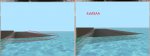
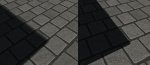
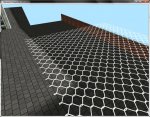

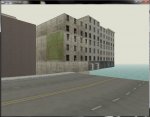
 . Und die Texturen sind weit besser als bei 90 % unserer Konsolenports




.gif "sm_B-) :-)") Was studierst du denn?
Was studierst du denn?


